1-8
2. SOFTWARE DOWNLOAD
2-1. Micom Download
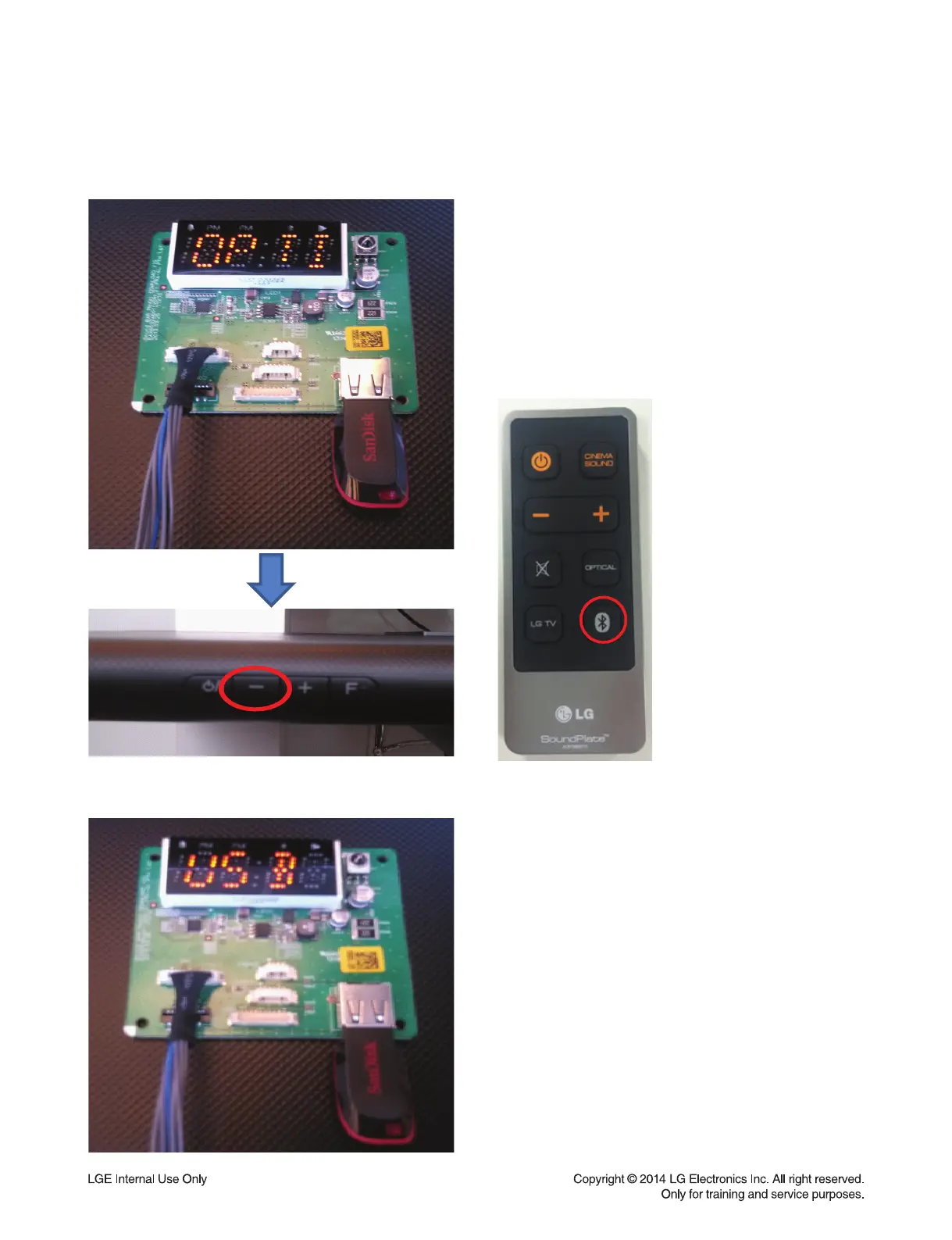
1) Insert the USB memory in display jig.
* Micom fi le must be inside of USB memory.
2) Push continually the “-” button at the back
side of main set and push continually the
“Bluetooth” button of remote control until
“USB” massage diplayed in the display jig.
Take your fi nger off “Bluetooth” button fi rst
and then take your fi nger off “-” button.



 To Next Page