EasyManua.ls Logo

LG LAS751M - User Manual

LG LAS751M
91 pages
Print Icon
To Next Page IconTo Next Page
Loading...
SERVICE MANUAL
SERVICE MANUAL
CAUTION
BEFORE SERVICING THE UNIT, READ THE “SAFETY PRECAUTIONS”
IN THIS MANUAL.
Internal Use Only
Website http://biz.lgservice.com
SMART Hi-Fi AUDIO
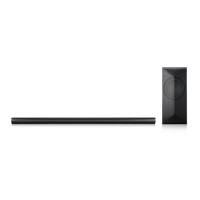
Wireless Multi-room Sound Bar
MODEL: LAS751M (LAS751M, S75A1-D)
MODEL: LAS751M
(LAS751M, S75A1-D)
P/NO : AFN77277045 AUGUST, 2015

Table of Contents

Question and Answer IconNeed help?

Do you have a question about the LG LAS751M and is the answer not in the manual?

Summary

Section 1: Summary

Product Safety Servicing Guidelines

Guidelines for safe servicing of audio products, including precautions and symbols.

Servicing Precautions

General and specific precautions for servicing, including ES device handling and insulation testing.

Product Specifications

Technical specifications including power, dimensions, input/output, and amplifier details.

Section 2: Electrical

No Sound or LCD Problem Troubleshooting

Troubleshooting steps for no sound or LCD display issues, focusing on IC601.

No Booting Troubleshooting (IC308)

Troubleshooting steps for no booting when the set is turned on, focusing on IC308.

No Booting Troubleshooting (LED Off)

Troubleshooting for no booting when the set is turned on and LEDs are off, focusing on IC100.

No Sound from Right Speaker (IC7000)

Troubleshooting steps for no sound from the right speaker, focusing on IC7000.

Electrical Troubleshooting Guide

Flowcharts for diagnosing electrical issues with Power/MICOM/LCD, Wi-Fi, AMP/PWM, and Bluetooth.

Circuit Voltage Chart

A chart listing key ICs, their types, specified and measured voltages for troubleshooting.

Section 4: Wireless Subwoofer Part

Woofer No Power Troubleshooting (PVDD)

Troubleshooting steps for no power issues in the woofer, checking PVDD voltage.

Summary

Section 1: Summary

Product Safety Servicing Guidelines

Guidelines for safe servicing of audio products, including precautions and symbols.

Servicing Precautions

General and specific precautions for servicing, including ES device handling and insulation testing.

Product Specifications

Technical specifications including power, dimensions, input/output, and amplifier details.

Section 2: Electrical

No Sound or LCD Problem Troubleshooting

Troubleshooting steps for no sound or LCD display issues, focusing on IC601.

No Booting Troubleshooting (IC308)

Troubleshooting steps for no booting when the set is turned on, focusing on IC308.

No Booting Troubleshooting (LED Off)

Troubleshooting for no booting when the set is turned on and LEDs are off, focusing on IC100.

No Sound from Right Speaker (IC7000)

Troubleshooting steps for no sound from the right speaker, focusing on IC7000.

Electrical Troubleshooting Guide

Flowcharts for diagnosing electrical issues with Power/MICOM/LCD, Wi-Fi, AMP/PWM, and Bluetooth.

Circuit Voltage Chart

A chart listing key ICs, their types, specified and measured voltages for troubleshooting.

Section 4: Wireless Subwoofer Part

Woofer No Power Troubleshooting (PVDD)

Troubleshooting steps for no power issues in the woofer, checking PVDD voltage.

LG LAS751M Specifications

General IconGeneral
BrandLG
ModelLAS751M
Speaker TypeSound Bar
Channels4.1
SubwooferWireless
BluetoothYes
HDMI Inputs1
HDMI Output1
Optical Input1
Wall MountableYes
ConnectivityBluetooth, HDMI, Optical
Audio DecodingDolby Digital

Related product manuals