EasyManua.ls Logo

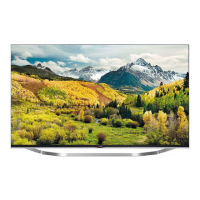
LG LB75 Series - User Manual

LG LB75 Series
68 pages
Print Icon
To Next Page IconTo Next Page
Loading...
LB63**
LB65**
LB67**
LB69**
LB72**
LB75**
LB87**
LED TV
*
* Disclaimer
LG LED TVs are LCD TVs with LED backlighting.
OWNER’S MANUAL
Click! User Guide
Please read this manual carefully before operating
your set and retain it for future reference.
www.lg.com
P/NO : MFL68027102 (1406-REV04)
Printed in Korea
*MFL68027102*

Questions and Answers

  • J
    Jay HinesSep 23, 2025
    Why does my LG LED TV make noise?
    • W
      William DorseySep 23, 2025
      A change in ambient humidity or temperature may result in an unusual noise when your LG LED TV turns on or off. This is normal, and there is no problem with your product.
  • T
    Taylor GarrisonAug 31, 2025
    What to do if my LG LB75 has no picture and sound?
    • F
      finleyernestAug 31, 2025
      If your LG LED TV shows no image and produces no sound, first ensure the TV is turned on. Next, check if the power cord is properly connected to a working wall outlet. To verify the outlet, connect another device to it and see if it functions correctly.
  • M
    Mary FrancoAug 25, 2025
    What to do if my LG LB75 LED TV has no image and sound?
    • G
      Gary SchwartzAug 25, 2025
      If your LG LED TV shows no image and produces no sound, first verify that the TV is powered on. Next, ensure the power cord is securely connected to a working wall outlet. You can test the outlet by plugging in another device to see if it works.
  • G
    Gina JonesAug 25, 2025
    Why does my LG LB75 LED TV keep turning off?
    • M
      Matthew AustinAug 26, 2025
      If your LG LED TV turns off suddenly, here are a few things to check: * The power supply might be interrupted. Check the power control settings. * Ensure that the Automatic Standby, Sleep Timer, or Timer Power Off functions are not activated in the Timers settings. * If the TV is on but not receiving a signal, it will automatically turn off after 15 minutes of inactivity.
  • M
    mcdanielrodneyAug 26, 2025
    What to do if my LG LB75 has no picture or sound?
    • A
      Ashley GrossAug 26, 2025
      If your LG LED TV has no image and no sound, please check the following: * Ensure that the TV is turned on. * Verify that the power cord is securely connected to a wall outlet. * Test the wall outlet by plugging in other products to see if it is working correctly.
  • R
    Rita FlemingAug 27, 2025
    Why is there no sound on my LG LB75 LED TV but there is an image?
    • O
      Olivia AllenAug 27, 2025
      If your LG LED TV displays images but produces no sound, first, press the + or - button to adjust the volume. Then, check if the sound is muted by pressing the MUTE button. Try switching to other channels, as there may be a problem with the broadcast. Finally, ensure that the audio cables are connected properly.
  • P
    Patrick AndersonAug 27, 2025
    What to do if the LG TV remote control is not working?
    • J
      Juan ThompsonAug 27, 2025
      If you can't control your LG TV with the remote, first check the remote control sensor on the TV and try again. Also, make sure there are no obstacles blocking the path between the remote and the TV. Finally, verify that the batteries in the remote are working and properly installed.
  • B
    Brandi BellAug 28, 2025
    How to fix an LG TV that turns off by itself?
    • R
      Ryan WaltonAug 28, 2025
      If your LG TV is turning off suddenly, examine the power control settings to ensure the power supply isn't being interrupted. Also, check the Timers settings to see if Automatic Standby, Sleep Timer, or Timer Power Off is activated. Note that the TV will automatically turn off after 15 minutes of inactivity if there is no signal.
  • A
    adriennestricklandAug 29, 2025
    What to do if my LG TV says ‘No signal’ or ‘Invalid Format’ when connecting to PC?
    • J
      Jennifer MckenzieAug 29, 2025
      If you see a ‘No signal’ or ‘Invalid Format’ message when connecting your PC to your LG TV via HDMI or DVI, try turning the TV off and then on again using the remote control. If that doesn't work, try reconnecting the HDMI cable. As a final step, restart your PC while the TV is turned on.
  • W
    wrightadamAug 29, 2025
    How to fix LG LED TV remote not working?
    • A
      Alexander YoderAug 29, 2025
      If your LG LED TV remote isn't working, first ensure there are no obstructions between the remote and the TV. Then, check the remote control sensor on the TV. Finally, verify that the batteries are correctly installed ( to , to ) and have sufficient charge.

LG LB75 Series Specifications

General IconGeneral
Display TypeLED
HDMI Ports4
Operating SystemwebOS
EthernetYes
Audio Output20W
Smart TVYes
Wi-FiYes
Speaker Type2 Channel

Related product manuals