EasyManua.ls Logo

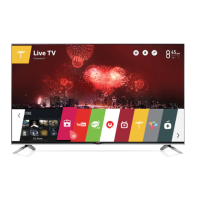
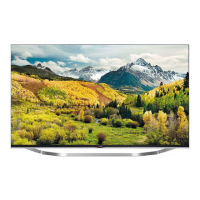
LG LB75 Series - User Manual

LG LB75 Series
68 pages
Print Icon
To Next Page IconTo Next Page
Loading...
LB63**
LB65**
LB67**
LB69**
LB72**
LB75**
LB87**
LED TV
*
* Disclaimer
LG LED TVs are LCD TVs with LED backlighting.
OWNER’S MANUAL
Click! User Guide
Please read this manual carefully before operating
your set and retain it for future reference.
www.lg.com
P/NO : MFL68027102 (1406-REV04)
Printed in Korea
*MFL68027102*

Questions and Answers

  • J
    Janice GutierrezAug 30, 2025
    What to do if my LG LED TV says no signal?
    • J
      Jennifer DoughertyAug 30, 2025
      If your LG LED TV displays 'No Signal', ensure the signal cable is correctly connected between the TV and any connected devices. Also, verify the selected input source by pressing the INPUT button on your remote.
  • J
    Jessica GarrettAug 25, 2025
    Why does my LG LED TV turn off by itself?
    • J
      Jenna BenjaminAug 25, 2025
      If your LG LED TV turns off suddenly, it might be due to an interrupted power supply. Check the power control settings. Also, verify if the Automatic Standby, Sleep Timer, or Timer Power Off is activated in the Timers settings. If the TV is on but not receiving a signal, it will automatically turn off after 15 minutes of inactivity.
  • J
    Jessica FinleyAug 31, 2025
    Why is there no sound on my LG LED TV?
    • D
      Destiny HawkinsAug 31, 2025
      If you're not getting any sound on your LG LED TV while images are displaying, try pressing the volume + or - button. Check if the sound is muted by pressing the MUTE button. Try switching to other channels, as the issue might be with the broadcast. Finally, ensure the audio cables are correctly connected.
  • P
    Paula BennettSep 1, 2025
    What to do if LG LED TV displays 'No signal' from PC?
    • M
      michele61Sep 1, 2025
      If your LG LED TV displays 'No signal' or 'Invalid Format' when connected to a PC via HDMI/DVI, try turning the TV off and on again using the remote control. Reconnect the HDMI cable securely. As a final measure, restart your PC while the TV is powered on.
  • C
    christopherchanSep 2, 2025
    What to do if LG LED TV remote control is not working?
    • N
      Nicole BrandtSep 2, 2025
      If you cannot control your LG LED TV with the remote, first check the remote control sensor on the TV and try again. Ensure there are no obstacles between the remote and the TV. Also, verify that the batteries in the remote are working and properly installed, paying attention to the correct polarity (+ to +, - to -).
  • D
    Dennis MaldonadoSep 3, 2025
    How to fix LG LED TV remote control not working?
    • C
      Claudia DavisSep 3, 2025
      If your LG LED TV remote control isn't working, begin by checking the remote control sensor on the TV and try again. Make sure there are no obstructions between the remote and the TV. Also, verify that the batteries in the remote are correctly installed and still have power.
  • J
    Jennifer MaxwellSep 3, 2025
    Why does my LG LED TV turn off suddenly?
    • S
      sarahlewisSep 3, 2025
      Your LG LED TV might be turning off suddenly due to a few reasons. First, check the power control settings to ensure the power supply isn't being interrupted. Also, verify that the Sleep Timer or Timer Power Off feature is not activated in the Timers settings. Finally, if the TV is left on without a signal, it will automatically turn off after 15 minutes of inactivity.
  • D
    denise73Sep 4, 2025
    How to fix an LG LB75 LED TV remote that is not working?
    • B
      Bobby JimenezSep 4, 2025
      If you cannot control your LG LED TV with the remote, try these steps: * Check the remote control sensor on the TV and try again. * Make sure there are no obstacles between the remote and the TV. * Verify that the batteries in the remote are working and properly installed.
  • C
    cynthia33Sep 5, 2025
    What to do if my LG LED TV turns off suddenly?
    • S
      scotttiffanySep 5, 2025
      If your LG LED TV turns off suddenly, check the power control settings. The power supply may be interrupted. Also, verify if the Sleep Timer or Timer Power Off feature is activated in the Timers settings. Note that the TV will turn off automatically after 15 minutes of inactivity if there is no signal.
  • T
    Taylor OwensSep 5, 2025
    What to do if my LG LCD TV turns off suddenly?
    • W
      williamdeckerSep 6, 2025
      If your LG LCD TV turns off unexpectedly, it could be due to a few reasons. First, the power supply might be interrupted, so check the power control settings. Second, the Automatic Standby, Sleep Timer, or Timer Power Off functions may be activated in the Timers settings. Finally, if the TV doesn't receive a signal for 15 minutes, it will automatically turn off.

LG LB75 Series Specifications

General IconGeneral
Display TypeLED
HDMI Ports4
Operating SystemwebOS
EthernetYes
Audio Output20W
Smart TVYes
Wi-FiYes
Speaker Type2 Channel

Related product manuals