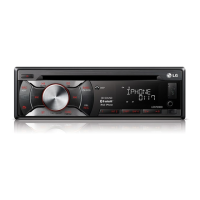
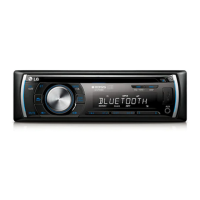
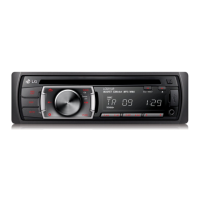
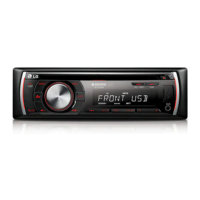
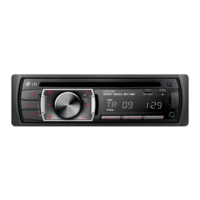
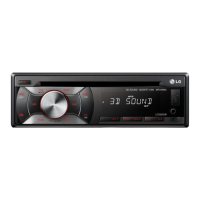
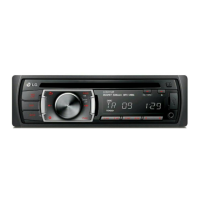
This document is an owner's manual for an LG Smart Car Audio system, covering models LCS720BI, LCS720BO, LCF820BI, and LCF820BO. It provides comprehensive information on the device's operation, connection, troubleshooting, and safety.
Function Description
The LG Smart Car Audio system is designed to provide a versatile in-car entertainment and communication experience. Its primary functions include:
- Audio Playback: The unit supports various audio sources, including CDs, USB devices, SD cards, and external auxiliary devices. It can play MP3/WMA files and offers features like repeat (RPT), shuffle (SHF), and intro scan (INT) for customized playback.
- Radio Tuner: It includes an FM/AM tuner with the ability to search for and store preset stations. Advanced tuner settings, including Program Type (PTY), Alternative Frequency (AF), Region (REG), Traffic Announcement (TA), and Programme Identification (PI), enhance the radio listening experience. The unit also supports Clock Time (CT) information from RDS.
- iPod/iPhone Connectivity: Users can connect their iPod or iPhone to the unit via the USB connector to play music stored on these devices. The system allows control over the iPod/iPhone directly from the unit, with options for pausing, restarting, searching within files, and skipping tracks.
- Bluetooth Wireless Technology: The device integrates Bluetooth for hands-free calling and audio streaming (A2DP). Users can pair their phone, answer/end calls, reject calls, make calls from saved numbers, and check missed calls. It also allows for audio transfer between the phone and the unit during a call. The "WICS" (Wireless Controller & Synchronization) application enables control of the unit via an iPhone.
- Recording Functionality: The unit can record audio from CDs, FM tuner, DAB (if supported by the model), and Bluetooth hands-free calls directly to a connected USB device or SD card. Recording can be done for single tracks/files or entire folders, with adjustable recording speeds (SPD REC for normal, SPD COPY for twice as fast).
- Sound Customization: An Equalizer (EQ) function allows users to adjust audio frequencies with various preset modes like FLAT, XDSS+, POP, CLASSIC, ROCK, JAZZ, VOCAL, SALSA, SAMBA, REGGAE, RUSSY, USER1, and USER2. A 3D SOUND mode is also available for an enhanced surround sound experience, specifically for CD/USB/SD sources.
- General Settings: The unit offers adjustable settings for sound (BAL, FAD, SW, SW-F, A-EQ, BAS, MID, TRB), display light (LED color, dimmer ON/OFF, dimmer level), and other functions (AUX ON/OFF, DEMO OFF/ON, BEEP 2ND/ALL, CLK).
Usage Features
- Control Panel: The unit features a front panel with various buttons and a volume knob for intuitive control. Models LCS720BI/LCS720BO and LCF820BI/LCF820BO have slightly different button layouts but offer similar core functionalities.
- Detachable Control Panel: The control panel is detachable for security and convenience. Instructions are provided for both attaching and detaching the panel, along with recommendations for its care.
- Remote Control: A remote control is included for convenient operation from a distance, replicating most of the front panel's functions.
- Display Window: An integrated display window shows information such as clock time, track/file details, station frequencies, and menu settings. The display light can be turned on/off.
- USB/SD Card Slot: The unit includes a USB port and an SD card slot for playing digital media and recording.
- Auxiliary Input: An AUX jack allows connection of external audio devices.
- Steering Wheel Remote Control Compatibility: The unit is compatible with steering wheel remote controls, allowing for convenient operation without taking hands off the wheel.
- Microphone (Optional): Some models (LCS720BI/LCF820BI) have a built-in microphone, while others (LCS720BO/LCF820BO) support an external microphone for hands-free calling.
- Phonebook Sync (P-BOOK): The Bluetooth function allows for phonebook synchronization, enabling users to list, search, and get phonebook entries from their connected phone.
- Bluetooth Setup: Settings for Bluetooth include visibility (SHOWN/HIDDEN), auto connection (ON/OFF), auto answer (MANUAL/AUTO), microphone volume adjustment, and redial counts.
Maintenance Features
- Resetting the Unit: If the unit malfunctions, it can be reset by pressing a designated RESET hole on the main unit after detaching the control panel.
- Battery Installation: Instructions are provided for installing the CR2025 (3 V) lithium battery in the remote control, along with precautions for battery care.
- Cleaning the Control Panel: Recommendations include periodically wiping the contacts on the back of the control panel with an alcohol-moistened cotton swab for optimal performance.
- Safety Information: The manual emphasizes important safety precautions, including warnings against electric shock, exposure to moisture, operating in extreme temperatures, and improper installation. It also advises against using the device in a manner that distracts from driving.
- Disposal Information: Guidance is provided on the proper disposal of the old appliance and batteries in accordance with European Directives to prevent environmental contamination and health risks.
- Copyright Information: A note reminds users about the legal implications of unauthorized copying of copyrighted material.



 To Next Page
 General