36
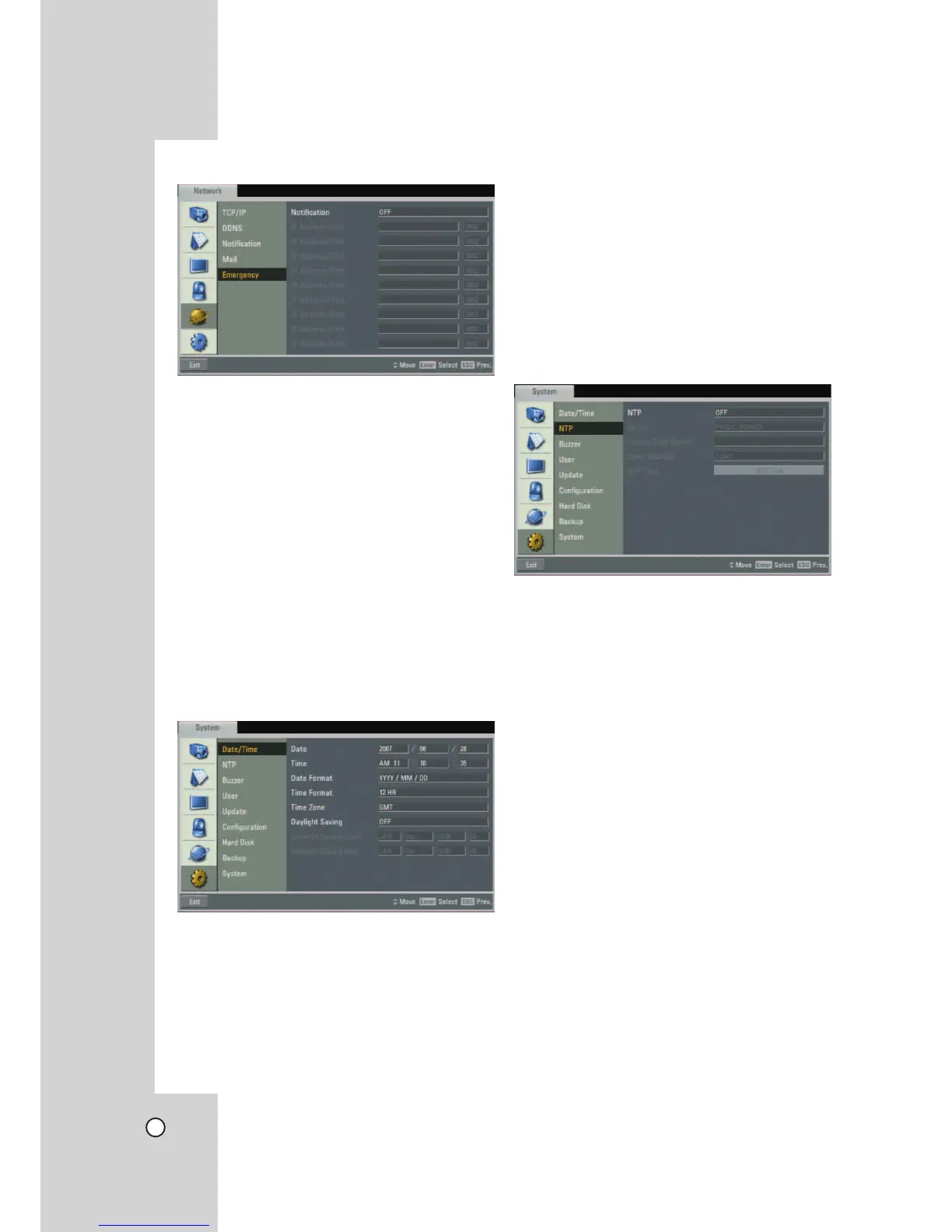
Emergency
z Notification:
- ON: Notifies the emergency agent about unit
operating information according to your notifica-
tion settings.
- OFF: Notification function is not used.
z IP Address/Port: Enter the IP/port number of the
emergency agent program using the virtual
keyboard. The factory default port for this func-
tion is 9002. However in some cases it is better
to change this port number for added flexibility or
security. If desired change the port number (1025 ~
65535). You can set up to 9 IP/port numbers.
System Settings
Date/Time
z Date: Enter the current date.
z Time: Enter the current time. (24 HR or 12 HR)
z Date Format: Select the date display format.
z Time Format: Select the time display format.
z Time Zone: Select your Time Zone.
(For more details refer to Timezone table on page
70)
z Daylight Saving: Set to ON to you use the daylight
saving function.
z Daylight Saving Start: Select the Daylight Saving
start time.
z Daylight Saving End: Select the Daylight Saving
end time.
NTP
z NTP: Set to ON when using the NTP (Network
Time Protocol) server for time adjustment. If the
NTP is set to OFF, the time settings should be
entered manually and the [Time Server], [Private
Time Server], [Sync. Interval] and [NTP Test]
options are deactivated.
z Server: For most cases select public. The DVR will
obtain the average time among 5 public servers
(time.nist.gov, time-a.nist.gov, time-b.nist.gov, ntp.
nasa.gov, clock.isc.org).
z Private Time Server: Enter the private time
server's IP address or host name using the virtual
keyboard.
z Sync. Interval: You can set synchronized intervals
with the NTP time server to 1 day, 1 hour, 1 month
and 1 week.
z NTP Test: Select [NTP Test] to test the NTP serv-
er.


 To Next Page