Operating 53
Operating
4
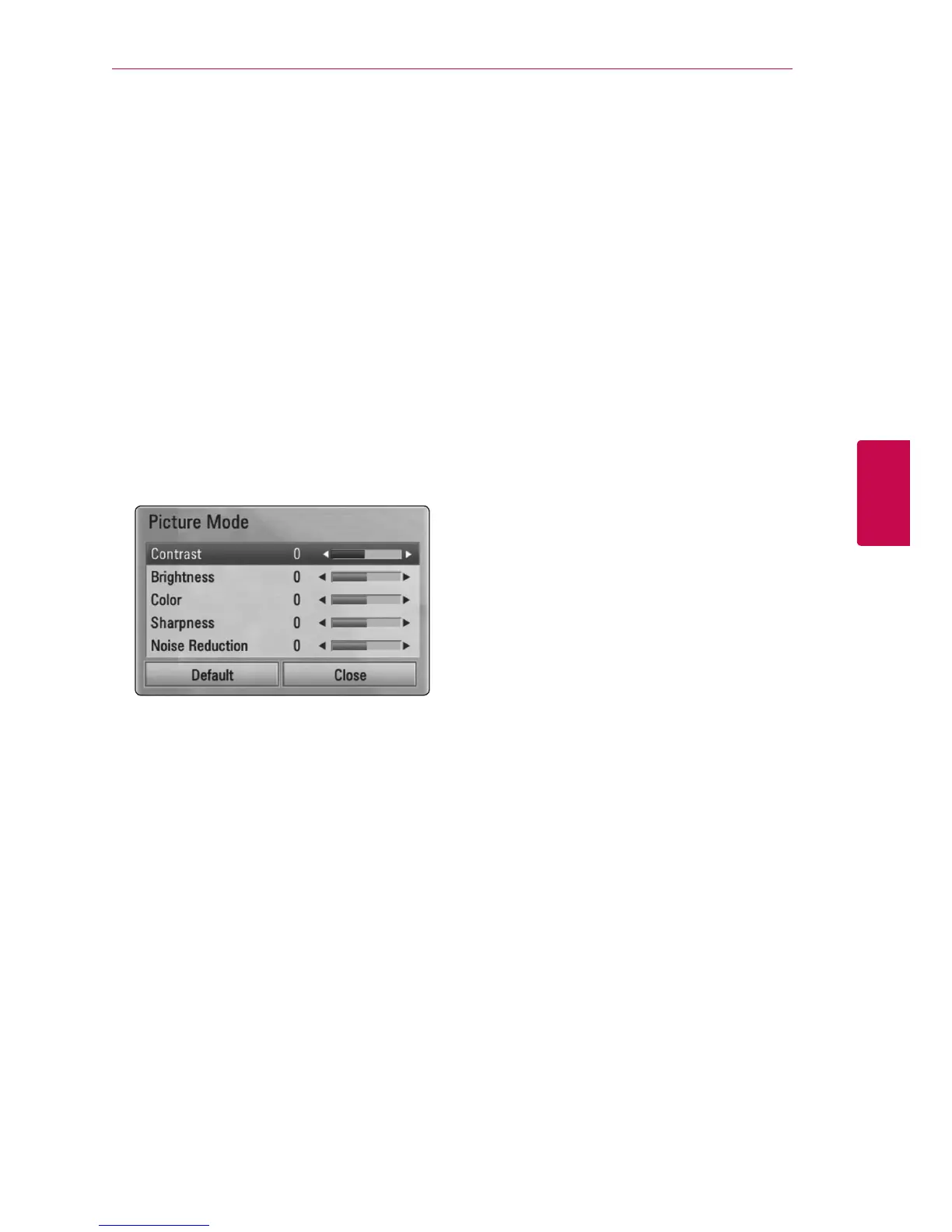
Changing the Picture Mode
eroy
You can change the [Picture mode] option while
playback.
1. During playback, press INFO/DISPLAY (
m
) to
display the On-Screen display.
2. Use
W/S
to select the [Picture Mode] option.
3. Use
A/D
to select desired option.
4. Press BACK (
x
) to exit the On-Screen display.
Setting the [User] option
1. During playback, press INFO/DISPLAY (
m
) to
display the On-Screen display.
2. Use
W/S
to select the [Picture Mode] option.
3. Use
A/D
to select the [User setting] option,
and press ENTER (
b
).
4. Use
W/S/A/D
to adjust the [Picture Mode]
options.
Select [Default] option then press ENTER (
b
) to
reset the all video adjustments.
5. Use
W/S/A/D
to select the [Close] option,
and press ENTER (
b
) to nish setting.


 To Next Page