34 MAINTENANCE
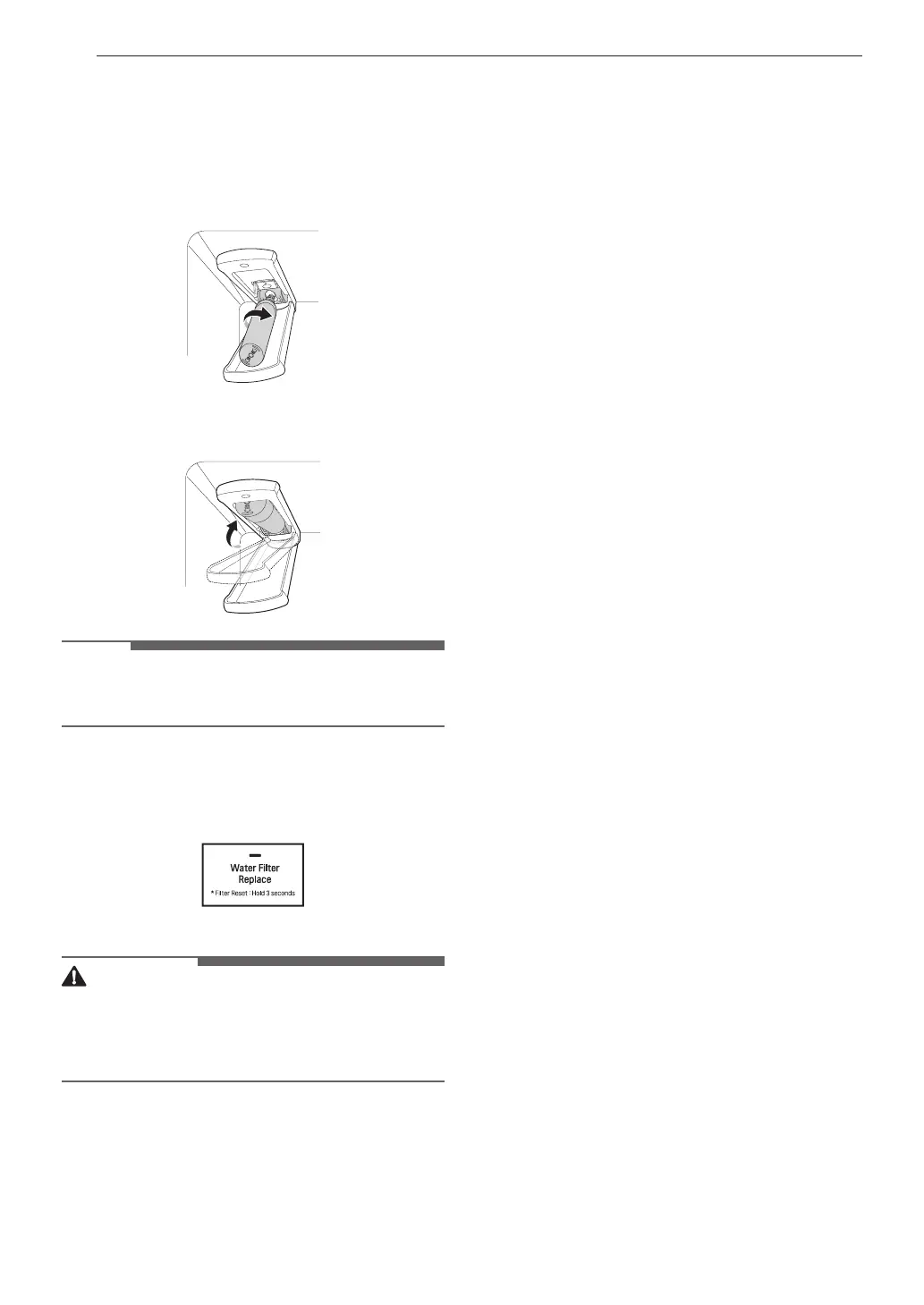
4 Replace with a new water filter.
• Take the new water filter out of its packing
and remove the protective cover from the o-
rings. With the water filter tabs in the
horizontal position, push the new water
filter into the manifold hole and turn it
clockwise until it stops.
5 Close the water filter cover. The cover will click
when closed correctly.
NOTE
• After the water filter is replaced, throw away the
first bin full of ice (about 140-160 cubes).
6 After changing the filter, press and hold the
Water Filter Replace button for 3 seconds to
reset the indicator light.
CAUTION
• LG strongly recommends that you use LG-
authorized water filters to prevent water quality
issues, water leakage and appliance
malfunction.
• For further assistance, call:
- 1-800-243-0000 (USA)
- 1-888-542-2623 (Canada)



 To Next Page