EasyManua.ls Logo

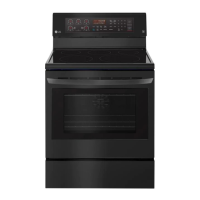
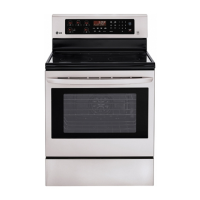
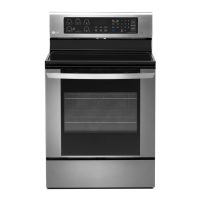
LG LRE4213ST - User Manual

LG LRE4213ST
112 pages
Print Icon
To Next Page IconTo Next Page
Loading...
ENGLISH ESpañoL
OWNER’S MANUAL
ELECTRIC
RANGE
Read this owner’s manual thoroughly before operating the appliance
and keep it handy for reference at all times.
www.lg.com
MFL68881505_02
LRE4215ST
LRE4213ST
LRE4211ST LRE4211SB LRE4211SW

Table of Contents

Other manuals for LG LRE4213ST

Question and Answer IconNeed help?

Do you have a question about the LG LRE4213ST and is the answer not in the manual?

Summary

IMPORTANT SAFETY INSTRUCTIONS

ANTI-TIP DEVICE

Instructions for securing the range to prevent tipping hazards.

IMPORTANT SAFETY INSTRUCTIONS

SAFETY PRECAUTIONS

General safety guidelines and warnings for operating the appliance.

IMPORTANT SAFETY INSTRUCTIONS

FLAMMABLE MATERIALS & ELECTRICAL SAFETY

Warnings about flammables, apparel, and electrical safety precautions.

IMPORTANT SAFETY INSTRUCTIONS

CHILD SAFETY & GLASS-CERAMIC COOKTOP

Safety for children and precautions for the glass-ceramic cooktop.

IMPORTANT SAFETY INSTRUCTIONS

ENERGY SAVING & SAFETY DURING USE

Tips for energy efficiency and safe operation of the appliance.

IMPORTANT SAFETY INSTRUCTIONS

SAFETY WHEN CLEANING & COOKING MEAT

Cleaning safety, cooking meat/poultry thoroughly, and broiling tips.

PRODUCT OVERVIEW

Parts and Accessories

Identification of range parts and available accessories.

INSTALLATION

Installation Overview and Specifications

Visual guide to installation and key product specifications.

INSTALLATION

Before Installing, Tools, and Parts

Pre-installation checks, required tools, and provided/needed parts.

INSTALLATION

Installing the Range and Choosing Location

Unpacking, moving, and selecting a proper installation location.

INSTALLATION

Dimensions and Clearances

Required clearances and dimensions for proper installation.

INSTALLATION

Anti-tip Device and Connecting Electricity

Instructions for anti-tip device installation and electrical connection requirements.

INSTALLATION

Power Cord Kits and Connecting the Cord

Details on power cord kits and steps for connecting the power cord.

INSTALLATION

3-Wire and 4-Wire Power Cord Connections

Detailed instructions for connecting 3-wire and 4-wire power cords.

INSTALLATION

3-Wire and 4-Wire Conduit Connections

Instructions for connecting 3-wire and 4-wire conduits.

INSTALLATION

Engaging Anti-tip Device and Test Run

Finalizing anti-tip engagement and performing a test run.

OPERATION

Control Panel Overview

Identification and description of control panel buttons and indicators.

OPERATION

Knob Positions

Correct placement of control knobs for proper burner operation.

OPERATION

Changing Oven Settings, Clock, and Light

How to set clock, oven light, and view default settings.

OPERATION

Timer, Settings, Hour Mode, Convection Auto Conversion

Using timer, accessing settings, and configuring hour mode/convection auto conversion.

OPERATION

Adjusting Oven Temp, Preheat Alarm, Beep Volume, Units, Lockout

Adjusting oven temperature, alarm, beeper volume, units, and lockout feature.

OPERATION

Delayed Timed Cook and Timed Cook

Setting delayed start and specific cooking durations for the oven.

OPERATION

Using the Cooktop and Elements

Operating the cooktop surface and its individual elements.

OPERATION

Dual, Warming Zone, Triple Elements & Settings

Operating dual/triple elements, warming zone, and recommended settings.

OPERATION

Proper Cookware and Home Canning Tips

Selecting cookware and tips for home canning.

OPERATION

Using the Oven, Racks, and Bake Function

General oven use, rack management, and setting the bake function.

OPERATION

Baking Tips, Convection Mode, and Roasting

Baking tips, convection explanation, and tips for convection baking/roasting.

OPERATION

Baking and Roasting Rack Guide

Guide for rack placement and food types for better baking and roasting.

OPERATION

Broil, Smoking, and Speed Broil

Using broil, managing smoke, and speed broil function.

OPERATION

Recommended Broiling Guide

Chart of settings for broiling various foods.

OPERATION

Broiling Tips, Warm, and Proof

Broiling tips, using warm function, and proofing yeast products.

OPERATION

Pizza and Speed Roast Functions

Using the dedicated pizza and speed roast cooking functions.

SMART FEATURES

Before Using Tag On & NFC Setup

Prerequisites for Tag On and smartphone NFC setup.

SMART FEATURES

NFC Antenna Position & Tag On Applications

Smartphone positioning for NFC and using Tag On with app features.

MAINTENANCE

Cleaning Cooktop and Burned-On Residue

Instructions for cleaning the glass-ceramic cooktop and removing residue.

MAINTENANCE

Metal Marks, Scratches, and EasyClean

Preventing/removing marks, and using the EasyClean® feature.

MAINTENANCE

When to Use EasyClean & Instruction Guide

Guidance on EasyClean® use and step-by-step instructions.

MAINTENANCE

EasyClean Instruction Guide Continued

Continuation of the EasyClean® cleaning process.

MAINTENANCE

Self Clean, Before Starting, and Setting

Details on Self Clean cycle, preparation, and settings.

MAINTENANCE

Delayed Self Clean, During & After Cycle

Setting delayed self-clean, what happens during and after the cycle.

MAINTENANCE

Oven Light, Exterior Cleaning, and Oven Door

Changing oven light, cleaning exterior, and specific oven door care.

MAINTENANCE

Broiler Pan;Grid, Removing;Replacing Doors & Drawer

Cleaning broiler pan, and instructions for door/drawer removal.

MAINTENANCE

Replacing Door, Drawer, and Door Care

Reinstalling door/drawer and general door care instructions.

TROUBLESHOOTING

FAQs - Cooktop & Oven Operation

Frequently asked questions about cooktop/oven operation and performance.

TROUBLESHOOTING

Troubleshooting Buttons, EasyClean, and Stubborn Soils

Resolving button issues, improving EasyClean®, and cleaning stubborn soils.

TROUBLESHOOTING

Before Calling Service - Level, Access, Errors, Unit Issues

Pre-service checks for level, access, error codes, and unit malfunctions.

TROUBLESHOOTING

Oven;Appliance Operation, Broiling, Baking;Roasting Issues

Troubleshooting oven failure, broiling, and baking/roasting problems.

TROUBLESHOOTING

Broiling, Temperature, Cooktop Marks, Self-Clean Issues

Addressing broiling, temperature, cooktop marks, and self-clean problems.

TROUBLESHOOTING

Self Clean Issues, Door Lock, Odors, Racks, Moisture

Resolving self-clean issues, door lock, odors, rack sliding, and moisture.

SMART DIAGNOSIS

Diagnosis via Phone and Smart Phone App

Using phone call or app for smart diagnosis and troubleshooting.

WARRANTY (USA)

Warranty Details and Exclusions

Warranty period, scope, service handling, and common exclusions.

WARRANTY

Cooktop Cracks, Chipping, Foil Stains, No Power

Troubleshooting cooktop cracks, chipping, foil stains, and unit power issues.

WARRANTY

Leveling, Tipping, and Obtaining Service Information

Addressing leveling/tipping issues and warranty service contact information.

Summary

IMPORTANT SAFETY INSTRUCTIONS

ANTI-TIP DEVICE

Instructions for securing the range to prevent tipping hazards.

IMPORTANT SAFETY INSTRUCTIONS

SAFETY PRECAUTIONS

General safety guidelines and warnings for operating the appliance.

IMPORTANT SAFETY INSTRUCTIONS

FLAMMABLE MATERIALS & ELECTRICAL SAFETY

Warnings about flammables, apparel, and electrical safety precautions.

IMPORTANT SAFETY INSTRUCTIONS

CHILD SAFETY & GLASS-CERAMIC COOKTOP

Safety for children and precautions for the glass-ceramic cooktop.

IMPORTANT SAFETY INSTRUCTIONS

ENERGY SAVING & SAFETY DURING USE

Tips for energy efficiency and safe operation of the appliance.

IMPORTANT SAFETY INSTRUCTIONS

SAFETY WHEN CLEANING & COOKING MEAT

Cleaning safety, cooking meat/poultry thoroughly, and broiling tips.

PRODUCT OVERVIEW

Parts and Accessories

Identification of range parts and available accessories.

INSTALLATION

Installation Overview and Specifications

Visual guide to installation and key product specifications.

INSTALLATION

Before Installing, Tools, and Parts

Pre-installation checks, required tools, and provided/needed parts.

INSTALLATION

Installing the Range and Choosing Location

Unpacking, moving, and selecting a proper installation location.

INSTALLATION

Dimensions and Clearances

Required clearances and dimensions for proper installation.

INSTALLATION

Anti-tip Device and Connecting Electricity

Instructions for anti-tip device installation and electrical connection requirements.

INSTALLATION

Power Cord Kits and Connecting the Cord

Details on power cord kits and steps for connecting the power cord.

INSTALLATION

3-Wire and 4-Wire Power Cord Connections

Detailed instructions for connecting 3-wire and 4-wire power cords.

INSTALLATION

3-Wire and 4-Wire Conduit Connections

Instructions for connecting 3-wire and 4-wire conduits.

INSTALLATION

Engaging Anti-tip Device and Test Run

Finalizing anti-tip engagement and performing a test run.

OPERATION

Control Panel Overview

Identification and description of control panel buttons and indicators.

OPERATION

Knob Positions

Correct placement of control knobs for proper burner operation.

OPERATION

Changing Oven Settings, Clock, and Light

How to set clock, oven light, and view default settings.

OPERATION

Timer, Settings, Hour Mode, Convection Auto Conversion

Using timer, accessing settings, and configuring hour mode/convection auto conversion.

OPERATION

Adjusting Oven Temp, Preheat Alarm, Beep Volume, Units, Lockout

Adjusting oven temperature, alarm, beeper volume, units, and lockout feature.

OPERATION

Delayed Timed Cook and Timed Cook

Setting delayed start and specific cooking durations for the oven.

OPERATION

Using the Cooktop and Elements

Operating the cooktop surface and its individual elements.

OPERATION

Dual, Warming Zone, Triple Elements & Settings

Operating dual/triple elements, warming zone, and recommended settings.

OPERATION

Proper Cookware and Home Canning Tips

Selecting cookware and tips for home canning.

OPERATION

Using the Oven, Racks, and Bake Function

General oven use, rack management, and setting the bake function.

OPERATION

Baking Tips, Convection Mode, and Roasting

Baking tips, convection explanation, and tips for convection baking/roasting.

OPERATION

Baking and Roasting Rack Guide

Guide for rack placement and food types for better baking and roasting.

OPERATION

Broil, Smoking, and Speed Broil

Using broil, managing smoke, and speed broil function.

OPERATION

Recommended Broiling Guide

Chart of settings for broiling various foods.

OPERATION

Broiling Tips, Warm, and Proof

Broiling tips, using warm function, and proofing yeast products.

OPERATION

Pizza and Speed Roast Functions

Using the dedicated pizza and speed roast cooking functions.

SMART FEATURES

Before Using Tag On & NFC Setup

Prerequisites for Tag On and smartphone NFC setup.

SMART FEATURES

NFC Antenna Position & Tag On Applications

Smartphone positioning for NFC and using Tag On with app features.

MAINTENANCE

Cleaning Cooktop and Burned-On Residue

Instructions for cleaning the glass-ceramic cooktop and removing residue.

MAINTENANCE

Metal Marks, Scratches, and EasyClean

Preventing/removing marks, and using the EasyClean® feature.

MAINTENANCE

When to Use EasyClean & Instruction Guide

Guidance on EasyClean® use and step-by-step instructions.

MAINTENANCE

EasyClean Instruction Guide Continued

Continuation of the EasyClean® cleaning process.

MAINTENANCE

Self Clean, Before Starting, and Setting

Details on Self Clean cycle, preparation, and settings.

MAINTENANCE

Delayed Self Clean, During & After Cycle

Setting delayed self-clean, what happens during and after the cycle.

MAINTENANCE

Oven Light, Exterior Cleaning, and Oven Door

Changing oven light, cleaning exterior, and specific oven door care.

MAINTENANCE

Broiler Pan;Grid, Removing;Replacing Doors & Drawer

Cleaning broiler pan, and instructions for door/drawer removal.

MAINTENANCE

Replacing Door, Drawer, and Door Care

Reinstalling door/drawer and general door care instructions.

TROUBLESHOOTING

FAQs - Cooktop & Oven Operation

Frequently asked questions about cooktop/oven operation and performance.

TROUBLESHOOTING

Troubleshooting Buttons, EasyClean, and Stubborn Soils

Resolving button issues, improving EasyClean®, and cleaning stubborn soils.

TROUBLESHOOTING

Before Calling Service - Level, Access, Errors, Unit Issues

Pre-service checks for level, access, error codes, and unit malfunctions.

TROUBLESHOOTING

Oven;Appliance Operation, Broiling, Baking;Roasting Issues

Troubleshooting oven failure, broiling, and baking/roasting problems.

TROUBLESHOOTING

Broiling, Temperature, Cooktop Marks, Self-Clean Issues

Addressing broiling, temperature, cooktop marks, and self-clean problems.

TROUBLESHOOTING

Self Clean Issues, Door Lock, Odors, Racks, Moisture

Resolving self-clean issues, door lock, odors, rack sliding, and moisture.

SMART DIAGNOSIS

Diagnosis via Phone and Smart Phone App

Using phone call or app for smart diagnosis and troubleshooting.

WARRANTY (USA)

Warranty Details and Exclusions

Warranty period, scope, service handling, and common exclusions.

WARRANTY

Cooktop Cracks, Chipping, Foil Stains, No Power

Troubleshooting cooktop cracks, chipping, foil stains, and unit power issues.

WARRANTY

Leveling, Tipping, and Obtaining Service Information

Addressing leveling/tipping issues and warranty service contact information.

LG LRE4213ST Specifications

General IconGeneral
Stylesingle oven, freestanding
Colorstainless steel
Total Capacity6.3 cubic feet
Inductionno
Number of Oven Racks3
Number of Oven Rack Positions7
Interior Lightyes
Fuelelectric
Current40 amperes
Weight and Dimensions IconWeight and Dimensions
Depth28 15/16 inches
Height47 5/16 inches
Width30 inches
Net Weight164 pounds

Related product manuals