29
OPERATION
ENGLISH
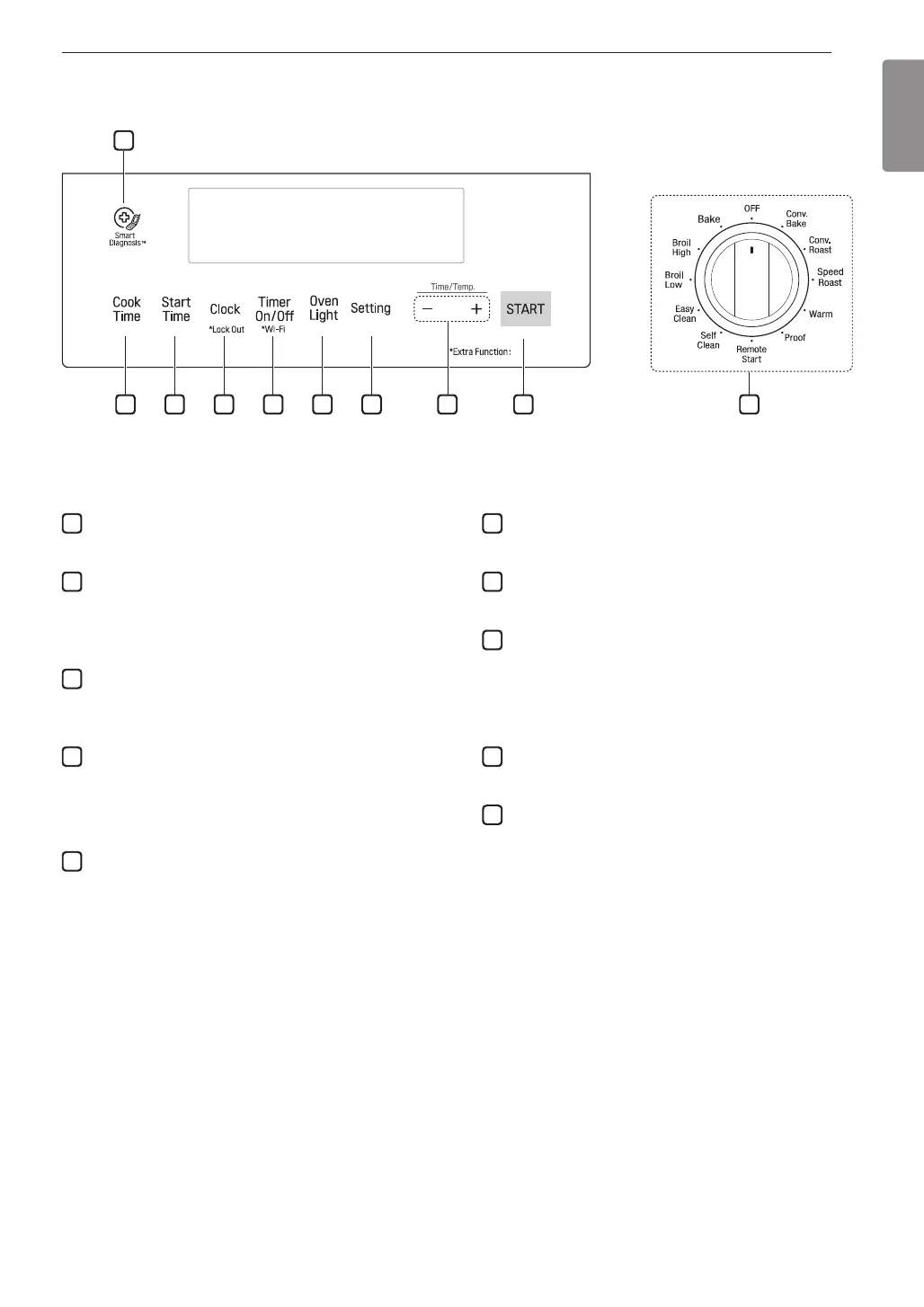
1
Smart Diagnosis
TM
•
Use during the Smart Diagnosis feature.
2
Cook Time
Press the button to set the desired amount of time for
food to cook. The oven shuts off when the set cooking
time runs out.
3
Start Time
Press the button to set the delayed timed cook. The
oven starts at the set time.
4
Clock / Lock Out
•
Press button to set the time of day.
•
Press and hold button for three seconds to lock the
door and control panel.
5
Timer On/Off / *Wi-Fi
Press the button to set or cancel timer on oven.
Press and hold button for three seconds to connect
the Wi-Fi.
To disconnect the appliance from the network, delete
it from the registered appliances in the app.
6
Oven Light
Press the button to turn oven light on or off.
7
Setting
Press button to select and adjust oven settings.
8
- /+
Press the plus button (+) to increase cooking time or
oven temperature.
Press the minus button (-) to decrease cooking time
or oven temperature.
9
Start
Press the button to start all oven features.
10
Oven Mode Knob
Turn the knob to select oven operating mode.
Control Panel Overview
Hold 3 seconds
1
2 3 4 5 6 7
10
8 9
Flashing Clock
If the colon in the clock display flashes, touch Clock and reset the time, or touch any key to stop the flashing.


 To Next Page