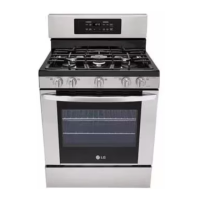
What to do if the door lock fails on my LG LUTG4519SN?
- Jjuan33Aug 3, 2025
If the door lock fails while operating the lock motor on your LG Ranges, you should check the electrical wiring, the motor’s resistance, and the micro switch.
What to do if the door lock fails on my LG LUTG4519SN?
If the door lock fails while operating the lock motor on your LG Ranges, you should check the electrical wiring, the motor’s resistance, and the micro switch.
How to fix F1 or F4 error on my LG LUTG4519SN Ranges?
If you see error code F1 (Upper) F4 (Lower) on your LG Ranges, it indicates the oven thermistor is open. Check the wiring and oven sensor.
What does error F2 or F5 mean on my LG LUTG4519SN?
If you see error code F2 (Upper) F5 (Lower) on your LG Ranges, this indicates that the oven thermistor is shorted. You should check the wiring and oven sensor.
What does F6 or F16 error mean on my LG LUTG4519SN Ranges?
If your LG Ranges displays error code F6 (Upper) F16 (Lower), it means the oven temperature has been over 650? continuously for 2 minutes during cooking (excluding self-cleaning). Check the oven sensor.
How to troubleshoot F3 error on my LG LUTG4519SN Ranges?
If your LG Ranges displays the error code F3, it means a key short has occurred. This happens if the ‘25 key short’ occurs 3 times in 90 seconds, or if communication with the Touch IC is impossible for more than 60 seconds. Check the wiring and the Touch PCB.
What does error code F18 mean on my LG Ranges, and how can I fix it?
If your LG Ranges displays error code F18, it indicates that the lower oven probe is shorted. Check the wiring and the probe sensor.
Owner's manual for the LG Signature Gas Range appliance.
Critical safety warning about potential fire or explosion risks if instructions are not followed.
Description of various burner sizes for different cookware and cooking needs.
Features for efficient and easy cleaning of the oven interior.
Instructions and warnings regarding the installation and importance of the anti-tip device.
Identification of the various physical components of the gas range.
List and description of included and optional accessories for the appliance.
Prerequisites and general guidelines before beginning the installation process.
List of tools and materials required for proper installation of the gas range.
Guidance on the physical placement and setup of the gas range.
Specifications for required clearances around the range for safe operation.
Procedure for safely connecting the gas supply line to the range.
Requirements and steps for making the proper electrical connections.
Instructions on how to correctly assemble the burner heads and caps.
Steps to ensure the range is level for proper operation and stability.
Instructions for using the gas cooktop burners safely and effectively.
Identification and description of the different gas burner positions on the cooktop.
Recommendations for suitable cookware types for use on the cooktop.
General instructions and precautions for using the oven compartment.
Explanation of the function and layout of the appliance's control panel.
How to adjust various oven settings like clock, timer, and temperature.
How to set, cancel, and use the oven timer function.
Procedure for calibrating the oven's temperature to match cooking needs.
How to set the oven to start cooking at a future scheduled time.
Steps for safely removing and reinstalling oven racks.
Instructions for using the Bake function for pastries, breads, and casseroles.
How to use the Convection Bake cooking mode for faster, even results.
How to use the Convection Roast mode for tender meats and poultry.
Instructions and safety precautions for using the Broil function.
How to use the dedicated Pizza cooking mode for various pizza types.
Using the meat probe to accurately measure internal food temperatures.
Instructions for remotely starting oven preheating via a smart phone application.
Steps to download and install the LG Smart ThinQ mobile application.
Connecting the appliance to a Wi-Fi network for smart features.
Using the Smart Diagnosis feature to troubleshoot appliance issues.
Procedure for cleaning the gas surface burner components.
Instructions for cleaning the cooktop surface, including precautions.
Detailed guide to using the EasyClean® feature for quick oven cleaning.
Information on the Self Clean cycle, including preparation and safety precautions.
Procedure for replacing the oven light bulb.
Instructions for safely removing and reinstalling the oven doors.
Frequently asked questions and answers regarding oven and cooktop operation.
Guidance on the proper and improper use of aluminum foil in the oven.
Checklist of common issues and solutions before contacting customer support.
How to use the mobile app for appliance diagnostics.
Procedure for using phone diagnostics via the customer support center.
Details of the warranty period, scope, and service handling for the appliance.
List of conditions and situations not covered by the limited warranty.
Contact information and procedures for obtaining warranty service and support.
Owner's manual for the LG Signature Gas Range appliance.
Critical safety warning about potential fire or explosion risks if instructions are not followed.
Description of various burner sizes for different cookware and cooking needs.
Features for efficient and easy cleaning of the oven interior.
Instructions and warnings regarding the installation and importance of the anti-tip device.
Identification of the various physical components of the gas range.
List and description of included and optional accessories for the appliance.
Prerequisites and general guidelines before beginning the installation process.
List of tools and materials required for proper installation of the gas range.
Guidance on the physical placement and setup of the gas range.
Specifications for required clearances around the range for safe operation.
Procedure for safely connecting the gas supply line to the range.
Requirements and steps for making the proper electrical connections.
Instructions on how to correctly assemble the burner heads and caps.
Steps to ensure the range is level for proper operation and stability.
Instructions for using the gas cooktop burners safely and effectively.
Identification and description of the different gas burner positions on the cooktop.
Recommendations for suitable cookware types for use on the cooktop.
General instructions and precautions for using the oven compartment.
Explanation of the function and layout of the appliance's control panel.
How to adjust various oven settings like clock, timer, and temperature.
How to set, cancel, and use the oven timer function.
Procedure for calibrating the oven's temperature to match cooking needs.
How to set the oven to start cooking at a future scheduled time.
Steps for safely removing and reinstalling oven racks.
Instructions for using the Bake function for pastries, breads, and casseroles.
How to use the Convection Bake cooking mode for faster, even results.
How to use the Convection Roast mode for tender meats and poultry.
Instructions and safety precautions for using the Broil function.
How to use the dedicated Pizza cooking mode for various pizza types.
Using the meat probe to accurately measure internal food temperatures.
Instructions for remotely starting oven preheating via a smart phone application.
Steps to download and install the LG Smart ThinQ mobile application.
Connecting the appliance to a Wi-Fi network for smart features.
Using the Smart Diagnosis feature to troubleshoot appliance issues.
Procedure for cleaning the gas surface burner components.
Instructions for cleaning the cooktop surface, including precautions.
Detailed guide to using the EasyClean® feature for quick oven cleaning.
Information on the Self Clean cycle, including preparation and safety precautions.
Procedure for replacing the oven light bulb.
Instructions for safely removing and reinstalling the oven doors.
Frequently asked questions and answers regarding oven and cooktop operation.
Guidance on the proper and improper use of aluminum foil in the oven.
Checklist of common issues and solutions before contacting customer support.
How to use the mobile app for appliance diagnostics.
Procedure for using phone diagnostics via the customer support center.
Details of the warranty period, scope, and service handling for the appliance.
List of conditions and situations not covered by the limited warranty.
Contact information and procedures for obtaining warranty service and support.
| Type | Freestanding |
|---|---|
| Capacity | 5.8 cu. ft. |
| Energy Star Certified | No |
| Color | Stainless Steel |
| Number of Burners | 5 |
| Oven Capacity | 5.8 cu. ft. |
| Convection | Yes |
| Self-Cleaning | Yes |
| Fuel Type | Gas |
| Width | 30 inches |
Loading...