25
Operation
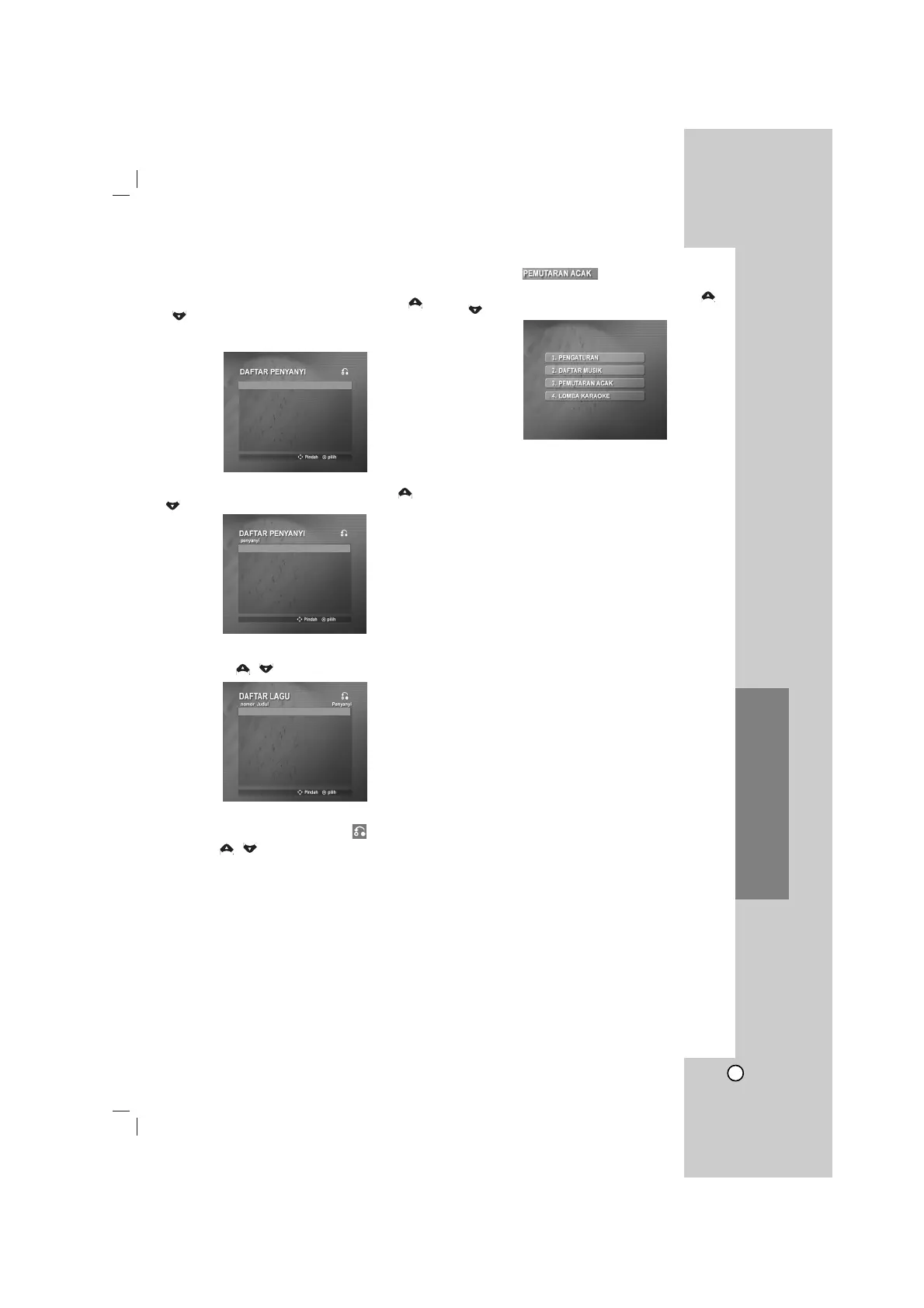
SINGER LIST (2. DAFTAR PENYANYI)
1 Select “2. DAFTAR PENYANYI” and select the
initial of the singer you want by pressing the
/ in the SONG LIST (1. DAFTAR LAGU) and
SINGER LIST (
2. DAFTAR PENYANYI
) menu, and
press
SELECT/ ENTER
.
2Select the singer you want by pressing the /
, and press
SELECT/ ENTER
.
3 Select the song title of the singer you want by
pressing the / , and press
SELECT/ ENTER
.
Note
To move the previous mode, select the by
pressing the / , then press
SELECT/ ENTER
.
RANDOM ( )
1. Select “3. PEMUTARAN ACAK” by pressing
/ on the main menu.
2. Press SELECT/ENTER to begin ramdomly.
3
A
B
C
D
E
F
G
3 Bintang
0316 Hilangnya Searan... 3 Bintang



 To Next Page