26
CHALLENGE ( )
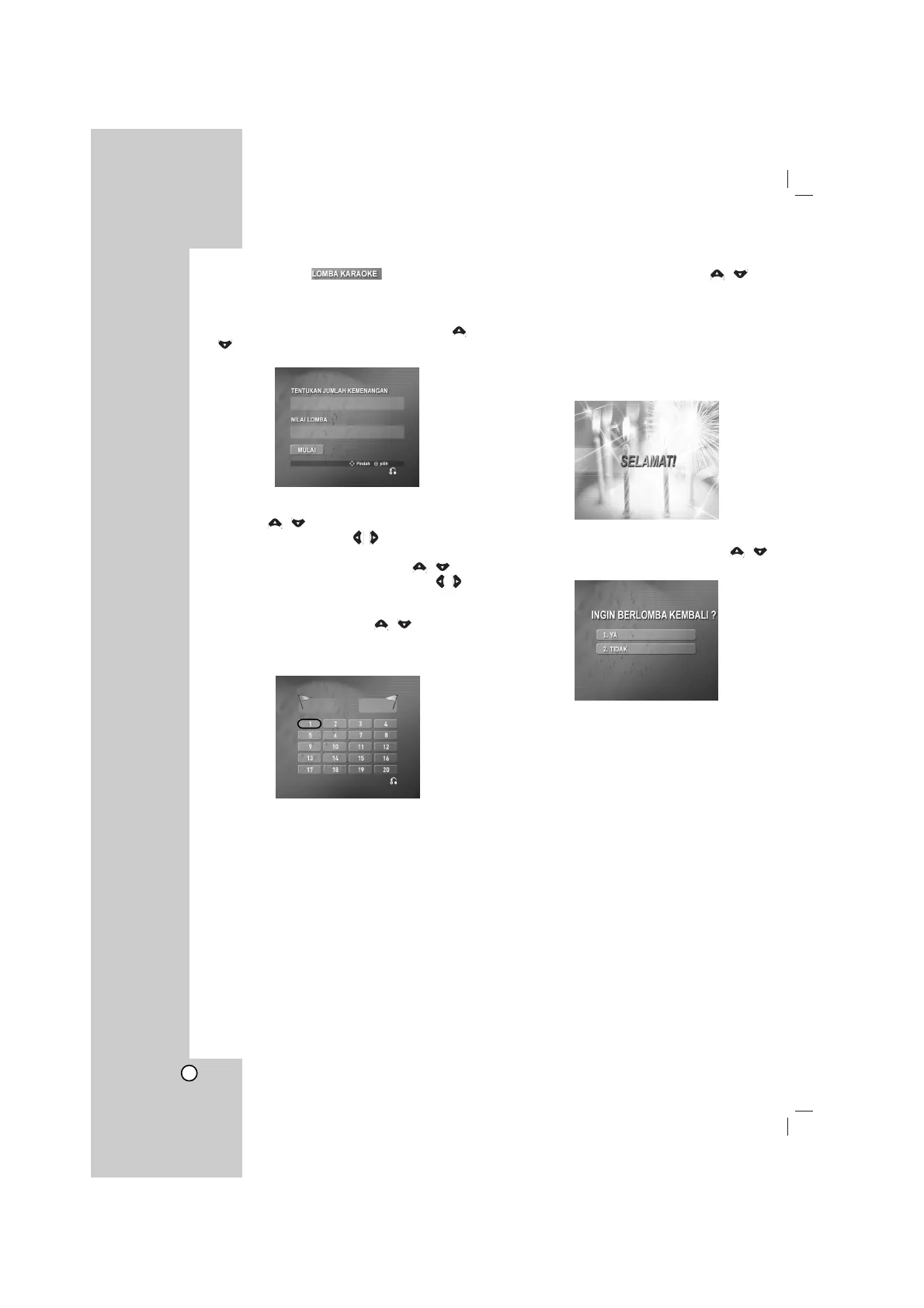
It has a function which enjoy a song game dividing by
two teams of red team & blue team.
1 Select “4. LOMBA KARAOKE” by pressing /
on the main menu.
It appears as below.
2 Select “TENTUKAN JUMLAH KEMENANGAN” by
pressing / , and select one of NUMERIC
buttons 1~9 by pressing / to select winner’s
number, then press
SELECT/ ENTER
.
3 Select “NILAI LOMBA” by pressing / , and
select one of 60,70,80 or 90 by pressing / to
select success score, then press SELECT/
ENTER.
4 Select “MULAI” by pressing / , then press
SELECT/ ENTER.
It appears as below.
5 Select number you want by pressing /
and press
SELECT/ ENTER
.
Sing along with the accompaniment.
6 Repeat step 4~5.
Change the team of red team or blue team
alternately.
7
When reaching the targeted winning number, the
“SELAMAT!” will be shown on the TV screen.
It appears as below.
8 Whether you keep going the song game or not,
select “1. YA” or “2. TIDAK” by pressing /
as below.
1 2 3 4 5 6 7 8 9
60 70 80 90
00



 To Next Page