EasyManua.ls Logo

LG MBD102 - User Manual

LG MBD102
30 pages
Print Icon
To Next Page IconTo Next Page
Loading...
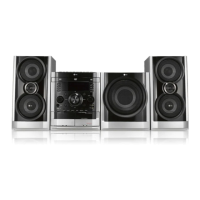
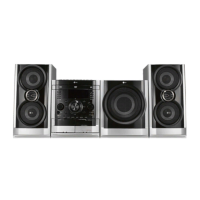
KARAOKE Mini Home Theater
OWNER’S MANUAL
MODEL: MBD102
MBD102-A5U/D5U/X5U
MBS102V
MBD62
MBD62-A5U/D5U/X5U
MBS62V
Before connecting, operating or adjusting this product,
please read this instruction booklet carefully and completely.
MBD102_62_X5U_NA3ILLK_ENG_ 3311
USB
CD - R/RW

Questions and Answers

  • D
    David NorrisSep 3, 2025
    What to do if the playback picture on my LG MBD102 Home Theater System is poor?
    • J
      Julie KellySep 3, 2025
      If the playback picture quality on your LG Home Theater System is poor, consider the following: - Clean the disc. - Ensure a disc is inserted, and that the DVD or audio CD indicator is lit. - Verify that the inserted disc is playable, checking the disc type, color system, and regional code. - Place the disc with the playback side down and correctly within the guide on the disc tray. - Press the SETUP button to turn off any menu screens. - Cancel the Rating function or change the rating level if it is set.
  • B
    Brandy ValentineSep 1, 2025
    What to do if my LG MBD102 Home Theater System has no power?
    • K
      Karen CowanSep 2, 2025
      If your LG Home Theater System has no power, the most common cause is that the power cord is not properly connected. Ensure the power cord is securely plugged into the wall outlet.
  • Z
    zwilsonAug 31, 2025
    Why is there no picture on my LG Home Theater System?
    • M
      Michelle RamirezAug 31, 2025
      There might be several reasons for this. First, ensure your TV is set to the correct video input mode to receive the signal from the LG Home Theater System. Second, check that the video cable is securely connected to both the system and the TV. Finally, verify that the TV is turned on.
  • B
    Brandy RobersonAug 29, 2025
    How to brighten the front panel display on my LG MBD102?
    • O
      othomasAug 29, 2025
      If the front panel display on your LG Home Theater System is too dim, press the DIMMER button.
  • R
    Rebecca Atkins DDSAug 27, 2025
    How to eliminate loud hum or noise from my LG MBD102?
    • T
      taylorfryAug 27, 2025
      If you hear a loud hum or noise from your LG Home Theater System, first, clean the disc. Then, ensure the speakers and components are securely connected. Finally, move the TV away from the audio components.
  • D
    Desiree CarlsonAug 26, 2025
    How to stop loud hum or noise from LG MBD102?
    • X
      xmortonAug 26, 2025
      If you hear a loud hum or noise from your LG Home Theater System, first, try cleaning the disc. Second, ensure the speakers and components are securely connected. Finally, move the TV away from the audio components.
  • J
    jeffrey68Aug 25, 2025
    Why does my LG MBD102 Home Theater System remote control not work?
    • G
      Gary KnightAug 25, 2025
      If the remote control for your LG Home Theater System isn't working, try these steps: 1. Make sure you're pointing the remote directly at the remote sensor on the unit. 2. Ensure you're within 23 ft (7 m) of the unit. 3. Check for any obstacles between the remote and the unit and remove them. 4. Replace the batteries in the remote with new ones.
  • D
    Darlene CaldwellAug 22, 2025
    Why is there no sound from my LG Home Theater System, or the sound is very low?
    • M
      margaretmercerAug 22, 2025
      If you're experiencing no sound or very low sound from your LG Home Theater System, check that the equipment connected with the audio cable is set to receive the DVD signal output. Also, verify that the power of the equipment connected with the audio cable is turned on.

LG MBD102 Specifications

General IconGeneral
BrandLG
ModelMBD102
CategoryHome Theater System
LanguageEnglish

Related product manuals