20
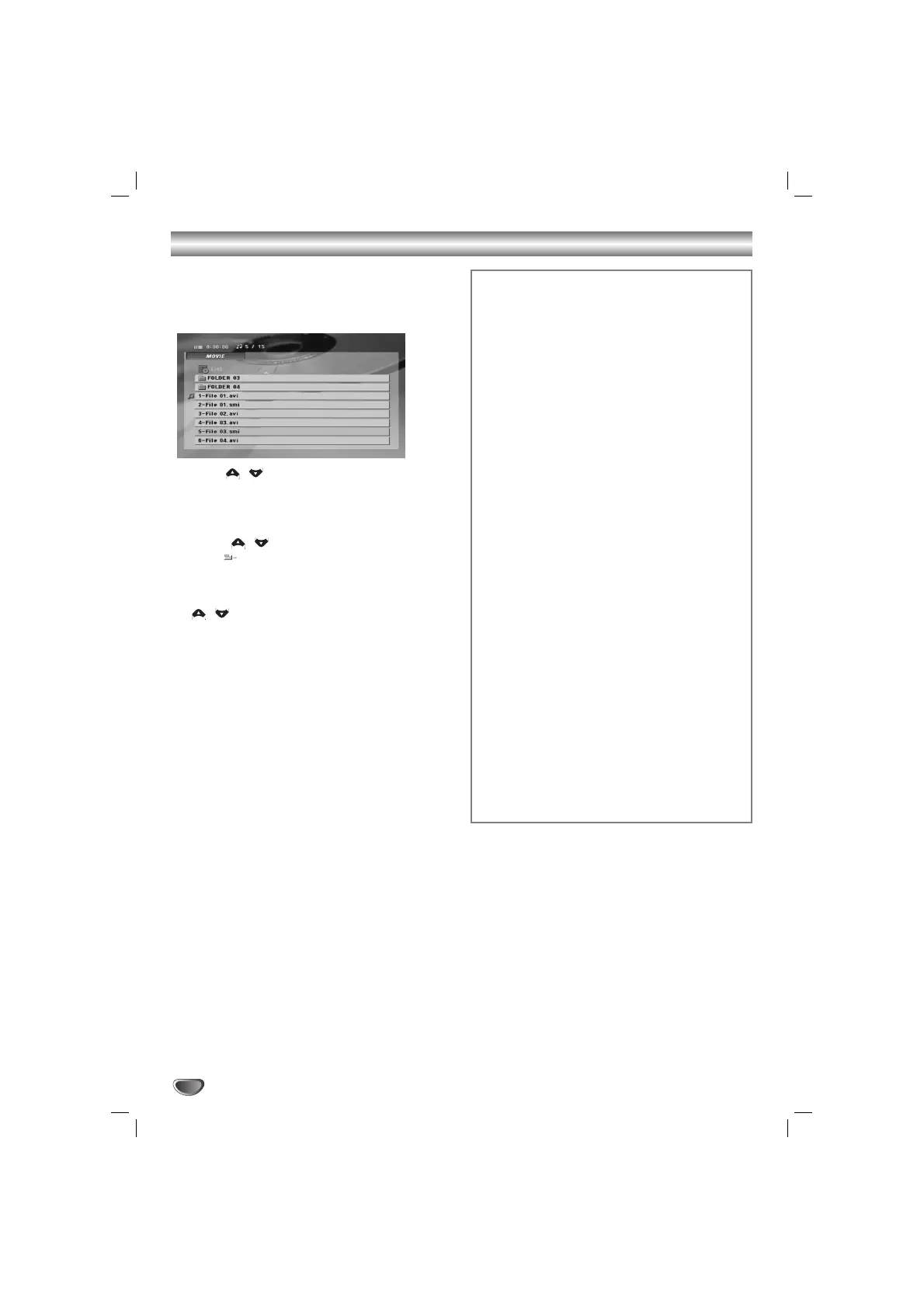
The unit can play the DivX files.
1
Insert a disc and close the tray.
The DivX menu appears on the TV screen.
2
Press / to select a folder, and press
SELECT/ENTER to see the folder contents.
T
T
ip
ip
If you are in a file list and want to return to the Folder
list, use the / buttons on the remote control to
highlight “
”
and press SELECT/ENTER to return to
the previous menu screen.
33
If you want to view a particular file, press
/ to highlight a file and press
SELECT/ENTER or PLAY(
BB
).
Playback starts.
44
Press STOP(
xx
) to exit.
Note
Note
• Be sure to select the “SUBTITLE ON” mode by pressing the
subtitle file every time before playing a DivX file .
•
When the subtitle has more than two languages in the file,
original subtitle is only available.
• The microphone does not work during playing a DivX file.
Notice for displaying the DivX subtitle
If the subtitle does not display properly during playback,
press and hold S-TITLE about 3 seconds then press
S-TITLE to select another language code until the subtitle
is displayed properly.
DivX disc compatibility with this player is limited
as follows:
•Available resolution size of the DivX file is under
720x576 (W x H) pixel.
• The file name of the DivX subtitle is available by
20-40 characters (if differs according to language).
• If there is impossible code to express in the DivX
file, it may be displayed as " _ " mark in the
display.
• If the number of the screen frame is over 30 per
1 second, this unit may not operate normally.
• If the video and audio structure of recorded file
is not interleaved, either video or audio is out-
putted.
Playable DivX subtitle file
• SubRip(*.srt/*.txt)
SAMI(*.smi)
SubStation Alpha(*.ssa/*.txt)
MicroDVD(*.sub/*.txt)
SubViewer 2.0(*.sub/*.txt)
VobSub(*.sub)
Playable DivX file
• ".avi ", ".mpg ", ".mpeg "
Playable Codec format
• "DIVX3.xx ", "DIVX4.xx ", "DIVX5.xx ",
"MP43 ", "3IVX ", "MP42 ".
Playable Audio format
• "AC3 ", "PCM ", "MP3 ", "WMA ".
- Sampling frequency: within 32 - 48 kHz (MP3),
within 24 - 48kHz (WMA)
- Bit rate: within 32 - 320kbps (MP3),
40 - 192kbps (WMA)
Operation with DivX file


 To Next Page