EasyManua.ls Logo

LG MDD62 - User Manual

LG MDD62
30 pages
Print Icon
To Next Page IconTo Next Page
Loading...
Before connecting, operating or adjusting this product,
please read this instruction booklet carefully and
completely.
LGESA_MDD102_62-A5U_ENG_MFL36762910
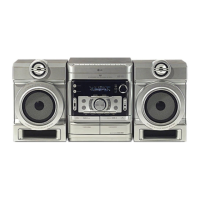
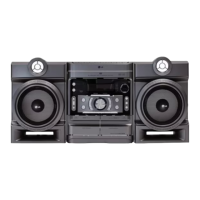
KARAOKE Mini Home Theater
OWNER’S MANUAL
MODEL : MDD102
MDD102-A5U/ D5U/ X5U
MDS102V
MDD62
MDD62-A5U/ D5U/ X5U
MDS62V
USB

Questions and Answers

Summary

Safety Precautions

Power Cord Safety

Important safety instructions regarding the use and placement of the power cord.

Ventilation and Opening Safety

Instructions on proper ventilation to prevent overheating and ensure product safety.

Laser System Safety

Warnings and precautions for safe operation of the laser system.

Front and Rear Panel Overview

Front Panel Controls and Indicators

Description of buttons, display, and indicators on the front of the unit.

Rear Panel Ports and Connectors

Description of various input/output jacks and connectors on the rear of the unit.

Remote Control Operation

Remote Control Buttons and Functions

Explanation of the various buttons and their functions on the remote control.

Remote Control Usage Tips

Guidelines for effective operation range, angle, and battery installation.

Connecting to a TV

Video and Component Video Connections

How to connect the unit to a TV using standard video and component video cables.

Progressive Scan Connection Setup

Instructions for setting up progressive scan output for enhanced video quality on compatible TVs.

Antenna and Auxiliary Connections

Connecting FM;AM Antennas

Guide for connecting the supplied antennas for radio reception.

Connecting Auxiliary Audio Equipment

Steps to connect external audio devices using the AUX input connector.

USB and Speaker System Connections

USB Functionality and Connection

How to connect USB storage devices for media playback and compatible device information.

Speaker System Wiring

Instructions for correctly connecting the front speakers to the unit's terminals.

Initial Setup and Sound Adjustment

Volume, Mute, and Headphone Jack

How to adjust volume, mute sound, and use the headphone jack.

Equalizer and Sound Enhancement Features

Explanation of EQ, XDSS, MP3 Optimizer, and XTS Pro for sound customization.

Virtual Sound and Sound Mode

How to activate virtual surround sound and select pre-programmed sound field modes.

Clock and Timer Settings

Setting the Clock

Step-by-step guide to setting the unit's internal clock.

Sleep Timer Function

How to set the sleep timer to automatically turn off the unit after a specified period.

Microphone and Dimmer Control

Instructions for connecting a microphone and adjusting display brightness.

Timer Function Operation

Setting the Timer

Detailed steps for programming the timer to turn the unit on/off at specific times.

Canceling or Checking Timer Settings

How to cancel existing timer settings or check their status.

Disc Information and General Operation

Displaying Disc Information On-screen

How to view details about the loaded disc, such as track or chapter information.

General Setup Menu Operations

Navigating the setup menu for general settings like language and OSD.

Language and Disc Menu Settings

How to select preferred languages for audio tracks, subtitles, and disc menus.

Display Settings

TV Aspect Ratio and Display Mode

Adjusting the TV aspect ratio (4:3/16:9) and display mode (Letterbox/Panscan).

Progressive Scan Activation

Guide to enabling progressive scan output and caution for incompatible TVs.

Audio and Parental Control Settings

Audio Options and Karaoke Vocal

Adjusting Dynamic Range Control (DRC) and Vocal settings for karaoke discs.

Parental Control Setup

How to set up parental controls, including rating, password, and area code.

Other Setup Options

PBC and DivX(R) Registration

Setting Playback Control (PBC) for VCDs and registering for DivX VOD service.

Semi Karaoke Function

Enabling or disabling the semi-karaoke function which displays scores and fanfares.

General Playback Features

Playback Control Buttons

Explanation of buttons like OPEN/CLOSE, PAUSE, SKIP, SCAN, REPEAT, and REPEAT A-B.

Disc Menu and Audio;Subtitle Selection

How to access disc menus, select audio languages, and subtitles.

Slow Playback and Zoom Functions

Using slow motion playback and zooming in on video images.

Additional Playback Features

Time Search and Marker Functions

How to search for specific times on a disc or mark/recall scenes.

Screen Saver and Speed Playback

Information about the screen saver and 1.5x speed playback feature.

Last Scene Memory and System Select

Unit's ability to memorize the last scene and selecting the TV system (PAL/NTSC/AUTO).

Audio CD and MP3;WMA Playback

Playing Audio CD and MP3;WMA Files

Guide to playing audio CDs and MP3/WMA files, including ID3 TAG information.

Programmed Playback and Track Management

How to store, play, and erase tracks for programmed playback.

MP3;WMA Disc Compatibility

Technical requirements and limitations for MP3/WMA disc compatibility.

Viewing JPEG Files

JPEG File Playback and Navigation

How to view JPEG files, navigate folders, and use the slide show feature.

Still Picture and Image Rotation

Options for pausing slide shows, rotating images, and zooming.

JPEG Disc Compatibility

Limitations and requirements for JPEG disc compatibility with the player.

DivX File Playback

Playing DivX Files and Subtitles

How to play DivX files, manage subtitles, and display DivX subtitle information.

DivX Disc Compatibility and Formats

Technical specifications and limitations for DivX disc playback, including file and codec formats.

Radio Operation

Presetting and Tuning Radio Stations

Steps for preset tuning and manual/automatic station selection.

Direct Preset Station Selection

How to use numeric buttons to directly access preset radio stations.

Improving Radio Reception

Tips for better reception, including ST/MONO selection and antenna adjustment.

RDS Functionality

RDS Features and Tuning

Explanation of RDS data transmission, tuning, and display options like PTY, RT, CT, PS.

Programme Type (PTY) Search

How to search for radio stations based on Programme Type (PTY) codes.

Tape Playback and Recording

Basic Tape Playback and Controls

Instructions for playing cassettes, stopping, rewinding, and fast-forwarding.

Recording from Sources and Dubbing

Guide for recording from radio/CD/aux and dubbing tapes.

Synchronized CD to Tape Recording

How to perform synchronized recording from CD to cassette tape.

Karaoke Operation Basics

Karaoke Basic Playback Setup

Steps to connect microphones, select songs, and perform basic karaoke playback.

Karaoke Advanced Features

Adjusting MIC volume, key control, echo, and tempo for advanced karaoke performance.

Song Reservation and Male;Female Key

How to reserve songs for playback and adjust vocal key for male or female singers.

Karaoke Menu Navigation

Main Menu and Setup Options

Navigating the main karaoke menu and accessing setup options like Score, Fanfare, Lyric, and Vocal.

Music and Song List Selection

How to browse and select songs from music lists, including local, pop, and classic categories.

Karaoke Song and Singer Lists

Singer List and Song Title Selection

How to find songs by singer name and select specific song titles.

Classic Music and Composer Lists

Browsing classical music by title or composer name.

Karaoke Game Modes

Random Song Selection

How to play songs in a random order for a casual listening experience.

Challenge Mode (Song Game)

Instructions for playing a song game with two teams, including score and attempt settings.

Troubleshooting Guide

Power, Picture, and Sound Issues

Solutions for common problems related to power, no picture, or no sound.

Playback and Connection Problems

Troubleshooting steps for playback issues, disc errors, and poor audio/video quality.

Remote Control and Disc Tray Issues

Solutions for problems with the remote control not working or the disc tray not opening.

Reference Lists

Language Code List

A list of codes used for setting language preferences for audio, subtitles, and menus.

Area Code List

A list of area codes used for DVD regional playback settings.

Product Specifications

General and Power Specifications

Power supply, consumption, weight, and external dimensions of the unit.

Tuner, Player, and Speaker Details

Technical specifications for the tuner, DVD/CD player, cassette deck, and speakers.

LG MDD62 Specifications

General IconGeneral
Speaker TypeSatellite
Channels5.1
Total Power Output1000W
SubwooferYes
BluetoothYes
HDMI InputYes
Optical InputYes
USB PortYes
Wall MountableYes
Remote ControlYes
TypeHome Cinema System

Related product manuals