Need help?
Do you have a question about the LG MDT352 and is the answer not in the manual?
Warning to reduce electric shock risk by not opening the product enclosure.
Guidelines for safe placement and care of the power cord to prevent hazards.
Safety precautions for operating the product's laser system to avoid radiation exposure.
Warning against exposing the apparatus to water, rain, or moisture.
How to connect the unit's VIDEO OUT to the TV's VIDEO IN using the supplied cable.
Connecting COMPONENT VIDEO OUT jacks to TV's corresponding jacks using a Y PB PR cable.
How to enable progressive scan for higher resolution on compatible TVs.
How to connect FM and AM antennas for radio reception.
How to connect external devices like a VCR to the AUX connector.
Connecting MP3 players or USB memory devices to play media files.
Connecting speakers to the unit by matching terminal colors for optimal sound.
Adjusting sound level and muting audio output.
Connecting headphones and automatic speaker disabling.
Selecting preset sound impressions or customizing BASS, MIDDLE, TREBLE.
Enhancing treble, bass, and surround effect for a richer sound.
Optimizing compressed MP3 files for improved bass and sweeter sound.
Unique sound quality feature for optimum playback of original sound.
Setting virtual sound modes like 2.1ch, 5.1ch, or 3D Stereo.
Choosing pre-programmed sound fields for 2-channel sound sources.
How to set the clock to 12-hour or 24-hour cycle and confirm the current time.
Setting the unit to automatically turn off after a specified time.
Connecting a microphone for singing along with music sources.
Adjusting echo effect for microphone sound.
Dimming the front panel LED display for reduced brightness.
Activating a demonstration mode from power-off state.
Setting the unit to turn on and off radio, CD, USB, or TAPE playback at desired times.
Showing playback information like title, chapter, time, audio, and subtitle.
Making adjustments to picture, sound, and language settings via the Setup menu.
Selecting preferred language for Setup menu and on-screen display.
Choosing preferred language for audio tracks, subtitles, and disc menus.
Adjusting TV Aspect, Display Mode, and Progressive Scan settings for optimal viewing.
Configuring Dynamic Range Control (DRC) and Vocal settings for audio output.
Setting playback restrictions based on DVD ratings and managing passwords.
Inputting the region code to ensure compatibility with DVD discs.
Enabling special navigation features available on some discs.
Registering for DivX VOD service to rent and purchase videos.
Enabling karaoke mode which displays scores after singing.
Using buttons like OPEN/CLOSE, PAUSE, SKIP, SCAN, REPEAT, REPEAT A-B, ZOOM, TITLE, MENU, S-TITLE, AUDIO, SLOW.
Accessing advanced features like Time Search, Marker Search, Screen Saver, etc.
Inserting and playing Audio CDs or discs with MP3/WMA files.
Displaying file information like track title, artist, album for MP3/WMA files.
Information on limitations for MP3/WMA file compatibility and disc formats.
Storing favorite tracks in memory for custom playback order.
Managing programmed tracks and repeat modes.
Inserting and browsing JPEG image files on a disc.
Setting up and viewing a slideshow of JPEG images with adjustable speed.
Pausing slideshows, rotating images, and viewing images.
Enlarging or reducing image display for better viewing.
Notes on file size, number, and format compatibility for JPEG discs.
Details on resolution, file names, screen frame rate, and interleaving for DivX discs.
Supported subtitle file types and DivX file extensions.
Supported DivX codec and audio formats, including sampling frequency and bit rate.
Storing favorite FM/AM stations for quick access.
Tuning into radio stations manually or selecting preset stations.
Improving reception by adjusting antennas or using stereo/mono modes.
Understanding Radio Data System (RDS) for receiving station information.
Tuning into RDS stations and displaying various information types.
Searching for radio stations based on Programme Type (PTY) codes.
Inserting cassettes and playing tapes, including auto-stop and auto-reverse features.
Recording audio from Radio, CD, or Auxiliary sources onto cassette tapes.
Automating the dubbing process from CD to cassette tape.
Overall power, weight, and dimensions of the unit.
Details on FM/AM tuning range, IF, S/N ratio, frequency response, and output power.
Technical details for audio and video playback, including response, S/N ratio, and video outputs.
Information on speaker type, impedance, frequency response, power handling, and dimensions.
 General
| Brand | LG |
|---|---|
| Model | MDT352 |
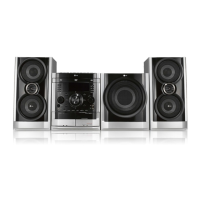
| Category | Home Cinema speakers |
| Language | English |

 To Next Page