Child Lock
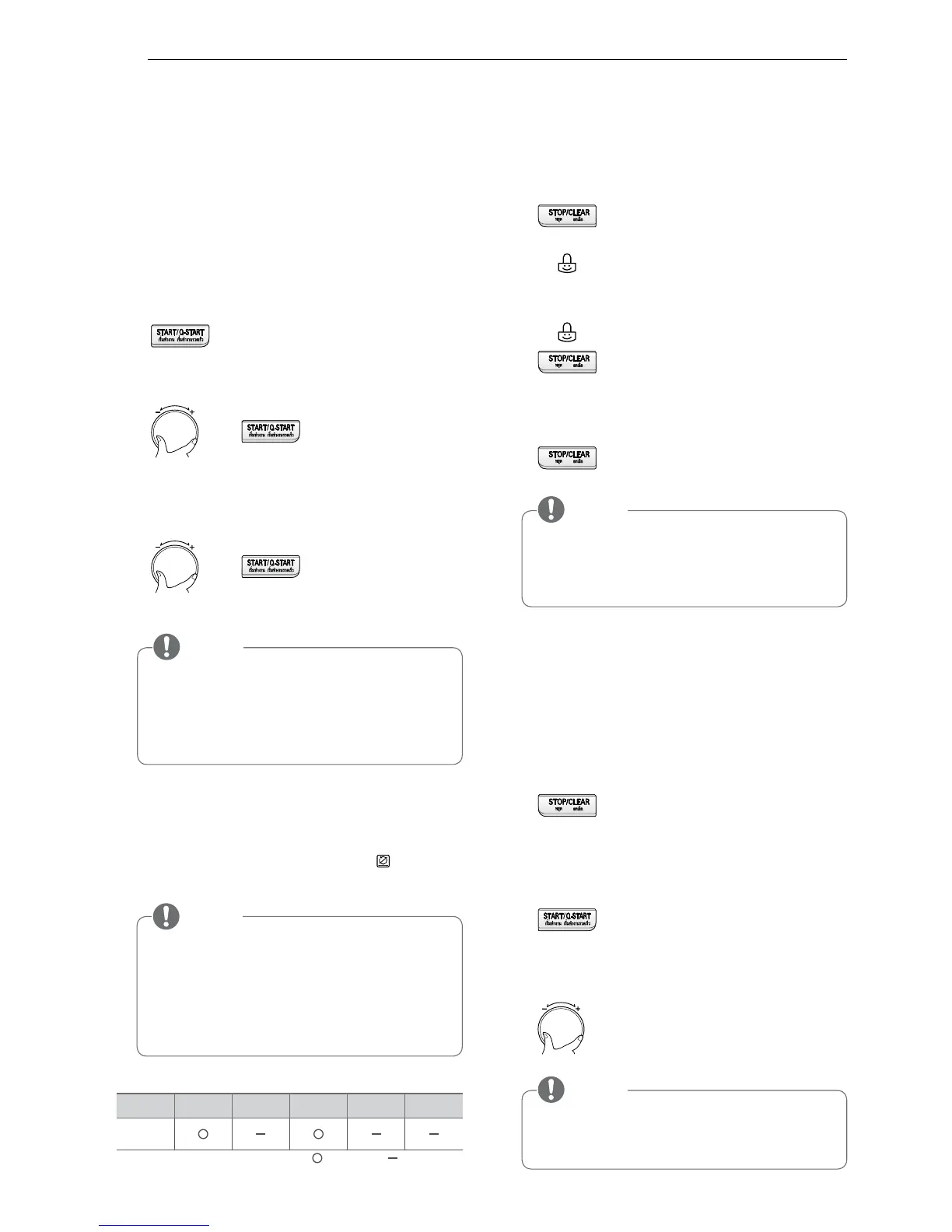
The following example will show you how to set the child lock.
1
Press
STOP/CLEAR.
2
Press and hold
STOP/CLEAR
until
“CHILD LOCKED”
and
“
”
appears on the display and BEEP sounds.
The
CHILD LOCK
is now set.
If any button is pressed,
“CHILD LOCKED”
and
“
”
will appear on the display.
3
To cancel
CHILD LOCK
press and hold
STOP/CLEAR
until “
CHILD LOCKED”
disappears.
You will hear BEEP when it’s unlocked.
Setting The Clock
You can set either 12 hour clock or 24 hour clock.
The following example will show you how to set the
time for 14:35 when using the 24 clock.
1
Plug your oven for the first time.
” 24H ”appears on the display.
Press
START/Q-START
for 24 clock confirmation.
(If you want to change a different option after setting
clock, you have to unplug and plug it back in.)
2
Turn
COOK MODE
until display shows “14:00“.
Press
START/Q-START
for confirmation.
3
Turn
COOK MODE
until display shows “14:35”.
Press
START/Q-START
.
The clock starts counting.
Turn Table On/Off
For best cooking results, leave the turn table be on.
It can be turned off for large dishes. Press “
” to turn
the turn table on or off.
• When your oven is plugged in for the first time
you will have to reset the clock.
• If the clock (or display) shows any strange looking
symbols, unplug your oven from the electrical
socket and plug it back in and reset the clock.
• Sometimes the turn table can become hot to touch.
Be careful touching the turn table during and after
cooking.
• Do not run an empty microwave.
• You can use turn table on/off function only when
selecting "Microwave" or "Convection" mode only.
Quick Start
The following example will show you how to set
2 minutes of cooking on high power (900 W).
1
Press
STOP/CLEAR.
2
Press
START/Q-START
four times to select
2 minutes on high power (900 W).
Your oven will start before you have finished the
fourth press.
3
During
START/Q-START
cooking, you can extend
the cooking time up to 99 minutes
59 second by turning the
COOK MODE
dial.
The
START/Q-START
feature allows you to set 30
second intervals of HIGH power (900 W) cooking by
pressing the
START/Q-START
button.



 To Next Page