Connecting 19
Connecting
2
Connecting the speaker to
your Network via the Wi-Fi
Setup Method (iOS)
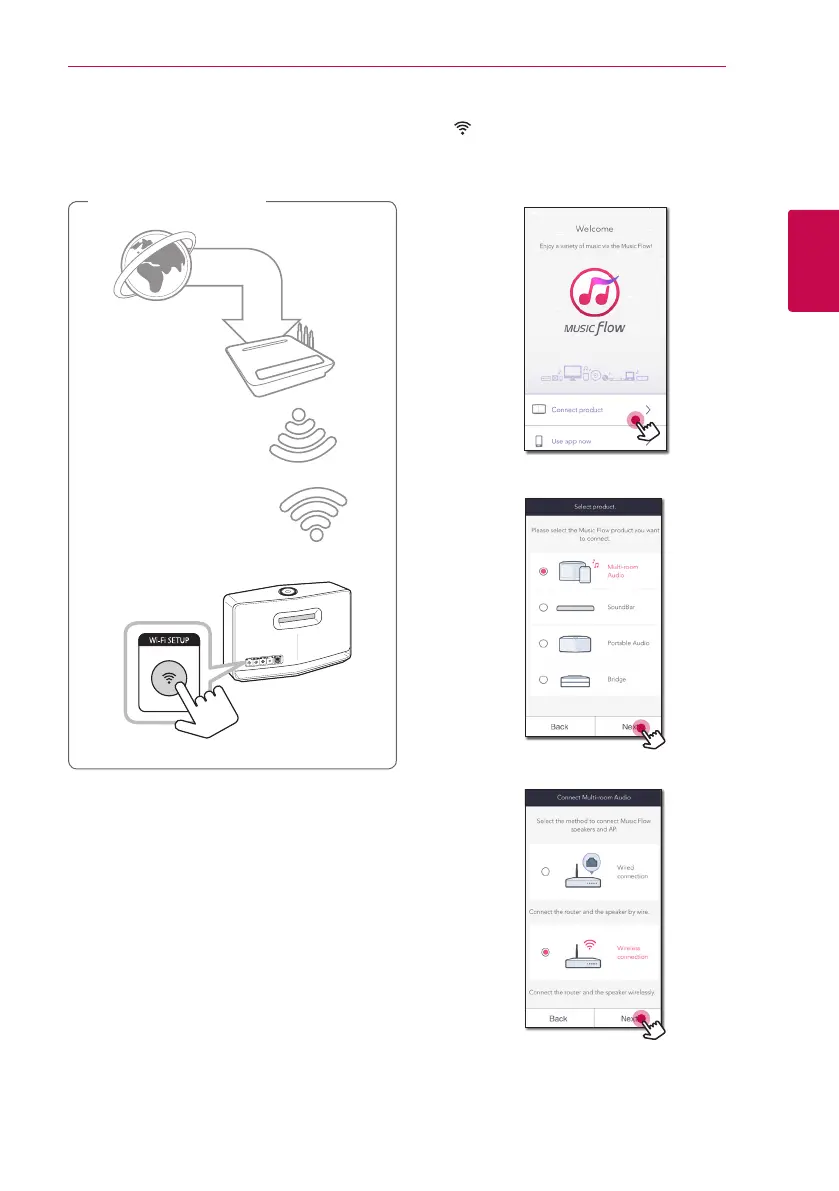
Connection overview
Broadband
service
Router
Rear of the speaker
1. Plug the speaker into an electrical outlet. The
Network status LED starts to blink white.
2. On your smart device, launch Music Flow Player
app. Select [Connect product] to install the
speaker.
3. Select the product you want to connect and
tap [Next] on the screen.
4. Select [Wireless connection] on the screen.
5. Then select [Next] on the screen.



 To Next Page
 Loading...