2 Connecting
Connecting 9
Connecting
2
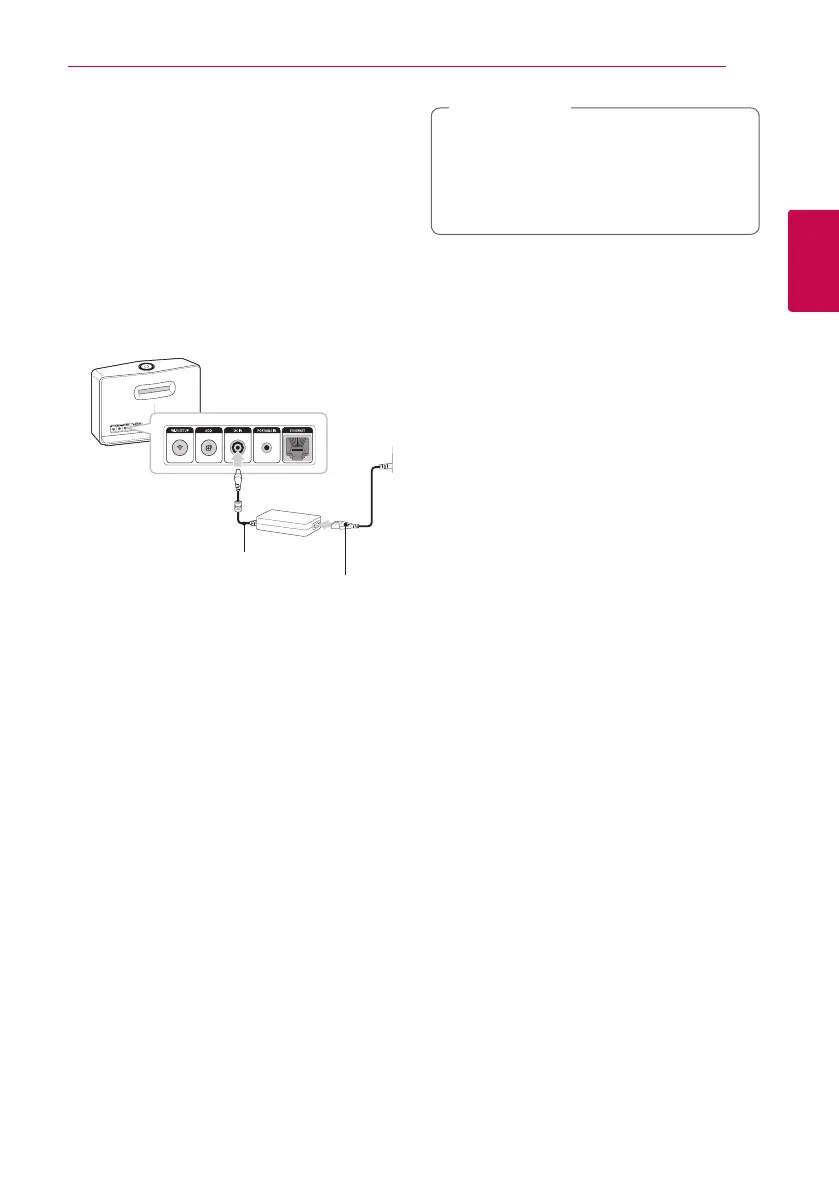
Connecting the AC
Adapter
Connect the speaker to the power supply with the
supplied AC adapter.
1. Connect the supplied AC power cord to the AC
adapter.
2. Connect the AC adapter cable to DC. IN adapter
input.
3. Plug the AC power cord into an AC outlet.
AC Adapter
AC power cord
Only use the AC adapter supplied with this
device. Do not use a power supply from
another device or manufacturer. Using any
other power cable or power supply may cause
damage to the device and void your warranty.
>
Caution


 To Next Page
 Loading...