Operating 11
Operating
2
Basic Operations
Switch to Power On
Press
1/
F. The LED indicators light up and the last
function you selected blinks, then the unit switches
to Power on.
Switch to Standby mode
Press and hold
1/
F. The LED indicators light on
and then o, and the unit switches to Stand by.
iPhone/iPod Operations
You can enjoy the sound from your iPhone/iPod
through this unit. For details about iPhone/iPod
refer to the iPhone/iPod User Guide.
Enjoying Music by Docking
Your iPhone/iPod (Lightning
Connector) to the Unit
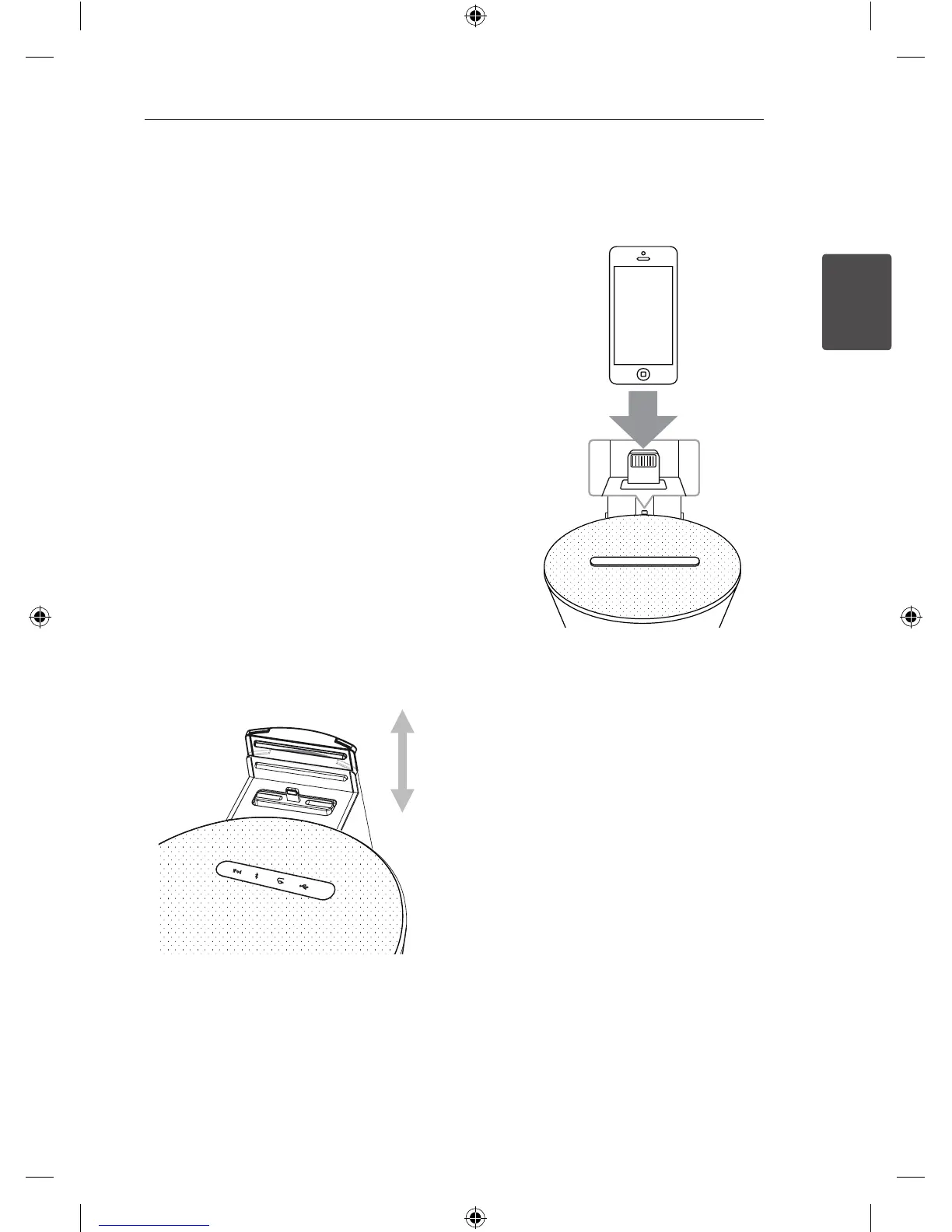
1. Connect your iPhone /iPod(Lightning
connector) to Dock firmly.
2. Dock the iPhone/iPod (Lightning Connector)
firmly. If you turn this unit on, your iPhone/iPod
is automatically turned on and starts recharging
.
3. Press
1
/F to select iPod function.
4. Start playing it.
ND1530-BS_ADEULLK_ENG.indd 11 2013-07-01 5:02:19



 To Next Page
 Loading...