LG Nexus 4 E960 – Disassemble Guide
Page 2 of 8
hp://www.fixez.com/
Baery
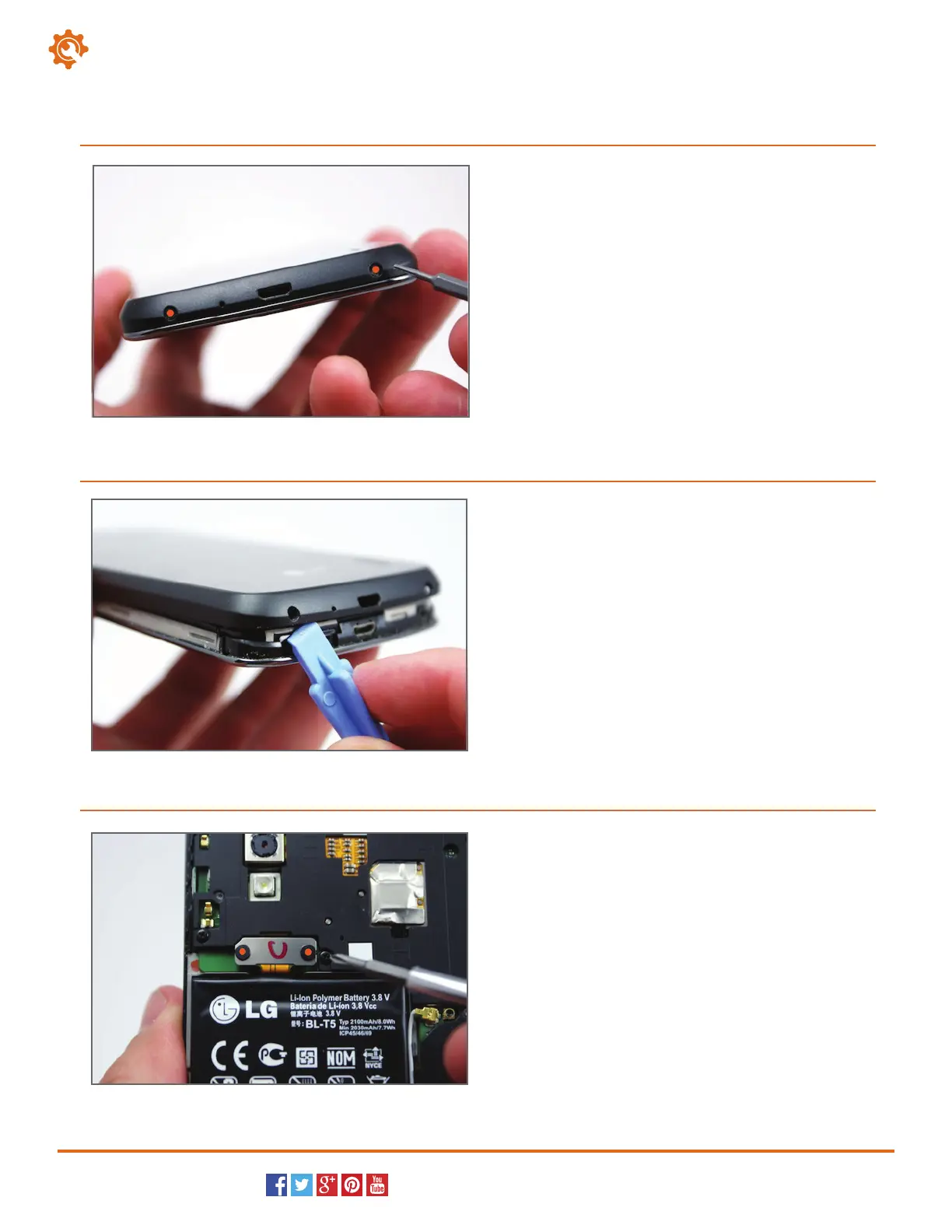
Begin to disassemble the LG Nexus 4 by removing the
back cover.
Locate the two T5 torx screws that are located on
either side of the micro USB dock port. Remove the
two screws with the appropriate screwdriver.
1
Next, insert the plastic opening tool in the notch in the
back cover of the Nexus 4. Pry at this point to release
the clips holding the cover to the smartphone. You can
now remove the back cover from the LG E960.
2
With the back cover off, the battery is visible. The
battery has two Phillips screws (#00) securing its
terminal to the LG phone. Remove the two screws
to release the battery from the Nexus 4.
3



 To Next Page