LG Nexus 4 E960 – Disassemble Guide
Page 4 of 8
hp://www.fixez.com/
Headphone Jack
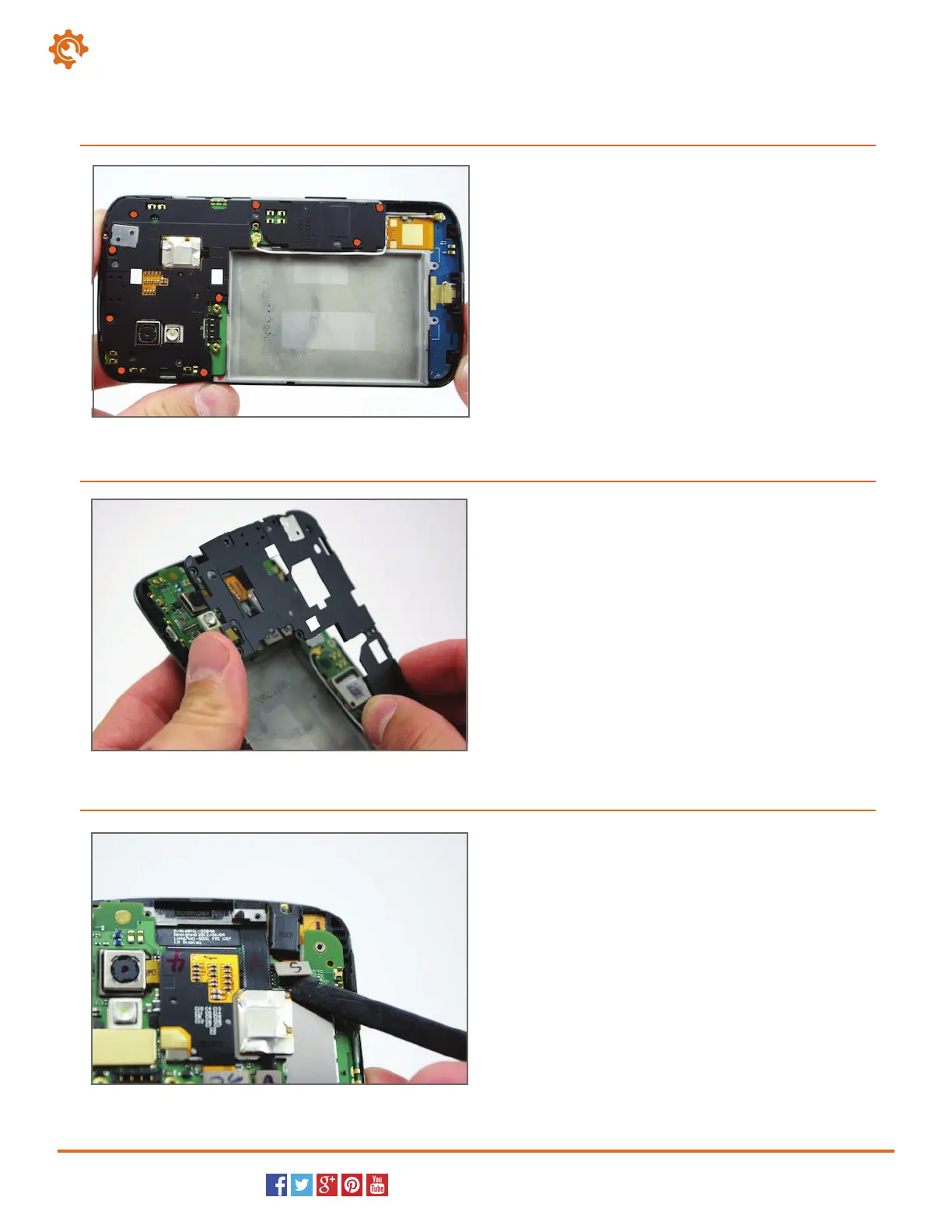
Locate and remove the nine Phillips screws (#00)
that secure the internal plastic cover/housing to the
LG smartphone.
7
With the securing screws removed, the plastic cover
can be removed from the LG Nexus 4.
8
Use the spudger to pry the headphone jack
connection from its location. This will allow you to lift
and remove the headphone jack out of the Nexus 4.
9



 To Next Page