LG Nexus 4 E960 – Disassemble Guide
Page 6 of 8
hp://www.fixez.com/
Front-Facing Camera
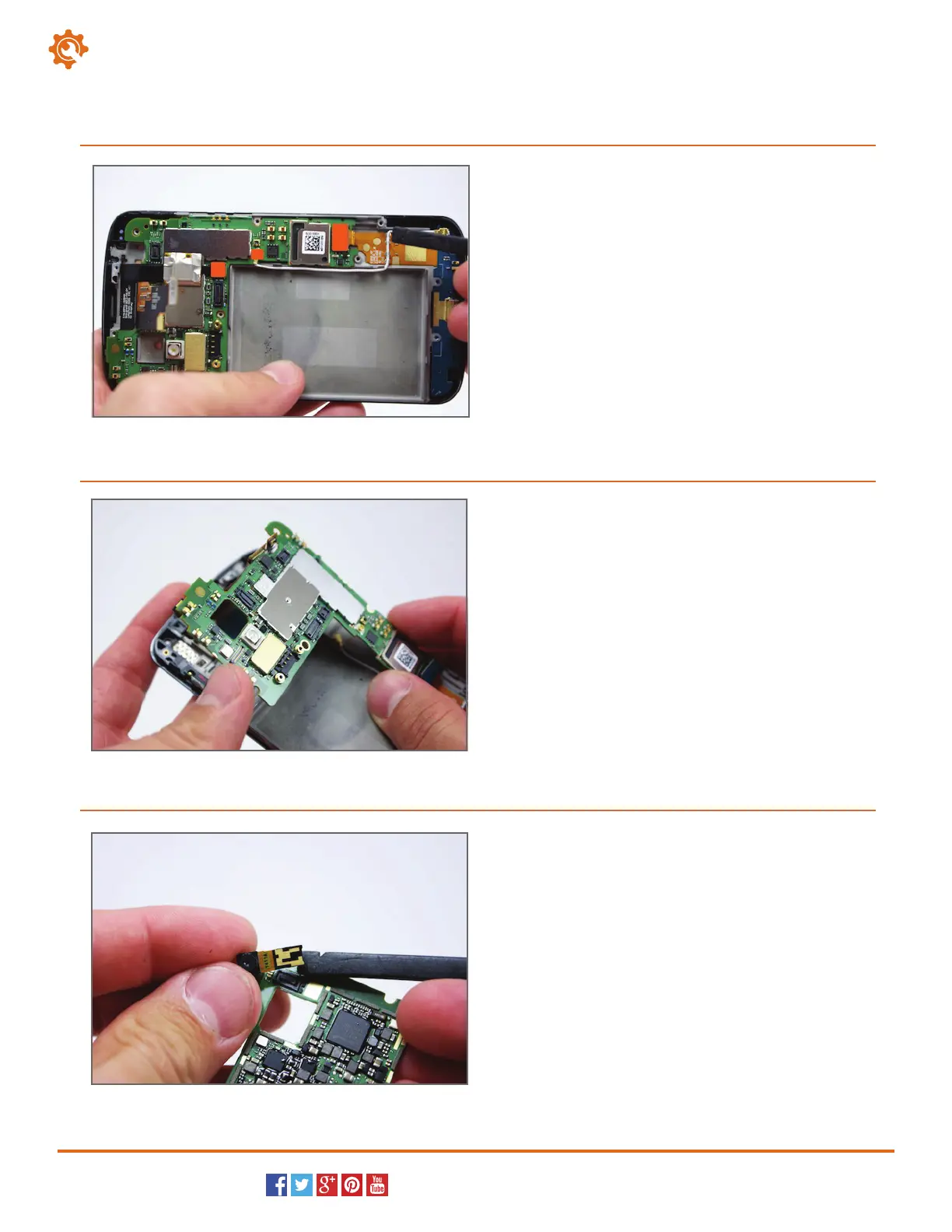
Two ribbon cable plugs and one antenna
connector secure the motherboard to the LG
smartphone.
Use the spudger to gently pry up, release, and then
remove these three connections.
13
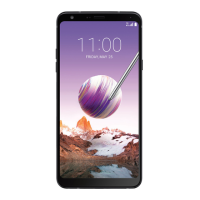
With all of the connections released from the
motherboard, the motherboard is now free to lift and
remove from the body of the LG Nexus 4.
14
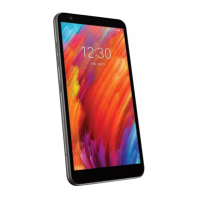
The front-facing camera is still secured to the bottom
side of the motherboard. Use the spudger to swipe at
and release its connection.
You can now remove the front-facing camera from the
Nexus 4.
15



 To Next Page