LG Nexus 4 E960 – Disassemble Guide
Page 5 of 8
hp://www.fixez.com/
Rear-Facing Camera
SIM Card Tray
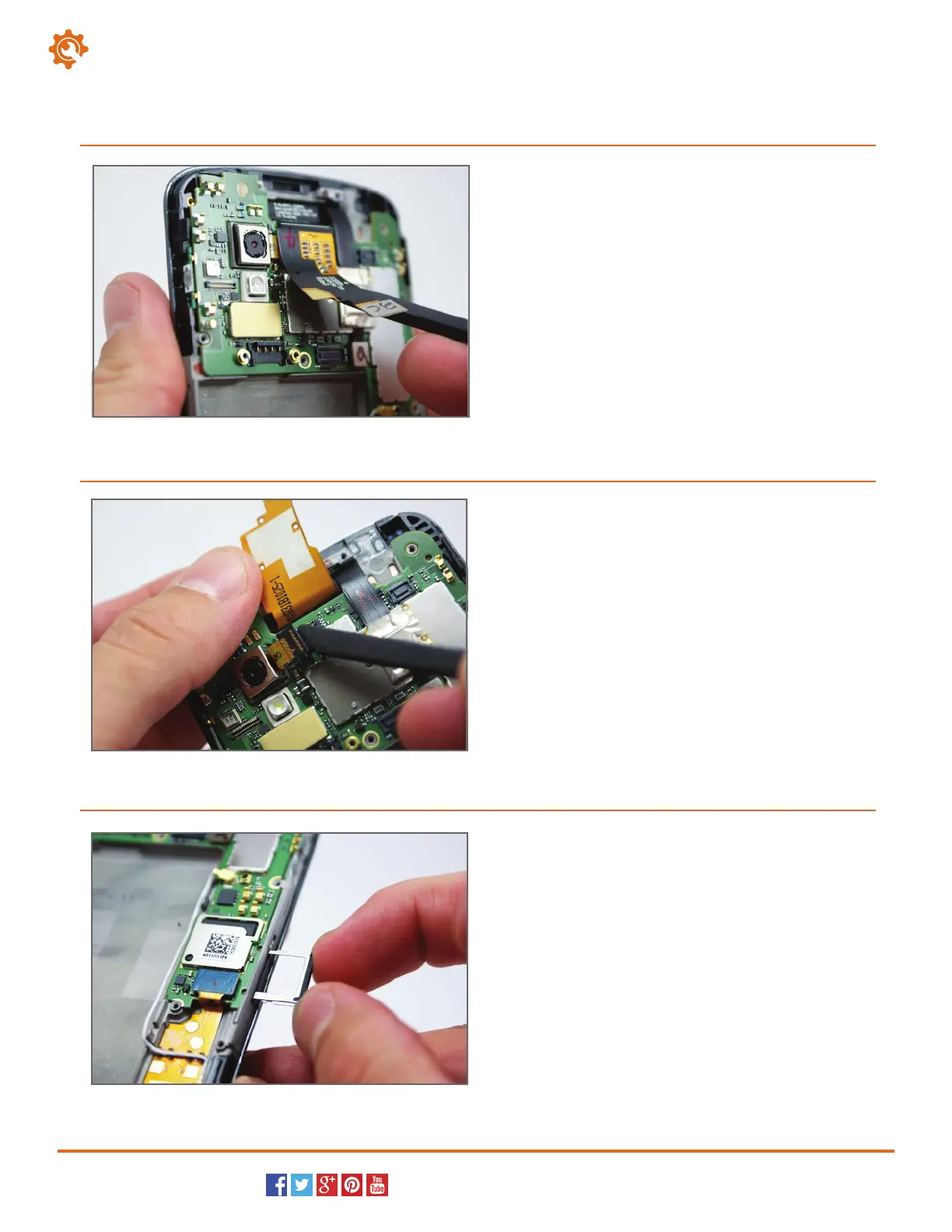
Use the spudger to release the large display assembly
connection, and then peel it up from the motherboard.
10
Continuing with the spudger, pry and release the
connection for the rear-facing camera from the LG
E960.
You can now remove the rear-facing camera from the
Nexus 4.
11
Use the SIM card ejection tool, or a paperclip, to
remove the SIM card holder from the side of the LG
Nexus 4.
12



 To Next Page