•
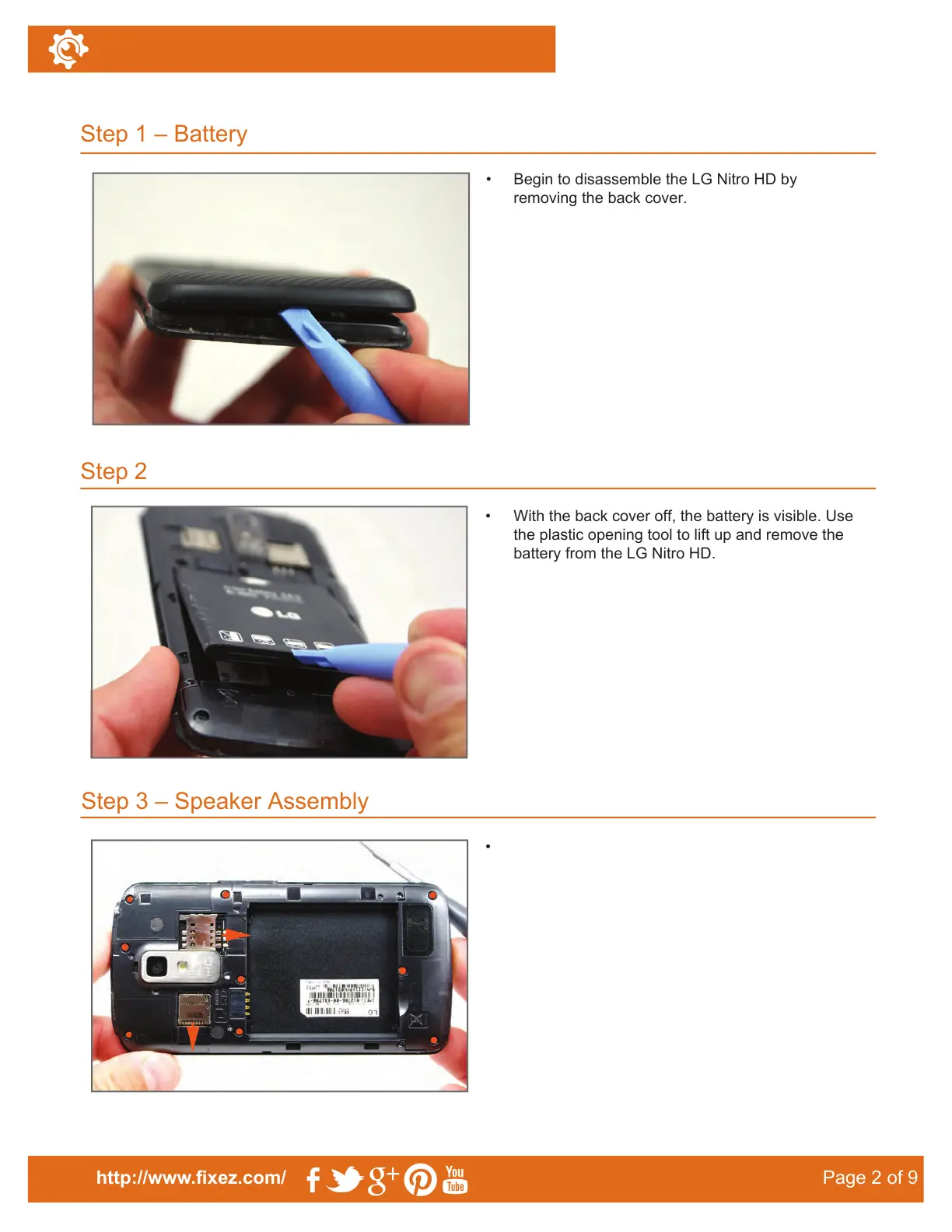
Begin to disassemble the LG Nitro HD by
removing the back cover.
•
With the back cover off, the battery is visible. Use
the plastic opening tool to lift up and remove the
battery from the LG Nitro HD.
Step 3 – Speaker Assembly
•
Step 1 – Battery
Step 2
http://www.fixez.com/
Page 2 of 9
LG Nitro HD–Disassemble Guide
With the back cover and battery detached, the
SIM and microSD cards are easily accessible.
Remove them from the phone.
•
Insert the plastic opening tool in the notch that is
in the back cover of the phone. Pry at this point to
release the clips holding the cover down to the
phone.
•
The rear section of the case is secured by nine
Phillips screws (#00), locate and remove these
screws with the appropriate screwdriver.



 To Next Page