Step 4
•
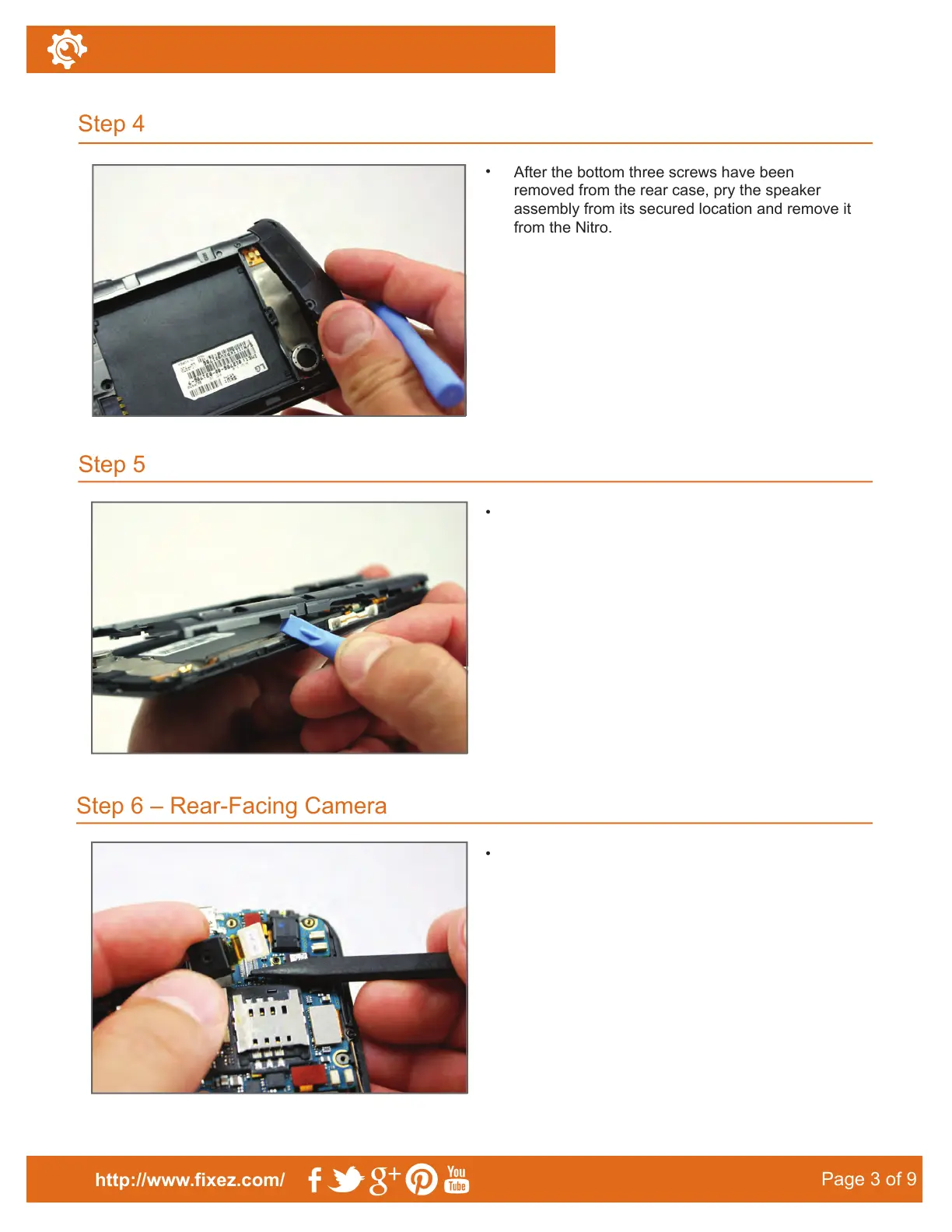
After the bottom three screws have been
removed from the rear case, pry the speaker
assembly from its secured location and remove it
from the Nitro.
•
•
Step 5
Step 6 – Rear-Facing Camera
http://www.fixez.com/
Page 3 of 9
LG Nitro HD–Disassemble Guide
To remove the rear portion of the case, insert the
plastic opening tool in the seam that goes around
the perimeter of the phone.
Pry up the rear-facing camera using the spudger
and remove it from the LG Nitro HD.
•
After you begin the separation at the seam,
separate the plastic clips holding the case to the
phone with a slight twist of the opening tool.



 To Next Page