•
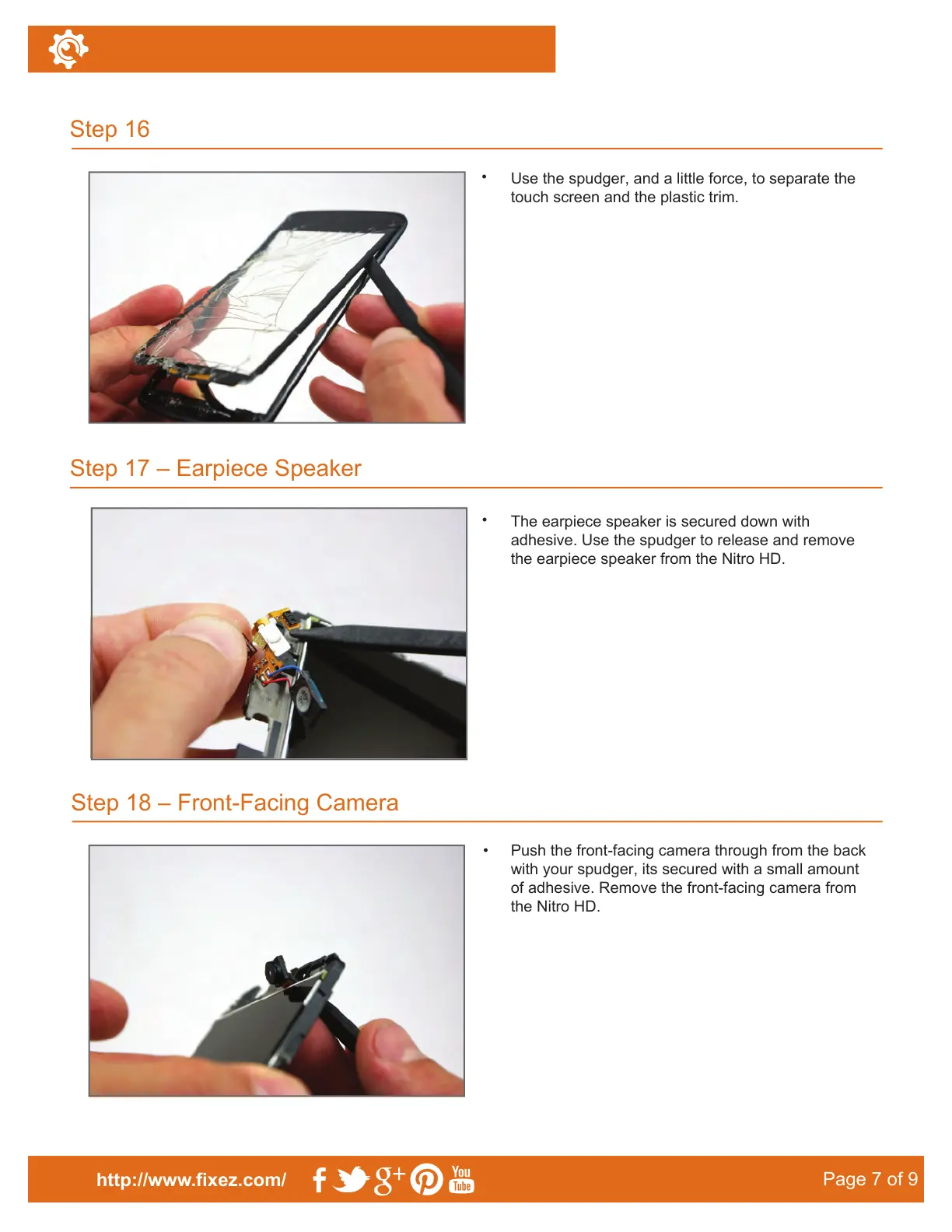
Use the spudger, and a little force, to separate the
touch screen and the plastic trim.
Step 18 – Front-Facing Camera
Step 16
Step 17 – Earpiece Speaker
http://www.fixez.com/
Page 7 of 9
•
The earpiece speaker is secured down with
adhesive. Use the spudger to release and remove
the earpiece speaker from the Nitro HD.
•
Push the front-facing camera through from the back
with your spudger, its secured with a small amount
of adhesive. Remove the front-facing camera from
the Nitro HD.



 To Next Page