•
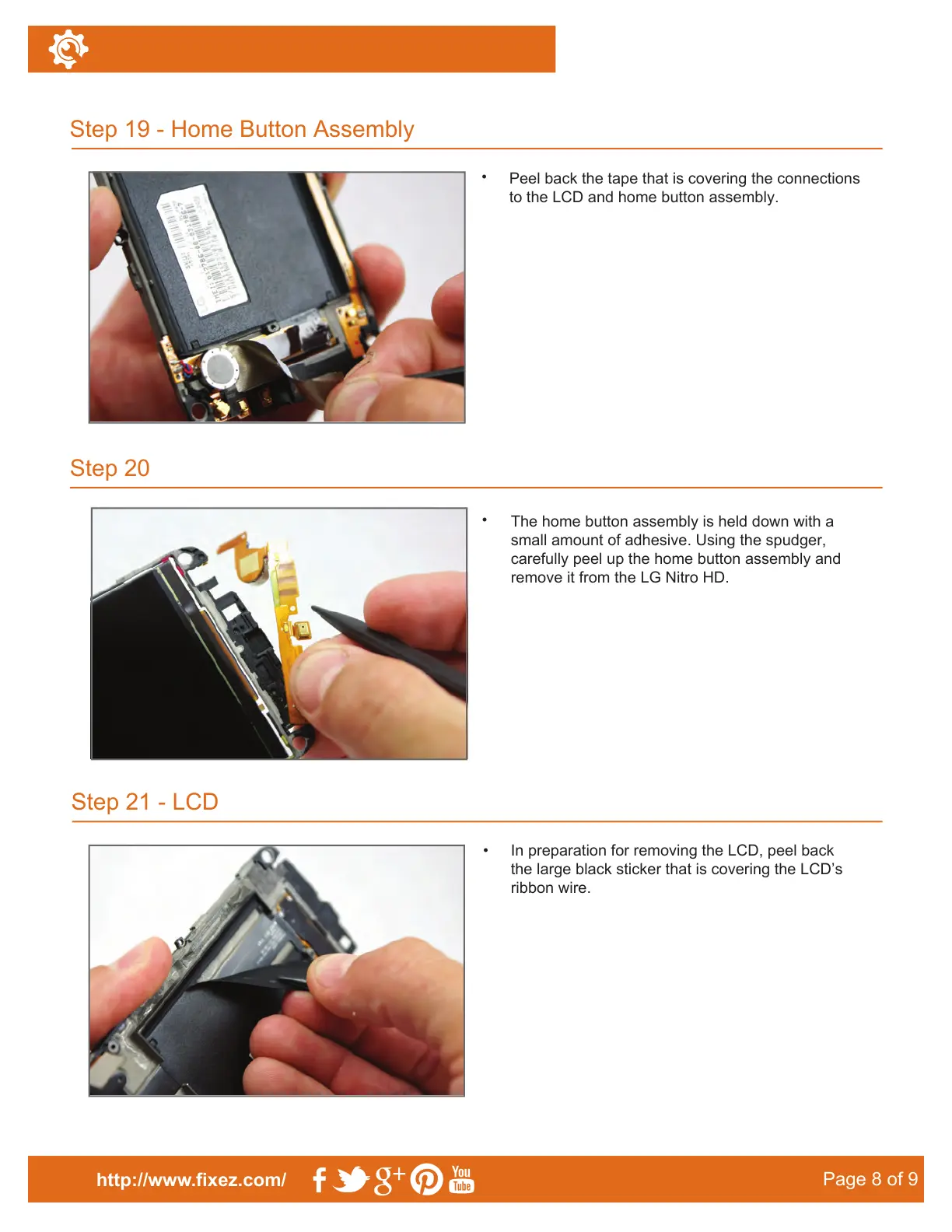
Peel back the tape that is covering the connections
to the LCD and home button assembly.
Step 21 - LCD
Step 19 - Home Button Assembly
Step 20
http://www.fixez.com/
Page 8 of 9
•
The home button assembly is held down with a
small amount of adhesive. Using the spudger,
carefully peel up the home button assembly and
remove it from the LG Nitro HD.
•
In preparation for removing the LCD, peel back
the large black sticker that is covering the LCD’s
ribbon wire.



 To Next Page