•
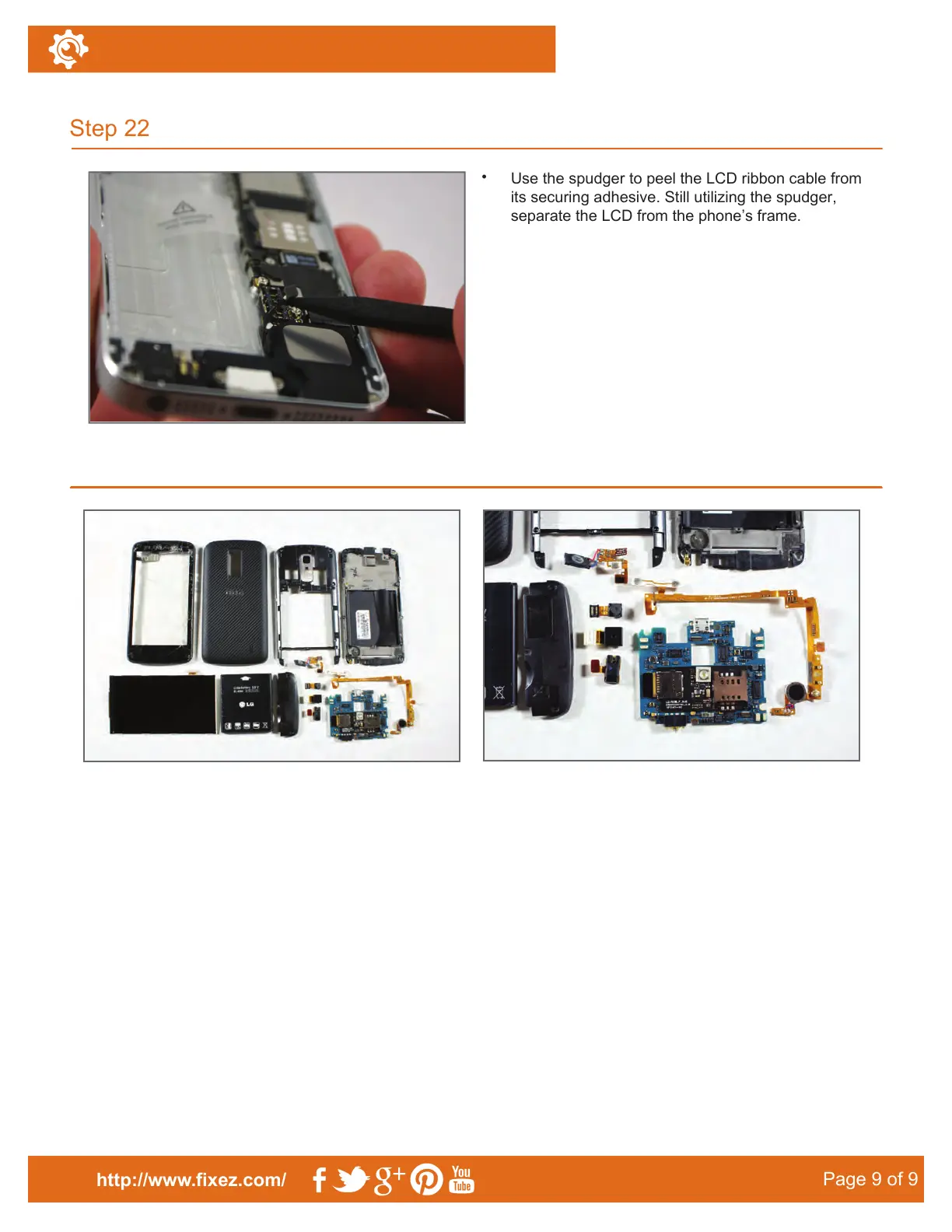
Use the spudger to peel the LCD ribbon cable from
its securing adhesive. Still utilizing the spudger,
separate the LCD from the phone’s frame.
Step 22
http://www.fixez.com/
Page9RI9
LG Nitro HD–Disassemble Guide
Final Layout
Notice/Warning:
FIXEZ.COM DOES NOT ACCEPT ANY LIABILITY FOR DAMAGE, OR INJURY CAUSED, WHILE YOU ARE
FOLLOWING OUR DISASSEMBLE GUIDES. WE MAKE NO REPRESENTATIONS, WARRANTIES, OR
CONDITIONS OF ANY KIND, EXPRESS OR IMPLIED. UTILIZING THESE GUIDES TO HELP ASSIST YOU IN
REPAIRING YOUR MOBILE DEVICES WILL VOID YOUR WARRANTY. FIXEZ.COM STRICTLY PROHIBITS
ALTERING OR MODIFYING OUR DISASSEMBLE GUIDES FOR COMMERCIAL USE, REPRODUCTION, OR
PUBLICATION.
To reassemble your device, follow these instructions in reverse order.



 To Previous Page