37
MY MEDIA
Browsing Movie List
Play a video le stored in the connected
device.
1
Connect a USB storage device.
2
Press the SETTINGS button.
3
Use the , , , or button to
select MY MEDIA and press the OK
button.
4
Use the , or button to select
Movie List and press the OK button.
5
Use the , , , or button to
select the le you want and press
the OK button.
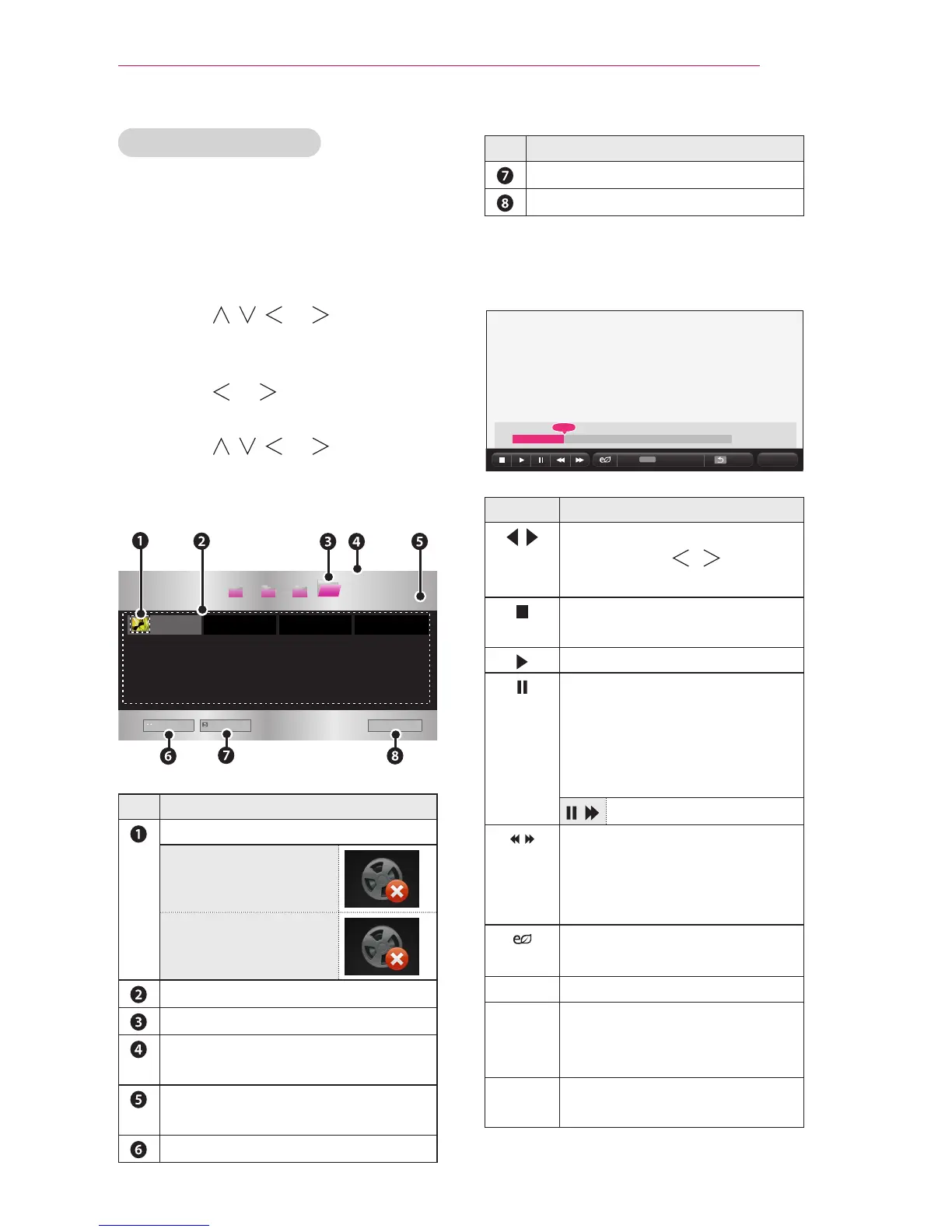
USB STORAGE DEVICE
d
book doc pic
Go to root folder
Go to upper folder
Exit
Page 1/1
Page 1/1
Description
Thumbnails
Abnormal le
File not supported
File List
Moves to the upper level folder.
Current page/Total no. of folder
pages
Current page/Total no. of le
pages
Moves to the top level folder.
Description
Moves to the upper level folder.
Exit Movie List.
6
Control playback by using the
following buttons.
Option Hide Exit
Setting Description
Shows the current playing
position. Use , buttons
to move forward or backward.
Stops playing and returns to
Movie List.
Returns to normal playback.
Pauses the media player.
If no button is pressed on the
remote control for 10 minutes
after pausing, the playback is
restarted.
Displays in slow motion.
Whenever this button is
pressed, the playback speed
is changed.
: x2, x4, x8, x16, x32
You can use the Energy
Saving mode.
Option
A pop-up window will appear.
Hide Hides the playback bar.
Press the OK button to make
it appear.
Exit Returns to the Movie List
screen.


 To Next Page
 Loading...