73
CONNECTING DEVICES
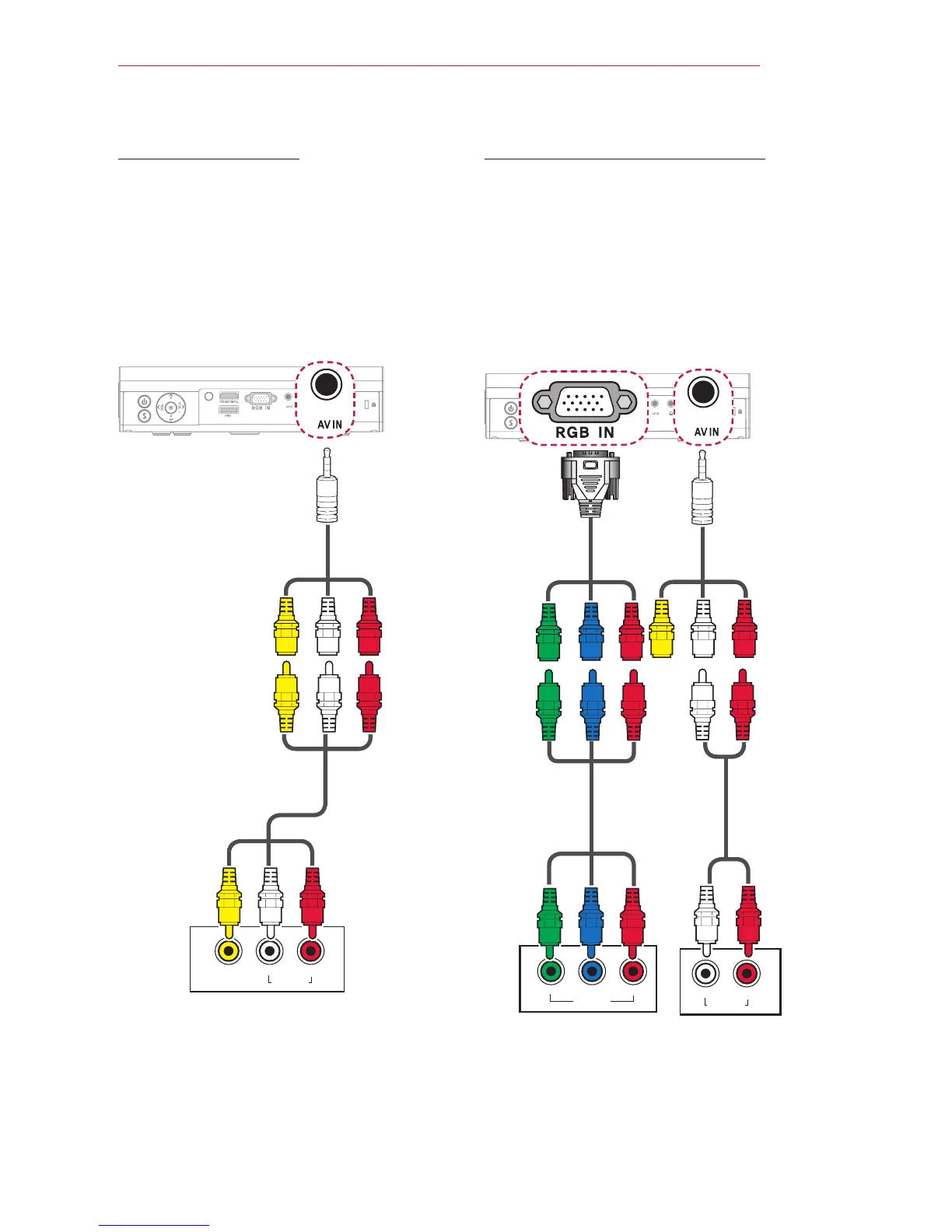
AV Connection
Connect the output ports of an external
device and the AV IN ports of the
projector using an AV cable. Press the
INPUT button on the remote control to
select AV.
Check whether cables of the same
colour are connected properly.
$9287
/HIW 5LJKW
$8',2287
YELLOW
YELLOW
YELLOW
WHITE WHITE
WHITE
RED RED
RED
Component Connection
You can enjoy a video by connecting the
Component port of an external device to
the RGB IN port of the projector. Press
the INPUT button on the remote control
to select Component.
Check whether cables of the same
colour are connected properly.
$9287


 To Next Page
 Loading...