EasyManua.ls Logo

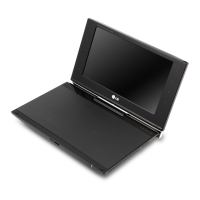
LG POD200 - User Manual

LG POD200
20 pages
Print Icon
To Next Page IconTo Next Page
Loading...
OWNER’S MANUAL
Portable DVD Player
MODEL
POD200
DP650
Please read this manual carefully before operating
your set and retain it for future reference.
ENGLISH
FOR THE GUARANTEE TERMS & CONDITIONS,
PLEASE REFER TO INNER PAGE OF BACK COVER.
DP650-P.AGBRLLB_ENG_7243_ver2.indd 1 11. 10. 24 �� 10:44

Questions and Answers

  • C
    Cindy ThompsonAug 12, 2025
    How to fix no picture on my LG POD200 Portable DVD Player when connected to TV?
    • C
      Carla ChavezAug 12, 2025
      If your LG Portable DVD Player isn't displaying a picture on connected devices like a TV, ensure the TV is set to the correct video input mode to receive the signal from the unit. Also, check that the video cable is securely connected.
  • M
    Marcus HayesAug 21, 2025
    Why is there no sound on my LG Portable DVD Player?
    • F
      francisamandaAug 21, 2025
      If your LG Portable DVD Player has no sound, first, make sure the volume isn't set to the minimum; adjust it using the volume controller. Also, verify that the equipment connected with the audio cable is set to receive the signal from the unit by selecting the correct input mode on the audio amplifier. Check that the AUDIO options are correctly set. Finally, ensure that the earphone jack is disconnected from the unit.
  • J
    Jessica FigueroaSep 1, 2025
    What to do if my LG Portable DVD Player does not start playback?
    • V
      vanessacoleSep 1, 2025
      If your LG Portable DVD Player isn't starting playback, make sure the disc is inserted correctly with the label facing upwards. Clean the disc with a soft, lint-free cloth, wiping from the center outwards, if there are fingerprints or dust. Ensure that you are using a playable disc, checking the disc type and regional code. Finally, check and change the rating level.

LG POD200 Specifications

General IconGeneral
CategoryPortable DVD Player
Screen Size7 inch
Display Resolution480 x 234 pixels
Audio OutputStereo speakers, Headphone jack
Video OutputComposite video output
ModelPOD200
Playable Media FormatMP3, JPEG
Supported Disc FormatsDVD, DVD-R, DVD-RW, CD, CD-R, CD-RW
ConnectivityAV output, Headphone jack
Weight1.5 lbs
Battery TypeRechargeable Li-Polymer
Dimensions190 x 152 x 38 mm (7.5 x 6 x 1.5 inches)

Related product manuals