EasyManua.ls Logo

LG DP-9821 - User Manual

LG DP-9821
45 pages
Print Icon
To Next Page IconTo Next Page
Loading...
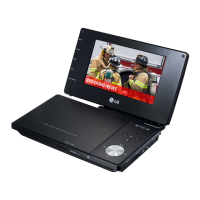
Portable DVD Player
Before connecting, operating or adjusting this product,
please read this instruction booklet carefully and
completely.
Owners Manual
Model: DP9821
P/NO : 3834RD0073B

Table of Contents

Questions and Answers

  • J
    james55Jul 31, 2025
    What to do if my LG DP-9821 has no picture on the LCD or TV?
    • J
      Jennifer WilkinsonJul 31, 2025
      If your LG Portable DVD Player shows no picture on the LCD or TV, ensure the video cable is securely connected. Check that the A/V IN/OUT switch is correctly set: to OUT mode while playing a disc, or to IN mode while viewing video from other equipment. Also, verify that the LCD mode is not set to OFF and that the Brightness control is not set to the lowest level. Finally, make sure the TV is set to the correct video input mode to receive the DVD signal.
  • M
    Melinda MayAug 9, 2025
    How to fix an LG Portable DVD Player that has no power?
    • R
      Rebecca HillAug 9, 2025
      If your LG Portable DVD Player has no power, make sure the power cord is securely plugged into the wall outlet. If it's still not working, the battery might be discharged, so try recharging it.
  • J
    Jessica Santiago PhDAug 19, 2025
    What to do if my LG DP-9821 does not start playback?
    • K
      Kimberly GoodmanSep 12, 2025
      If your LG Portable DVD Player does not start playback, it might be due to an unplayable disc. Ensure you insert a playable disc, checking the disc type, color system, and regional code. Alternatively, the Rating level might be set. Try canceling the Rating function or changing the rating level.

Summary

Safety Precautions

Electrical Safety

Cautions regarding electric shock hazards and unit access.

Fire and Moisture Hazards

Warnings against exposing the unit to fire, moisture, or installing in confined spaces.

Laser Radiation Safety

Details on laser system safety and avoiding direct beam exposure.

Identification of Controls

Main Unit Controls

Identifies and describes the function of buttons and indicators on the main DVD player unit.

Remote Control Layout

Details the layout and functions of all buttons on the remote control.

Power Connections

AC Adapter Connection

Step-by-step guide for connecting the AC adapter for power.

Playing a Disc

Disc Playback Steps

Steps required to prepare and start playing a disc on the DVD player.

Initial Settings

Language Settings

How to set menu language, disc audio, subtitle, and menu languages.

Display Settings

Adjustments for TV aspect ratio and display modes like LetterBox/Panscan.

Audio Settings

Configuration of audio output options based on connected equipment.

Parental Control Settings

Setting up the Player

Audio Connection to Optional Equipment

Troubleshooting

Power and Picture Issues

Solutions for problems related to power, picture display, and input signals.

Sound and Playback Errors

Troubleshooting common issues with sound output and disc playback.

LG DP-9821 Specifications

Power IconPower
power supply voltage (AC adapter)9.5 V
power supply voltage (battery)7.4 V
power consumption15 W
Display IconDisplay
panel size7 inches (diagonal)
resolution234 x 480 x 3
projection systemY/C stripe
Audio IconAudio
frequency range (DVD linear sound, 48kHz sampling)8 Hz to 20 kHz
frequency range (DVD linear sound, 96kHz sampling)8 Hz to 44 kHz
signal-to-noise ratiomore than 95 dB
Operating Environment IconOperating Environment
operating temperature5°C to 35°C
operation statusHorizontal
Ports & interfaces IconPorts & interfaces
video input/output1.0 V (p-p), 75 Ω, ø3.5mm mini jack x 1
audio input/output2.0 Vrms, ø3.5mm mini jack x 1
earphone terminalø3.5mm stereo mini jack x 2
Weight and Dimensions IconWeight and Dimensions
weight1.46 lbs (0.66 kg)
width7.5 inches (190 mm)
height1.1 inches (28 mm)
depth6.3 inches (159.5 mm)

Related product manuals