EasyManua.ls Logo

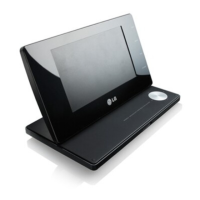
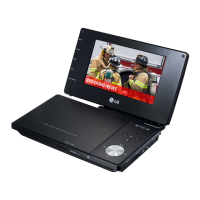
LG DP571T - User Manual

LG DP571T
24 pages
Print Icon
To Next Page IconTo Next Page
Loading...
P/NO : MFL64940814
MODELS
DP570T
DP571T
Please read this manual carefully before operating
your set and retain it for future reference.
OWNER'S MANUAL
Portable DVD Player
ENGLISH FRANÇAIS

Questions and Answers

  • H
    Hannah NealAug 10, 2025
    What to do if my LG DP571T has no picture?
    • R
      Rhonda SanchezAug 10, 2025
      If your LG Portable DVD Player shows no picture, there are a couple of things to check: * Ensure that your TV is set to receive the signal from the unit by selecting the appropriate video input mode on the TV. * Verify that the video cable is securely connected.
  • A
    Anthony LeeAug 16, 2025
    What to do if my LG DP571T does not start playing?
    • G
      Gabrielle Haynes MDAug 16, 2025
      If your LG Portable DVD Player isn't playing, it might be due to several reasons. First, make sure you've inserted a playable disc, checking both the disc type and regional code for compatibility. If a rating level is set, try changing it. Also, ensure that you are pointing the remote control directly at the remote sensor on the unit.
  • C
    campbellrebekahAug 22, 2025
    How to fix no sound on LG DP571T Portable DVD Player?
    • S
      Sherry BridgesAug 22, 2025
      If you're experiencing no sound on your LG Portable DVD Player, consider the following: 1. Make sure that the equipment connected with the audio cable is set to receive the signal from the unit by selecting the correct input mode on the audio amplifier. 2. Check the volume level and adjust it using the volume controller if it's set to minimum. 3. Ensure that the AUDIO options are set to the correct position.
  • J
    jasonramosAug 28, 2025
    What to do if my LG Portable DVD Player does not start playback?
    • Z
      zhammondAug 28, 2025
      If your LG Portable DVD Player doesn't start playback, here are a few things to try: * Ensure that you have inserted a playable disc, considering the disc type and regional code. * If the rating level is set, try changing it. * Make sure the remote control is pointed at the remote sensor on the unit.
  • L
    leblancjacobSep 4, 2025
    Why is there no picture on my LG DP571T Portable DVD Player?
    • M
      Mr. Timothy PerrySep 4, 2025
      If you're not getting any picture on your LG Portable DVD Player, there could be a couple of things to check. First, ensure that your TV is set to receive the signal from the unit by selecting the appropriate video input mode. Also, verify that the video cable is securely connected.

LG DP571T Specifications

General IconGeneral
Built-in DecoderDolby Digital
Audio OutputStereo
Screen Size7 inches
Supported FormatsDVD, CD, MP3, JPEG
ConnectivityAV output, headphone jack
TV SystemNTSC/PAL
Power SourceAC adapter, Battery

Related product manuals