EasyManua.ls Logo

LG DP271 - User Manual

LG DP271
43 pages
Print Icon
To Next Page IconTo Next Page
Loading...
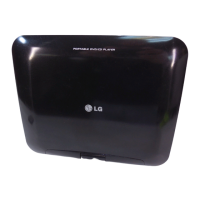
Portable DVD Player
Before connecting, operating or adjusting this
product, please read this instruction booklet carefully
and completely.
Owner’s Manual
Model: DP271
DP271-P_AA4ULLW_ENG
FOR THE GUARANTEE TERMS & CONDITIONS,
PLEASE REFER TO BACK COVER OF THIS MANUAL.

Questions and Answers

  • J
    Joseph WoodAug 15, 2025
    What to do if my LG DP271 has no power?
    • H
      Haley WeissAug 15, 2025
      If your LG Portable DVD Player isn't turning on, it could be due to a disconnected power cord. Ensure the power cord is securely plugged into the wall outlet. Alternatively, the battery might be discharged, so try recharging it.
  • K
    Karen MillsAug 19, 2025
    Why is there no picture on my LG Portable DVD Player's LCD or TV?
    • E
      Elizabeth KellyAug 19, 2025
      If you're not seeing a picture on your LG Portable DVD Player's LCD or connected TV, make sure the video cable is securely connected. Also, verify that the MODE selection is correctly set, especially to A/V IN mode when viewing video from other equipment. Ensure that the LCD mode is not set to OFF. Finally, check that the TV is set to the correct video input mode to receive the DVD signal.
  • J
    Jasmin MillerAug 22, 2025
    How to fix no sound on LG Portable DVD Player?
    • J
      Jason McguireAug 22, 2025
      If you're experiencing no sound from your LG Portable DVD Player, first ensure that the equipment connected with the audio cable is set to receive the DVD signal output by selecting the correct input mode on your audio receiver. Also, check that the audio cables are securely connected into the jacks.
  • C
    cleeAug 25, 2025
    What to do if my LG DP271 Portable DVD Player does not start playback?
    • C
      Cynthia PierceAug 26, 2025
      If your LG Portable DVD Player isn't playing, make sure you've inserted a playable disc, checking both the disc type and regional code. Also, check if the Rating level is set; if it is, cancel the Rating function or change the rating level.
  • B
    baileyscottAug 27, 2025
    How to fix no power on my LG DP271?
    • C
      Craig AtkinsonAug 28, 2025
      If your LG Portable DVD Player isn't powering on, ensure the power cord is securely plugged into the wall outlet. Also, check if the battery is discharged and needs recharging.
  • T
    Tyler RichardsAug 30, 2025
    What to do if there is no picture on LG DP271 Portable DVD Player?
    • A
      Andrew JonesAug 31, 2025
      If you're not getting a picture on your LG Portable DVD Player's LCD or TV, make sure the video cable is securely connected. Also, verify that the MODE selection is correctly set, especially to A/V IN mode when viewing video from other equipment. Ensure that the LCD mode is not set to OFF. Finally, confirm that your TV is set to receive the DVD signal output by selecting the appropriate video input mode.
  • S
    Sherry CraigSep 2, 2025
    Why is there no sound coming from my LG DP271 Portable DVD Player?
    • Z
      Zachary GarrettSep 2, 2025
      If you're experiencing sound issues with your LG Portable DVD Player, ensure that the equipment connected with the audio cable is set to receive DVD signal output by selecting the correct input mode on the audio receiver. Also, verify that the audio cables are securely connected to the jacks.
  • M
    murphystevenSep 5, 2025
    Why does the remote control not work for my LG DP271 Portable DVD Player?
    • A
      amandamirandaSep 5, 2025
      If your LG Portable DVD Player remote control isn't working properly, make sure you are operating it within approximately 23 feet (7 meters) of the unit.
  • K
    Kayla LewisSep 9, 2025
    How to fix no picture on LG DP271 Portable DVD Player LCD or TV?
    • J
      joshuajohnsonSep 9, 2025
      If you're not getting a picture on your LG Portable DVD Player's LCD or TV, try these steps: 1. Make sure the video cable is securely connected to the jacks. 2. Verify the MODE selection is correctly set, especially to A/V IN mode when viewing video from other equipment. 3. Ensure the LCD mode is not set to OFF. 4. Confirm that your TV is set to the correct video input mode to receive the DVD signal.
  • M
    Michele JenkinsSep 12, 2025
    What to do if my LG DP271 has no sound?
    • B
      Bryan BonillaSep 12, 2025
      If you're not getting any sound from your LG Portable DVD Player, check these: * Ensure that the equipment connected with the audio cable is set to receive DVD signal output by selecting the correct input mode on the audio receiver. * Make sure the audio cables are securely connected to the jacks.

Summary

Safety Precautions

General Safety Warnings and Precautions

Covers electric shock, fire, laser, water, installation hazards, and general warnings.

Power Cord and Disposal Safety

Details on power cord handling, wiring, plug safety, and proper disposal of old appliances.

Getting Started and Unit Controls

Before Use: Disc Handling and Symbols

Explains symbols used in the manual, disc care, and handling guidelines.

Unit Controls and Identification

Overview of main unit buttons, ports, remote control functions, and battery management.

Power Connections

Connecting Power Sources

Step-by-step guides for connecting AC adapter, automotive adapter, and battery pack.

Initial Settings and Configuration

Navigating Setup Menus and Display Adjustments

Accessing setup menus for language, display, audio, and parental controls.

Parental Control, Password, and Area Codes

Setting up parental controls, passwords, and area codes for disc ratings.

Other Settings and DivX VOD

Adjusting PBC settings and accessing DivX Video On Demand registration codes.

Playback Features

Playing Discs: DVD, VR, DivX, Audio, MP3;WMA

Guides for playing various disc types and file formats, including compatibility.

Advanced Playback Controls

Using zoom, search, repeat, slow motion, and frame-by-frame playback features.

Menu Navigation and Language Options

Accessing disc menus, changing audio/subtitle languages, and camera angles.

Viewing JPEG Files and USB Playback

Instructions for displaying JPEG images and playing files from USB flash drives.

Connecting Your Player

AV Output Connections to TV

Step-by-step guide for connecting the player to a television via AV cables.

AV Input and Audio Output Connections

Connecting external devices to the player and audio output to equipment.

Reference and Support

Troubleshooting Common Issues

Solutions for problems like no power, no picture, no sound, or unresponsive controls.

Specifications, Codes, and Guarantee

Technical specifications, language/area codes, and product guarantee information.

LG DP271 Specifications

General IconGeneral
BrandLG
ModelDP271
CategoryPortable DVD Player
LanguageEnglish

Related product manuals