EasyManua.ls Logo

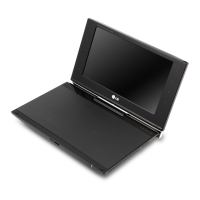
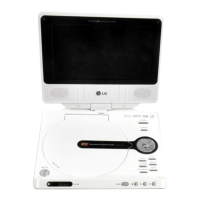
LG DP650 - User Manual

LG DP650
20 pages
Print Icon
To Next Page IconTo Next Page
Loading...
OWNER’S MANUAL
Portable DVD Player
MODEL
POD200
DP650
Please read this manual carefully before operating
your set and retain it for future reference.
ENGLISH
FOR THE GUARANTEE TERMS & CONDITIONS,
PLEASE REFER TO INNER PAGE OF BACK COVER.
DP650-P.AGBRLLB_ENG_7243_ver2.indd 1 11. 10. 24 �� 10:44

Questions and Answers

  • N
    Nicole RamirezAug 11, 2025
    How to fix no picture on my LG Portable DVD Player when connected to TV?
    • G
      george50Aug 11, 2025
      If your LG Portable DVD Player isn't displaying a picture on connected devices like a TV, ensure the TV is set to the correct video input mode to receive the signal from the unit. Also, check that the video cable is securely connected.
  • M
    mcrawfordAug 20, 2025
    Why is there no sound on my LG Portable DVD Player?
    • S
      Sarah SanchezAug 20, 2025
      If your LG Portable DVD Player has no sound, first, make sure the volume isn't set to the minimum; adjust it using the volume controller. Also, verify that the equipment connected with the audio cable is set to receive the signal from the unit by selecting the correct input mode on the audio amplifier. Check that the AUDIO options are correctly set. Finally, ensure that the earphone jack is disconnected from the unit.
  • G
    Greg CollinsAug 29, 2025
    What to do if my LG DP650 does not start playback?
    • N
      nhowardAug 29, 2025
      If your LG Portable DVD Player isn't starting playback, make sure the disc is inserted correctly with the label facing upwards. Clean the disc with a soft, lint-free cloth, wiping from the center outwards, if there are fingerprints or dust. Ensure that you are using a playable disc, checking the disc type and regional code. Finally, check and change the rating level.

Summary

Safety Information

General Cautions and Warnings

General warnings and precautions for safe operation, product placement, and ventilation.

Power Cord and Electrical Safety

Guidelines for safe handling of the power cord and electrical connections to prevent hazards.

Battery, Laser, and Environmental Safety

Precautions for battery removal, laser system safety, and environmental exposure like liquids.

Car Usage Safety

Specific safety instructions for operating the unit in a vehicle, including adapter and battery concerns.

Mains Plug and Wiring Safety

Detailed guidance on mains plug connection, wiring, fuse replacement, and electrical safety.

Preparation

Installation

Connecting Power Adapters

Instructions for connecting the AC adaptor and automotive adaptor for power supply.

Operation

General Playback (Disc and USB)

Steps for playing discs and USB flash drives, including basic controls like play, pause, and stop.

Troubleshooting

Common Issue Resolution

Solutions for common problems like no power, no picture, no sound, and playback errors.

LG DP650 Specifications

General IconGeneral
BrandLG
ModelDP650
CategoryPortable DVD Player
LanguageEnglish

Related product manuals