EasyManua.ls Logo

LG DP271-P - User Manual

LG DP271-P
43 pages
Print Icon
To Next Page IconTo Next Page
Loading...
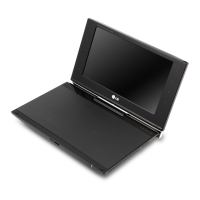
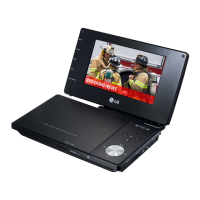
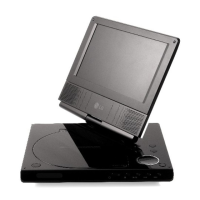
Portable DVD Player
Before connecting, operating or adjusting this
product, please read this instruction booklet carefully
and completely.
Owner’s Manual
Model: DP271/DP271B
DP271/B-P_AA3SLLB/W_AZAFLLW_ENG

Table of Contents

Questions and Answers

  • A
    Anthony FloydAug 13, 2025
    How to fix no power on my LG Portable DVD Player?
    • D
      Diane Sawyer PhDAug 14, 2025
      If your LG Portable DVD Player isn't powering on, ensure the power cord is securely plugged into the wall outlet. Also, check if the battery is discharged and needs recharging.
  • C
    Christine MyersAug 16, 2025
    What to do if there is no picture on LG DP271-P?
    • P
      Peter AlvarezAug 17, 2025
      If you're not getting a picture on your LG Portable DVD Player's LCD or TV, make sure the video cable is securely connected. Also, verify that the MODE selection is correctly set, especially to A/V IN mode when viewing video from other equipment. Ensure that the LCD mode is not set to OFF. Finally, confirm that your TV is set to receive the DVD signal output by selecting the appropriate video input mode.
  • M
    Mark MillerAug 20, 2025
    Why is there no sound coming from my LG DP271-P?
    • A
      Amanda BooneAug 21, 2025
      If you're experiencing sound issues with your LG Portable DVD Player, ensure that the equipment connected with the audio cable is set to receive DVD signal output by selecting the correct input mode on the audio receiver. Also, verify that the audio cables are securely connected to the jacks.
  • R
    Roberto HopkinsAug 25, 2025
    What to do if my LG Portable DVD Player does not start playback?
    • N
      Nicole GoldenAug 25, 2025
      If your LG Portable DVD Player isn't starting playback, it might be due to an unplayable disc. Ensure you insert a playable disc, checking its type and regional code. Alternatively, the Rating level might be set. Try canceling the Rating function or changing the rating level.
  • J
    John PachecoAug 28, 2025
    Why does the remote control not work for my LG Portable DVD Player?
    • L
      Laura WardAug 28, 2025
      If your LG Portable DVD Player remote control isn't working properly, make sure you are operating it within approximately 23 feet (7 meters) of the unit.
  • S
    Stefanie BenjaminSep 1, 2025
    What to do if my LG DP271-P has no power?
    • R
      Ryan PadillaSep 1, 2025
      If your LG Portable DVD Player isn't powering on, there are a couple of things to check: * Ensure the power cord is securely plugged into the wall outlet. * If you're running on battery, the battery may be discharged and needs to be recharged.
  • K
    Kevin OsbornSep 5, 2025
    How to fix no picture on LG DP271-P LCD or TV?
    • D
      Denise TorresSep 5, 2025
      If you're not getting a picture on your LG Portable DVD Player's LCD or TV, try these steps: 1. Make sure the video cable is securely connected to the jacks. 2. Verify the MODE selection is correctly set, especially to A/V IN mode when viewing video from other equipment. 3. Ensure the LCD mode is not set to OFF. 4. Confirm that your TV is set to the correct video input mode to receive the DVD signal.
  • A
    Amanda KingSep 8, 2025
    What to do if my LG DP271-P Portable DVD Player has no sound?
    • L
      Laurie Boone PhDSep 8, 2025
      If you're not getting any sound from your LG Portable DVD Player, check these: * Ensure that the equipment connected with the audio cable is set to receive DVD signal output by selecting the correct input mode on the audio receiver. * Make sure the audio cables are securely connected to the jacks.

LG DP271-P Specifications

General IconGeneral
Screen Size7 inches
Resolution480 x 234 pixels
Battery LifeUp to 5 hours
Built-in SpeakersYes
Headphone JackYes
AV OutputYes
Supported FormatsDVD, DVD-R/RW, CD, CD-R/RW, MP3, JPEG
Power SourceAC adapter, rechargeable battery

Related product manuals