30
This unit can play JPEG files.
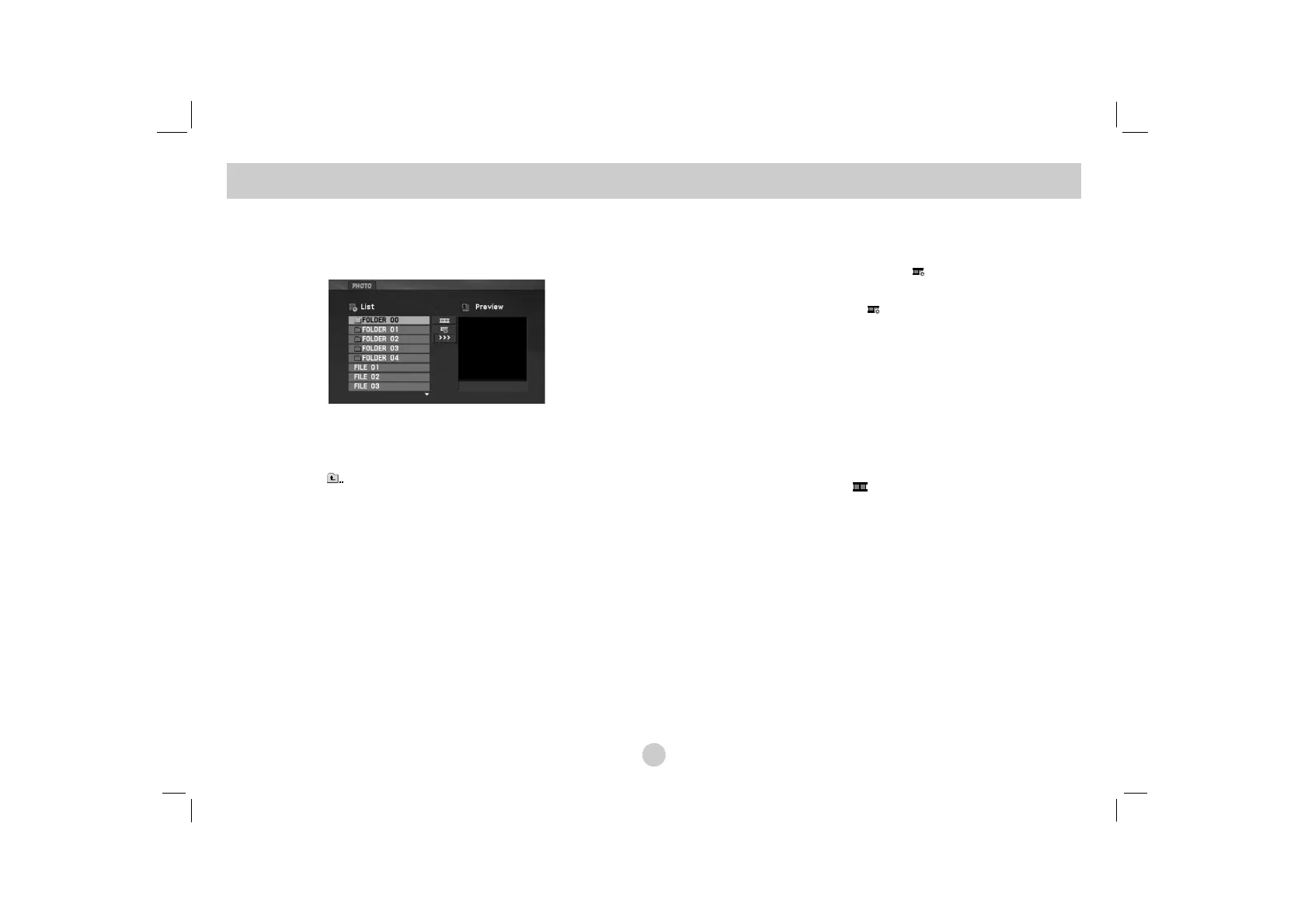
1. Insert a JPEG files recorded media. The PHOTO menu
appears on the TV screen.
2. Press v / V to select a folder, and press ENTER. A list of files
in the folder appears. If you are in a file list and want to return
to the previous Folder list, use the v / V buttons on the remote
to highlight and press ENTER.
3. If you want to view a particular file, press v / V to highlight a
file and press ENTER or PLAY(N).
4. While viewing a file, you can press STOP(x) to move to the
previous menu (PHOTO menu).
TIPS
• Press MENU to move to the next page.
• There are three Slide Speed options :
>>> (Fast), >> (Normal) and > (Slow).
Use vVbBto highlight the . Then, use b / B to select the
option you want to use.
• On a CD with MP3/WMA, JPEG and MOVIE file, you can switch
MUSIC, PHOTO and MOVIE menu. Press TITLE and MUSIC,
PHOTO and MOVIE word on top of the menu is highlighted.
• While watching a picture, press RETURN (O) to hide the help
menu.
Slide Show
Use vVbBto highlight the (Slide Show) then press
ENTER.
Still Picture
1. Press PAUSE/STEP(X) during slide show.
The unit will now go into pause mode.
2. To return to the slide show, press PLAY(N) or press
PAUSE/STEP(X) again.
Viewing a JPEG file


 To Next Page