3
ENGLISH
ABOUT LG PROJECTOR
Home Tutorial
Using the Home feature of the LG Projector
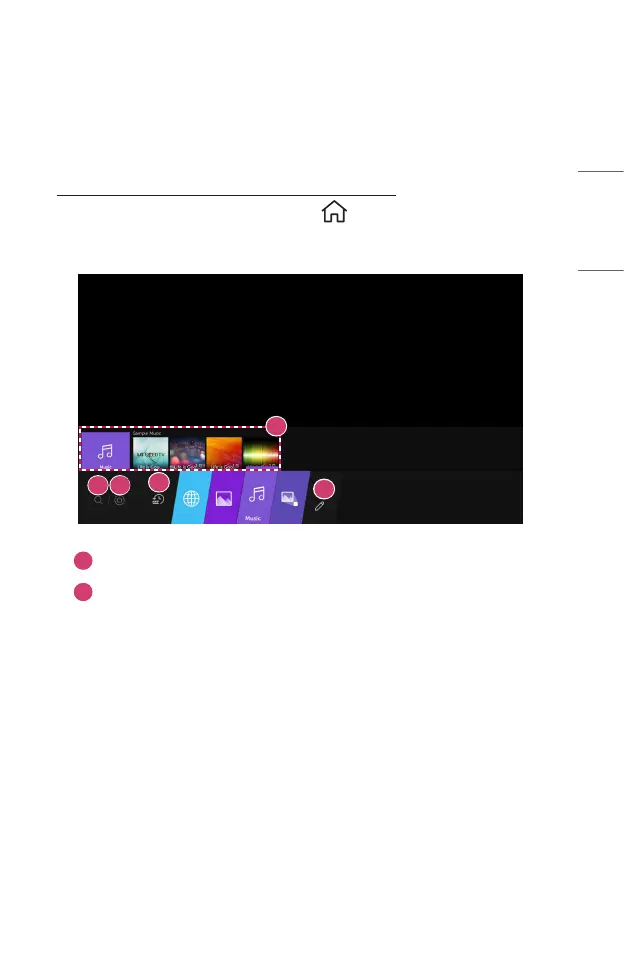
You can open the Home screen by pressing the button on your remote control.
You can combine frequently used apps on a single screen and use whichever you want
at any time.
2
3
4
1
5
1
Launch [Search].
2
Move to the [Home Dashboard].
You can select or control a device (mobile, external device, etc.) connected
to the projector.



 To Next Page