13
ENGLISH
CONNECT OTHER DEVICES
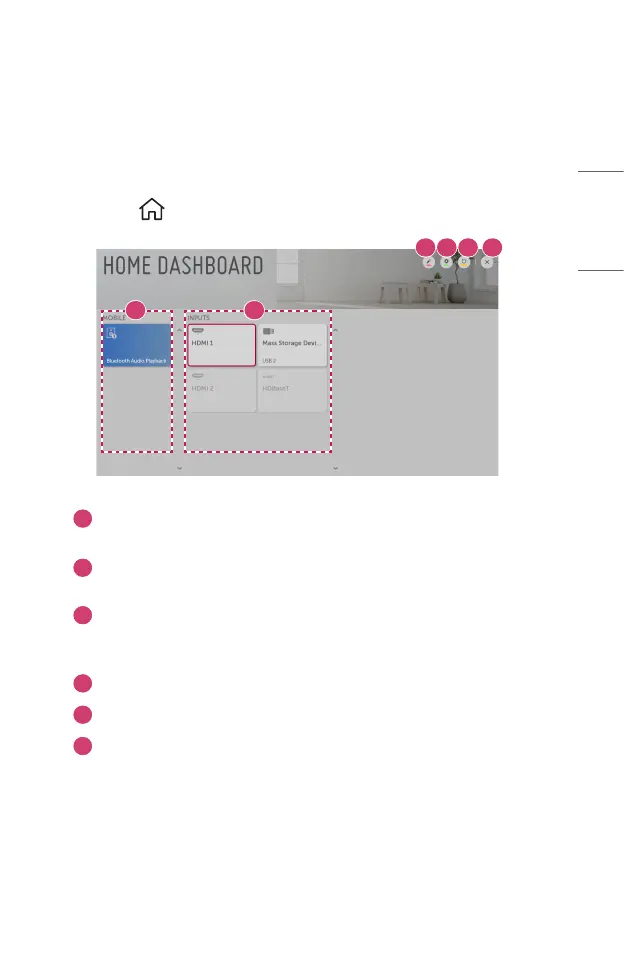
Using [Home Dashboard]
You can select or control a device (mobile, external device, etc.) connected to the
projector.
1 Press the button on the remote control and select [Home Dashboard].
1 2
3 4 5 6
1
You can check and select the connected smart device with the LG TV Plus.
You can play sound from a smart device connected via Bluetooth.
2
You can check and select the external device connected through the
external input port or network.
3
You can edit the name or change the icon of a device connected to the
Inputs.
• Some devices cannot be edited.
4
You can start the [Device Connector] app.
5
It refreshes the device list.
6
Exit the [Home Dashboard].
• The configurable items differ depending upon model.



 To Next Page