14
Home Code Clear
- Replacing or repairing (lost or broken) the monitor -
If you replace the monitor, reset the Home Code as
detailed below.
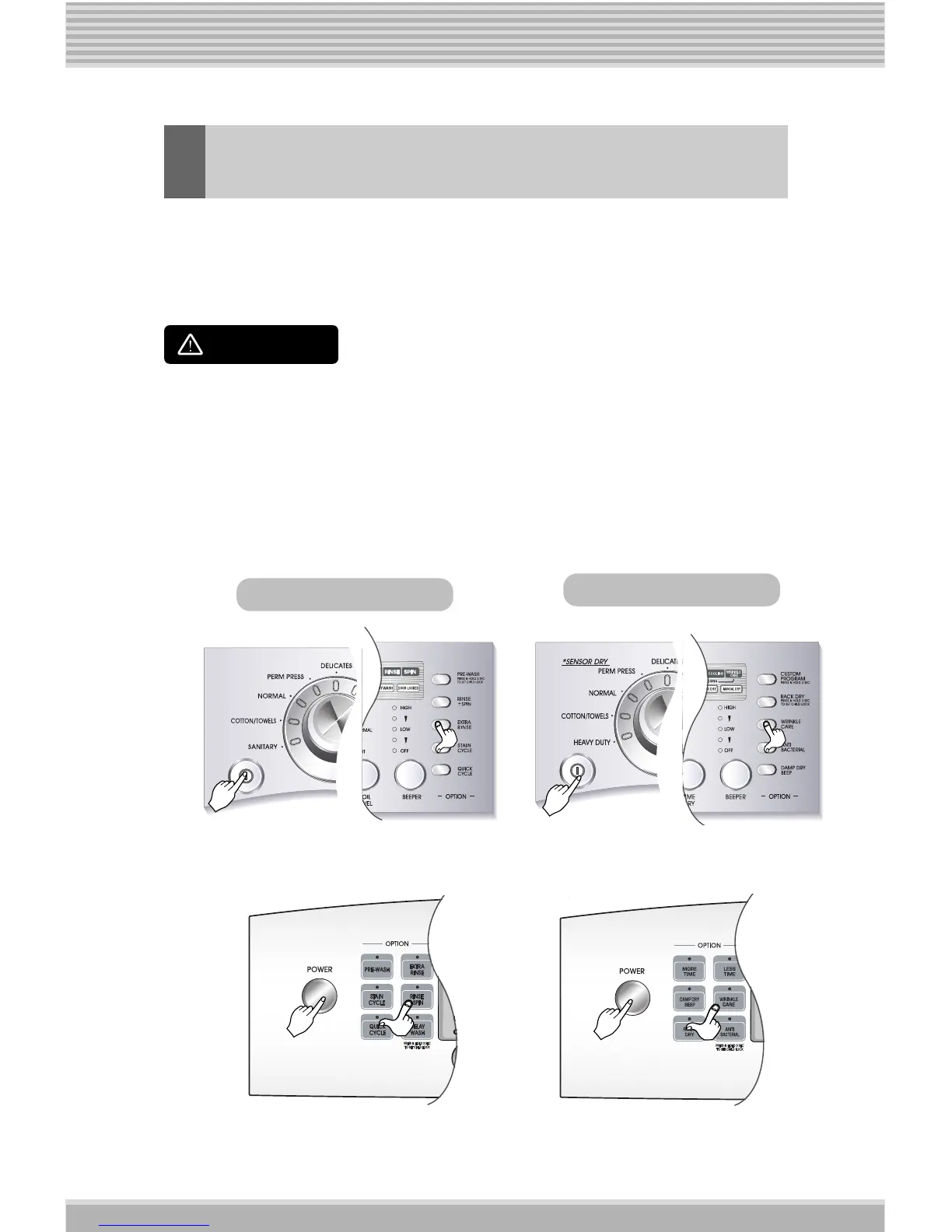
1. The appliance must be switched off.
After pressing the buttons listed below
simultaneously, turn the Power button on.
Use the method below when necessary.
WARNING
Washing Machine
Dryer
EXTRA RINSE and STAIN CYCLE buttons WRINKLE CARE and ANTI BACTERIAL buttons
QUICK CYCLE and RINSE+SPIN buttons
RACK DRY and WRINKLE CARE buttons
Front
Panel
Rear
Panel










 To Next Page