43
PROGRAMMING MODE
ENGLISH
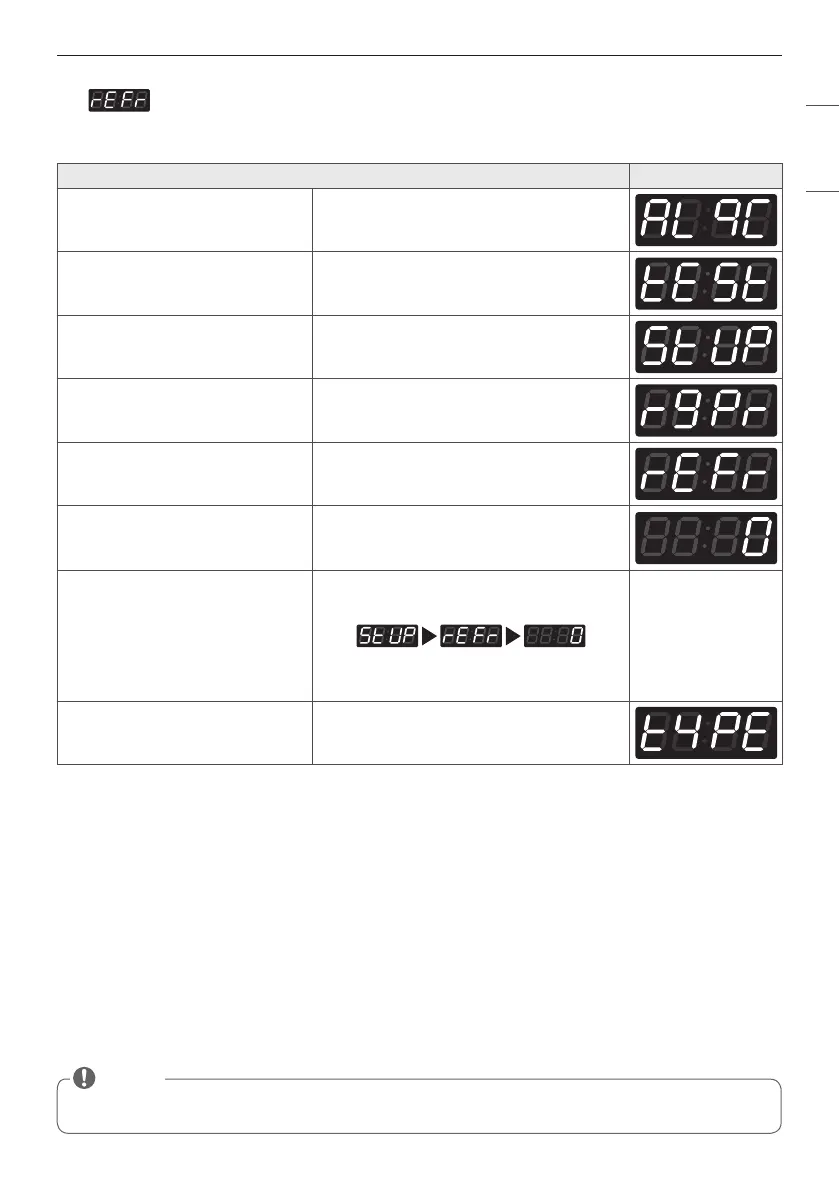
15. Stanby Return Time Setup
Standby Return Time Setup can be used to set how long the input payment is held until the machine resets to
standby mode.
Stanby Return Time Setup
Display
Enter SVC Mode
Press 1st button
Press 2nd button
Press Start button
Press 2nd button or 3rd button Until display shows
Press Start button
Select the time you want
Button functions :
Start button = Select
1st button = Go back a step
2nd button = Move up or Increase value
3rd button = Move down or Decrease value
Press Start to set the time The next menu setting will be displayed.
• 0 : Holds input payment permanently.
• 1~180 : Holds input payment for selected amount of time, then returns to standby mode.
NOTE


 To Next Page
 Loading...