EasyManua.ls Logo

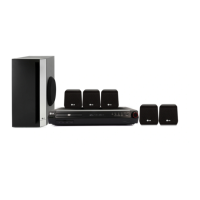
LG SH33SU-S - User Manual

LG SH33SU-S
14 pages
Print Icon
To Next Page IconTo Next Page
Loading...
HT303SU-D0_ENG_ES_MFL56762623
R
P/N: MFL56762623
HT303SU
(HT303SU-D0, SH33SU-S/W)
DVD/CD RECEIVER
Read the manual carefully before using the unit
ENGLISH
¢∂∫Δ∏™ DVD/CD
¶ÚÈÓ ¯ÚËÛÈÌÔÔÈ‹ÛÂÙ ÙËÓ Û˘Û΢‹, ‰È·‚¿ÛÙ Ì ÚÔÛÔ¯‹ ÙÔ ÂÁ¯ÂÈÚ›‰ÈÔ ¯Ú‹Û˘.
GREEK
DVD/CD-EMPFÄNGER
Leggere attentamente questo manuale prima di usare l'unità.
ITALIAN
RECEPTOR DVD/CD
Lea atentamente este manual antes de iniciar el uso de la unidad.
Lea detenidamente el contenido de esta tarjeta de Garantia.
SPANISH
LEITOR DE DVD/CD
Leia cuidadosamente este manual antes de utilizar a unidade
PORTUGUESE

Other manuals for LG SH33SU-S

Questions and Answers

  • J
    josephriveraAug 12, 2025
    Why is my LG Receiver remote control not working?
    • W
      William MaddenAug 12, 2025
      If the remote control for your LG Receiver isn't working properly, consider these possible causes: * The remote control may not be pointed at the remote sensor of the DVD/CD Receiver; point it correctly. * The remote control might be too far from the DVD/CD Receiver; use it within about 23 ft (7 m). * There may be an obstacle in the path of the remote control and the DVD/CD Receiver; remove it. * The batteries in the remote control may be flat; replace them with new ones.
  • N
    Nicholas GarciaAug 16, 2025
    Why is there no sound coming from my LG SH33SU-S Receiver?
    • J
      jessica04Aug 16, 2025
      If you experience no sound or only very low-level sound from your LG Receiver, check the following: * The equipment connected with the audio cable is not set to receive DVD audio; select the correct input mode of the equipment. * The audio cables are not connected securely; connect the audio cable into the jacks securely. * The power of the equipment connected with the audio cable is turned off; turn on the equipment connected with the audio cable. * The audio connecting cable is damaged; replace it with a new one.
  • R
    Ryan TorresAug 20, 2025
    How to fix an LG SH33SU-S with no power?
    • R
      Roger ChavezAug 20, 2025
      If your LG Receiver has no power, the power cord might be disconnected. Ensure the power cord is securely plugged into the wall outlet.
  • S
    sellerskimAug 25, 2025
    What to do if there is no picture on my LG Receiver?
    • A
      adam05Aug 25, 2025
      If you're not getting a picture on your LG Receiver, it could be due to a few reasons: * The TV is not set to receive DVD signal; set the TV to receive the DVD signal. * The video cable is not connected securely; connect the video cable into the jacks securely. * The connected TV power is turned off; turn on the TV.
  • X
    Xavier HillAug 27, 2025
    How to troubleshoot an LG SH33SU-S Receiver that won't start playback?
    • L
      Lauren FoleyAug 27, 2025
      If your LG Receiver isn't starting playback, here are a few things to check: * No disc is inserted; insert a disc, ensuring the DVD or audio CD indicator is lit. * An unplayable disc is inserted; insert a playable disc, checking the disc type, color system, and regional code. * The disc is placed upside down; place the disc with the playback side down. * The disc is not placed within the guide; place the disc correctly on the disc tray inside the guide. * The disc is dirty; clean the disc. * A menu is on the TV screen; press the SETUP button to turn off the menu screen. * The Rating level is set; cancel the Rating function or change the rating level.
  • M
    Michael JonesAug 31, 2025
    What causes a loud hum or noise from my LG SH33SU-S Receiver?
    • T
      thomasjonathanAug 31, 2025
      A loud hum or noise from your LG Receiver can be caused by a few things: * The disc is dirty; clean the disc. * The speakers and components are connected poorly; connect the speakers and components securely. * The DVD/CD Receiver is located too close to the TV; move your TV away from the audio components.
  • G
    Gary HahnSep 3, 2025
    Why can't I tune into radio stations on my LG SH33SU-S?
    • C
      Craig RubioSep 4, 2025
      If you're having trouble tuning into radio stations on your LG Receiver, consider these points: * The antenna is positioned or connected poorly; connect the antenna securely. * The signal strength of the stations is too weak; tune in the station manually. * No stations have been preset or preset stations have been cleared. No answer.
  • G
    goldenstephenSep 7, 2025
    How to brighten the front panel display on my LG SH33SU-S?
    • H
      Holly MorrisSep 8, 2025
      If the front panel display on your LG Receiver is too dim, press SLEEP(Dimmer) on the remote control.

Summary

Safety and Precautions

QUICK SETUP GUIDE

Speaker System Connection

Guide on connecting speaker wires for optimal surround sound.

5.1 Speaker Setup

Adjusting speaker parameters for built-in 5.1 channel surround decoder.

Installation

TV Connection

Instructions for connecting the DVD/CD Receiver to a TV.

Speaker System Connection

Connect speaker wires to terminals for surround sound setup.

Operation

Operate using the Front Panel

Detailed functions and buttons on the front panel of the unit.

Operate using the Remote Control

Guide to using the remote control for various operations.

Setup

Initial Settings

Adjusting picture, sound, and language settings.

Presetting the Radio Stations

Troubleshooting

Specifications

LG SH33SU-S Specifications

General IconGeneral
Channels2.1
BluetoothYes
Bluetooth Version4.0
Audio input (L,R)Yes
Digital audio optical inYes
Optical Input1
Subwoofer connectivityWireless
Power consumption (standby)0.5 W
FM TunerNo
TypeSoundbar
Power Output300W
Audio Formats SupportedDolby Digital
Connectivity TechnologyWireless
Number of speakers2
Subwoofer dimensions (WxDxH)180 x 310 x 310 mm

Related product manuals