EasyManua.ls Logo

LG SH52PH-S - User Manual

LG SH52PH-S
30 pages
Print Icon
To Next Page IconTo Next Page
Loading...
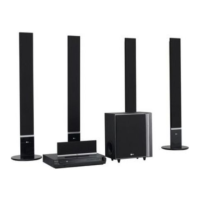
DVD KARAOKE RECEIVER
OWNER’S MANUAL
MODEL: XH-TK5020Q
Main Unit - XH-TK5020Q
Speakers - SH52PH-F
SH52PH-C
SH52PH-S
SH52PH-W
Before connecting, operating or adjusting this product, please
read this instruction booklet carefully and completely.
Internet address ; http://ua.lge.com
Customer Information Center LG ; (380-44) 490-7777,
8-800-303-0000
.
HT502PH-XK.JA8ULLD_ENG_MFL34656534
R

Other manuals for LG SH52PH-S

Questions and Answers

  • C
    cynthiaskinnerSep 18, 2025
    How to stop loud humming noise from LG SH52PH-S?
    • A
      Angel WeberSep 18, 2025
      If you hear a loud hum or noise from your LG DVD/CD Receiver, check these: * Clean the disc. * Ensure the speakers and components are securely connected. * Move the TV away from the audio components.
  • B
    brianvaughnAug 25, 2025
    Why is my LG SH52PH-S Receiver remote control not working?
    • D
      Donald CampbellAug 25, 2025
      If the remote control for your LG Receiver isn't working correctly, consider these potential causes: * Ensure the remote control is pointed at the remote sensor on the receiver. * Make sure you are within 23 ft (7 m) of the receiver. * Remove any obstacles blocking the path between the remote and the receiver. * Replace the batteries in the remote control with new ones.
  • J
    Jessica PhillipsAug 25, 2025
    Why is there no sound coming from my LG Receiver?
    • J
      Joshua WestAug 26, 2025
      If you are experiencing a lack of sound or very low sound from your LG Receiver, consider the following: * Ensure the equipment connected with the audio cable is set to receive DVD audio signal output. * Check that the audio cables are securely connected. * Verify that the equipment connected with the audio cable is powered on. * If the audio connecting cable is damaged, replace it.
  • M
    marccontrerasAug 27, 2025
    What to do if the LG SH52PH-S Receiver remote control does not work properly?
    • S
      Shawn WrightAug 27, 2025
      If the remote control isn't working, make sure you're pointing it directly at the receiver's remote sensor from a distance of no more than 23 ft (7 m). Remove any obstacles that might be blocking the signal. If it still doesn't work, try replacing the batteries with new ones.
  • K
    kathleen08Sep 18, 2025
    Why is the picture quality poor on my LG SH52PH-S Receiver?
    • J
      Jesus McneilSep 18, 2025
      If the playback picture on your LG DVD/CD Receiver is poor, try the following: * Clean the disc. * Insert a disc, if none is inserted. * Insert a playable disc. * Place the disc with the playback side down. * Place the disc correctly on the disc tray inside the guide. * Press the SETUP button to turn off the menu screen, if a menu is on the TV screen. * Cancel the Rating function or change the rating level, if the Rating level is set.
  • E
    Erik JosephSep 23, 2025
    How to fix nothing displayed on LG SH52PH-S front panel?
    • C
      christopher55Sep 23, 2025
      To address a blank front panel display on your LG Receiver, press the DIMMER button on the remote control.
  • S
    Sara NortonSep 9, 2025
    How to fix no power on my LG SH52PH-S?
    • J
      Jennifer GardnerSep 9, 2025
      If your LG Receiver has no power, ensure the power cord is securely plugged into the wall outlet. A loose connection is often the cause.
  • R
    Rebecca EstradaSep 10, 2025
    How to troubleshoot no picture on LG SH52PH-S Receiver?
    • M
      Michael RichardsonSep 10, 2025
      If there is no picture from your LG DVD/CD Receiver, make sure of the following: * The TV is set to receive DVD signal output. Select the appropriate video input mode on the TV. * The video cable is securely connected into the jacks. * The connected TV is turned on.
  • H
    hughesrebeccaSep 3, 2025
    Why is the playback picture quality poor on my LG SH52PH-S Receiver?
    • R
      Robert SpearsSep 3, 2025
      If the playback picture quality on your LG Receiver is poor, consider these possibilities: * Clean the disc. * Insert a disc. Ensure that the DVD or audio CD indicator in the DVD display is lit. * Insert a playable disc, checking the disc type, color system, and regional code. * Place the disc with the playback side down. * Ensure the disc is placed correctly within the guide on the disc tray. * Press the SETUP button to turn off the menu screen, if it's on. * Cancel the Rating function or change the rating level, if it is set.
  • E
    Elizabeth DiazSep 1, 2025
    What to do if there is no picture on my LG SH52PH-S Receiver?
    • C
      christopher21Sep 1, 2025
      If you're not getting a picture from your LG Receiver, here are a few things to check: * Make sure the TV is set to the correct video input mode to receive the DVD signal output. * Ensure the video cable is securely connected to the jacks. * Verify that the connected TV is turned on.

Summary

Safety Precautions and Warnings

Electrical Shock and Fire Hazards

Covers warnings about electric shock, internal voltage, fire hazards, and proper ventilation.

Power Cord Safety Guidelines

Instructions on handling, protecting, and inspecting the power cord to prevent hazards.

Laser Product Safety Information

Details Class 1 Laser Product designation and advice against opening the enclosure.

Proper Disposal of Old Appliances

Guidance on environmentally responsible disposal of electronic equipment.

Maintenance and Service Procedures

Handling, Shipping, and Exterior Care

Instructions for safely handling, shipping, and cleaning the unit's exterior surfaces.

Unit Cleaning and Maintenance Tips

Methods for cleaning the player and maintaining its components for optimal performance.

Introduction to the DVD Karaoke Receiver

Understanding Symbols and Disc Types

Explanation of on-screen symbols and the various types of playable discs (DVD, CD, MP3, DivX).

Regional Code and Disc Playback

Information on regional codes and how they affect DVD playback compatibility.

Front and Rear Panel Overview

Front Panel Controls and Ports

Identification and description of buttons, display, and connectors on the front panel.

Rear Panel Connection Ports

Details all input and output connectors located on the rear of the unit.

Remote Control Functions and Operation

Remote Control Button Functions

Comprehensive guide to the function of each button on the remote control.

Remote Operation Range and Battery

Information on effective operating distance, angle, and battery installation for the remote.

Connecting the Receiver to Your TV

Video and Component TV Connections

Instructions for connecting the receiver to a TV using video, component, or SCART cables.

Using the Video Output Selector

Explanation of how to use the VIDEO OUT SELECTOR switch for different TV connections.

Connecting Optional Equipment

Audio and Digital Input Connections

Details for connecting external audio devices via Optical, AUX Audio, or USB ports.

USB Device Compatibility and Usage

Information on connecting USB devices, supported file types, and safe removal procedures.

FM and AM Antenna Setup

Instructions for connecting the supplied FM and AM antennas for radio reception.

Speaker System Setup Guide

Connecting Surround Sound Speakers

Detailed instructions for connecting front, center, rear, and subwoofer speakers for optimal sound.

On-Screen Display and Initial Setup

Viewing Disc Information on Screen

How to display playback details like title, chapter, audio language, and subtitles.

Initial Setup and Language Selection

Guide to performing initial settings, including selecting OSD, audio, and subtitle languages.

Display Settings and Progressive Scan

TV Aspect Ratio and Display Modes

Settings for TV aspect ratio (4:3, 16:9) and display modes like Letterbox and Panscan.

Enabling Progressive Scan for Video

Information on progressive scan benefits and step-by-step instructions to enable it.

Audio Settings and 5.1 Speaker Configuration

Audio Adjustments: DRC and Vocal

Configuration options for Dynamic Range Control (DRC) and Vocal settings for karaoke.

5.1 Speaker Setup and Calibration

Steps for setting up speaker size, volume, distance, and performing speaker tests.

Parental Control and Other Settings

Locking Features and Parental Controls

Setting up parental controls, including rating limits, password, and area code.

PBC, DivX Registration, and Semi Karaoke

Configuration for PBC, DivX VOD registration, and karaoke scoring feature.

General Playback Operations

Basic Playback Controls

Instructions for common playback buttons like PAUSE, SKIP, SCAN, and REPEAT.

Advanced Playback Features

Details on using ZOOM, TITLE, MENU, SUBTITLE, AUDIO, and SLOW playback functions.

Advanced Features and System Settings

Playback Enhancements and Search Functions

Using features like 1.5x speed playback, time search, and marker search.

System Settings and TV Control

Managing screen saver, last scene memory, system selection (PAL/NTSC), and TV remote.

Playing Audio CDs and MP3;WMA Files

Audio CD and MP3;WMA Playback

Guide to playing audio CDs and MP3/WMA files, including ID3 TAG display and compatibility.

Programmed Playback Features

Instructions for programming, repeating, and erasing tracks from a playlist.

Viewing JPEG Files and Slideshows

JPEG File Navigation and Viewing

How to view JPEG files, navigate folders, and rotate images.

Slideshow and Still Picture Modes

Setting up slideshow speed and pausing to view individual still pictures.

Playing DivX Movie Files

DivX Playback and Subtitle Settings

Guidance on playing DivX movies, displaying subtitles, and troubleshooting subtitle issues.

DivX Compatibility and File Formats

Information on DivX file compatibility, resolution, and supported subtitle/codec formats.

Radio Operation: Tuning and Presets

Presetting Radio Stations

Step-by-step guide to scanning, storing, and recalling FM/AM radio stations.

Listening to Radio Stations

Instructions for selecting preset stations, manual tuning, and improving reception.

Operational Settings and Sound Modes

Timers, Dimmer, and Mute Functions

Using the sleep timer, adjusting display brightness, and muting audio output.

Input Selection and Sound Enhancements

Selecting input sources and adjusting sound modes like XTS, Virtual Sound, and Preset fields.

Karaoke Playback Basics

Setting Up for Karaoke Playback

Steps for connecting the system, loading discs, and initiating basic karaoke playback.

Adjusting Karaoke Audio and Key Control

Guide to adjusting microphone volume, echo, and vocal key for karaoke singing.

Advanced Karaoke Features

Song Management and Vocal Adjustments

Features for reserving songs, changing male/female keys, tempo, and shadow function.

Karaoke Menu Options

Configuration of karaoke menu settings like score display, fanfare, lyrics, and chorus.

Karaoke Music Selection: Lists and Singers

Navigating Music and Song Lists

How to browse through local, pop, classic song lists, and singer lists.

Selecting Singers and Song Titles

Steps to find and select specific singers and their song titles from the karaoke lists.

Karaoke Classical Music and Composers

Accessing Classical Music and Composers

Guide to selecting classical music categories and composer lists.

Browsing Classical Song Titles

How to find and select classical song titles associated with specific composers.

Karaoke Game Modes

Random Song Playback

Instructions for initiating and playing songs in random order.

Challenge Mode Game Setup

Configuration and gameplay for the song challenge game, including attempts and scores.

Reference: Language and Area Codes

Language Code Directory for Settings

A list of language codes used for setting disc audio, subtitle, and menu languages.

Area Code Directory for Disc Playback

A list of country codes used for regional playback settings on DVDs.

Troubleshooting Common Issues

Power, Picture, and Sound Problems

Solutions for issues related to power, no picture, no sound, or low audio output.

Playback and Noise Troubleshooting

Addresses problems with playback not starting, poor picture quality, and audio hum or noise.

Troubleshooting: Radio and Remote Control Issues

Radio Tuning and Remote Control Problems

Solutions for issues with tuning radio stations and the remote control not functioning properly.

Front Panel Display Brightness

Troubleshooting steps for a dim or unreadable front panel display.

Technical Specifications

General and Media Specifications

Details on power, dimensions, operating conditions, laser, signal systems, and disc compatibility.

Audio and Speaker Specifications

Lists technical details for the tuner, amplifier, and specifications for each speaker type.

LG SH52PH-S Specifications

General IconGeneral
Channels5.1
HDMI Outputs1
BluetoothYes
Input Sensitivity200 mV
Wireless Rear SpeakersNo
TypeReceiver
USB Port1
Response Bandwidth20Hz-20kHz
Input Impedance47 kOhm
Tuner BandsFM
Width430mm
Depth320mm
Height170mm
Optical Input1

Related product manuals