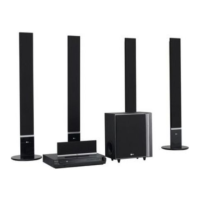
Why does my LG Receiver have no power?
- JJames Gallegos DDSSep 4, 2025
If your LG Receiver has no power, make sure the power cord is securely plugged into the wall outlet.
Why does my LG Receiver have no power?
If your LG Receiver has no power, make sure the power cord is securely plugged into the wall outlet.
How to improve poor playback picture on LG Receiver?
If the playback picture on your LG Receiver is poor, try the following: 1. Clean the disc. 2. Ensure a disc is inserted. 3. Make sure a playable disc is inserted, checking the disc type, color system and regional code. 4. Place the disc with the playback side down and correctly within the guide. 5. Turn off any menu screen by pressing the SETUP button. 6. Cancel the Rating function or change the rating level.
What to do if the playback picture is poor on my LG Receiver?
If the playback picture on your LG Receiver is poor, start by cleaning the disc. Ensure a playable disc is inserted correctly (label side up) and placed within the guide on the disc tray. If a menu is on the screen, press the SETUP button to turn it off. Also, check if the Rating level is set and, if so, cancel the Rating function or change the rating level.
Why is my LG Receiver remote control not working properly?
If your LG Receiver's remote control isn't working, ensure you're pointing it directly at the receiver's remote sensor and are within 23 ft (7 m). Remove any obstacles between the remote and the receiver. If it still fails, replace the batteries with new ones.
What to do if there is no sound from my LG SH52TH-W Receiver?
If you're experiencing no sound or very low sound from your LG DVD/CD Receiver, make sure the connected equipment is set to receive DVD audio signal output by selecting the correct input mode on the receiver. Also, ensure the audio cables are securely connected and the connected equipment is turned on. If the issue persists, the audio connecting cable might be damaged and need replacement.
How to fix dim front panel display on LG SH52TH-W?
If the front panel display on your LG DVD/CD Receiver is too dim, and nothing is displayed on the front panel display, press DIMMER on the remote control.
What to do if LG DVD/CD Receiver does not work with power on?
If your LG DVD/CD Receiver is on but not working, make sure a disc is inserted. Check that the DVD or audio CD indicator in the DVD display is lit.
Why does my LG SH52TH-W remote control not work properly?
If the remote control isn't working correctly with your LG Receiver, make sure you're pointing it at the receiver's remote sensor and that you're within 23 ft (7 m). Also, check for any obstacles blocking the path between the remote and the receiver. If it still doesn't work, the batteries might be dead, so try replacing them with new ones.
How to tune radio stations on LG SH52TH-W Receiver?
If you can't tune in radio stations on your LG Receiver, here are a few things to try: * Ensure the antenna is securely connected. * If the signal strength is weak, try tuning in the station manually. * If no stations are preset, preset the stations.
What to do if the audio CD indicator doesn't work on my LG Receiver?
If the power is on but the DVD/CD Receiver audio CD indicator of your LG Receiver isn't working, make sure a disc is inserted.
Information for service, shipping, and packing the unit safely.
Precautions for cleaning and maintaining the unit's exterior surfaces.
Recommendations for regular inspection and maintenance of the unit.
Manual advice, symbol explanations, and notes for operating the unit.
Disc types, regional codes, and SIMPLINK function details.
Diagrams and descriptions of the front and rear panel controls and connectors.
Detailed explanation of the remote control buttons and their functions.
Instructions for connecting the receiver to a TV via video or component cables.
Connecting external devices, USB usage, and antenna setup.
Instructions for connecting the receiver to an HDMI-equipped TV.
Guide to connecting the main unit, wireless transmitter, and speakers.
Instructions on attaching ferrite cores to speaker cables to reduce noise.
Information on wireless system setup and LED indicators.
Steps for assembling speakers and connecting them to the stands.
Procedure to set or reset the ID for wireless transmitter and receiver.
Troubleshooting for no sound from rear speakers.
Displaying disc info and making initial settings via the setup menu.
How to select language for setup menu and on-screen display.
Selecting preferred language for audio tracks, subtitles, and disc menus.
Settings for TV Aspect Ratio (4:3, 16:9) and Display Mode (Letterbox, Panscan).
Options for receiver's audio settings like DRC, Vocal, and HD AV Sync.
Settings for the built-in 5.1 channel surround decoder.
Settings for parental control, DivX registration, and Semi Karaoke.
Overview of buttons and their operations for playback controls like Play, Pause, Skip, Scan.
Advanced playback, screen saver, system select, and TV remote control functions.
Guide to playing audio files and creating programmed playback sequences.
Instructions for playing JPEG files and using slide show features.
Guide to playing DivX movie files and managing subtitles.
Steps to preset, store, and listen to FM/AM radio stations.
Settings for sleep timer, display brightness, mute, and input source selection.
Explanation of XTS, VIRTUAL sound, and Sound Mode options.
Lists of codes for language and DVD disc rating area selection.
Solutions for power, unresponsiveness, and no picture issues.
Fixes for audio problems, poor picture quality, playback errors, and noise.
Troubleshooting for radio tuning and remote control malfunctions.
Solution for a dim front panel display.
General, video, and audio specifications of the unit.
Tuning range, sound output power, and amplifier specifications.
Specifications for speakers and the wireless system components.
| HDMI Outputs | 1 |
|---|---|
| Bluetooth | Yes |
| USB Playback/Input | Yes |
| Input Sensitivity | 200 mV |
| Channels | 5.1 |
| Response Bandwidth | 20 - 20000 Hz |
| Input Impedance | 47kΩ |
| Tuning Range | 87.5 - 108 MHz |
| Connector Type | RCA |
Loading...