EasyManua.ls Logo

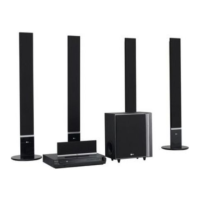
LG SH53TH-S - User Manual

LG SH53TH-S
22 pages
Print Icon
To Next Page IconTo Next Page
Loading...
Model: HT503TH(HT503TH-DH, SH53TH-S/C/W)
Unique Features
P/NO : MFL56941114
5.1ch ez Set-up
Listen sound from TV, DVD
and Digital Device with vivid
5.1ch mode.
Go to page 15
Full HD up-scaling
(1080p)
View Full HD picture quality
with simple setup.
Go to page 10
USB Direct Recording
Record music from CD to
your USB device.
Go to page 17
Portable In
Listen to music from your
portable device (MP3,
Notebook, etc).
Go to page 17
FOR THE WARRANTY TERMS & CONDITIONS,
PLEASE REFER TO BACK COVER OF THIS MANUAL.
HT503TH-DH_BGBRLL_ENG_1114(UK) 6/25/08 12:13 AM Page 1

Other manuals for LG SH53TH-S

Questions and Answers

  • C
    Christopher McdonaldAug 18, 2025
    How to fix no picture on LG Home Theater System?
    • M
      mdavisAug 18, 2025
      If there is no picture on your TV when using the LG Home Theater System, ensure that your TV is set to the correct video input mode to receive the DVD signal. Also, verify that the video cables are securely connected to both the TV and the DVD Receiver.
  • D
    deannagillAug 21, 2025
    Why is there no sound from my LG SH53TH-S?
    • D
      Denise BriggsAug 21, 2025
      If you're experiencing little or no sound with your LG Receiver, first, make sure that the equipment connected via the audio cable is set to receive the DVD signal output. Select the correct input mode on your audio receiver. Check that the audio cables are connected securely to both the speakers and the receiver. If the problem persists, the audio cables may be damaged and need replacement.
  • N
    Nathan WilliamsAug 23, 2025
    What to do if DVD/CD will not play on LG Home Theater System?
    • K
      Kelly PooleAug 23, 2025
      If your LG Home Theater System isn't playing DVDs or CDs, first, make sure a disc is actually inserted and that it's a playable disc (check the disc type, colour system, and regional code). Ensure the disc is placed correctly with the label side up. If a menu is open, press SETUP to close it. Also, check if a parental lock is enabled, and if so, enter your password or adjust the rating level.
  • M
    Mathew ZunigaAug 26, 2025
    Why is there little or no sound on my LG Home Theater System?
    • E
      Elizabeth CameronAug 26, 2025
      If you experience little or no sound with your LG Home Theater System, ensure that the equipment connected via the audio cable is set to receive the DVD signal output. Check that the audio cables are securely connected to both the speakers and the receiver. If the issue persists, the audio cables may be damaged and need replacement.
  • A
    Amy SellersAug 28, 2025
    How to fix no picture on my LG SH53TH-S?
    • J
      Jeremy FrancoAug 28, 2025
      If there is no picture on your TV when using the LG Receiver, ensure that the TV is set to the correct video input mode to receive the DVD signal. Also, check that the video cables are securely connected to both the TV and the DVD Receiver.
  • H
    Helen RodriguezAug 30, 2025
    Why is there no sound coming from my LG SH53TH-S Receiver?
    • T
      Tracy WilsonAug 30, 2025
      If you experience little or no sound with your LG Receiver, check the following: * Make sure the equipment connected via the audio cable is set to receive the DVD signal output by selecting the correct input mode on your audio receiver. * Ensure the audio cables are securely connected to both the speakers and the receiver. * If the issue persists, the audio cables may be damaged and need replacement.
  • S
    Sonia LongSep 1, 2025
    What to do if my LG SH53TH-S won't play a DVD/CD?
    • J
      jennifer77Sep 1, 2025
      If your LG Receiver won't play a DVD/CD, try these steps: 1. Ensure a disc is inserted correctly, with the label side facing upwards. 2. Verify that the disc is playable and compatible with the receiver (check the disc type, color system, and regional code). 3. Close any open menus by pressing the SETUP button. 4. If a parental lock is enabled, enter your password or adjust the rating level.
  • D
    Daniel DuncanSep 3, 2025
    Why can’t I tune into radio stations properly on my LG SH53TH-S Receiver?
    • K
      Kimberly GarnerSep 3, 2025
      If you're having trouble tuning into radio stations with your LG Receiver, check the antenna connection and adjust its position. If the signal strength is weak, try tuning to the station manually. Also, make sure the remote is pointed directly at the unit and is within 23 feet (7m), with no obstacles in the way.
  • W
    warnerrobertSep 5, 2025
    How to improve poor DVD picture quality on my LG SH53TH-S?
    • T
      Tina JohnsonSep 6, 2025
      If the DVD picture quality is poor on your LG Receiver, the disc may be dirty. Clean the disc using a soft cloth with outward strokes.
  • T
    Tina BishopSep 8, 2025
    How to stop humming noise on LG Home Theater System?
    • E
      Emily RichSep 8, 2025
      If you hear a humming noise while playing a DVD or CD on your LG Home Theater System, the disc may be dirty. Clean it with a soft cloth, using outward strokes. Alternatively, the DVD receiver might be too close to the TV, causing feedback. Try moving the DVD receiver and other audio components further away from the TV.

Summary

Unique Features Overview

Full HD Up-scaling (1080 p)

View Full HD picture quality with simple setup, enhancing resolution.

5.1 Channel Surround Sound Setup

Listen to vivid 5.1ch surround sound from TV, DVD, and digital devices.

USB Direct Recording

Portable Media Input

Safety Precautions

General Safety Warnings

Covers electrical shock, fire hazards, and ventilation requirements for safe operation.

Laser System Safety

Advises on safe operation and avoiding direct exposure to the laser beam.

Power Cord Safety

Details precautions for the power cord to prevent shock or fire hazards.

Disposal of Old Appliance

Provides guidance on environmentally sound disposal of electronic products.

Power and Wiring Information

SIMPLINK Feature

Setting Up Speakers

Assembling the Speakers

Instructions for fixing speakers to their bases securely.

Attaching Speakers to DVD Receiver

Guide for connecting speaker cables to the DVD receiver terminals.

Hooking Up the Unit

Video Out Connection

Connects unit's video output to TV's input using a video cable.

FM Connection

Connects the FM aerial for optimal radio reception.

SCART Connection

Connects the unit to the TV using a SCART cable for video/audio.

Audio In Connection

Connects audio devices to the unit's audio input jacks.

Component Video Connection

Connects unit's component video output to TV's input.

HDMI Out Connection

Connects unit's HDMI output to TV's HDMI input using a cable.

Digital Audio In Connection

Connects unit's optical audio input to TV's optical output.

Resolution Setting

Adjusts video resolution for component and HDMI output.

Enjoying Audio from External Source

Connects and plays audio from external devices through the unit.

Remote Control Overview

Main Unit Controls

OSD Initial Language Settings

Initial Area Code Setup

Adjusting Settings

Adjusting Language Settings

Options for setting disc menu, audio, and subtitle languages.

Adjusting Display Settings

TV Aspect Ratio

Select screen aspect based on TV shape (4:3 or 16:9).

Display Mode Settings

Define how widescreen programs display on 4:3 TVs (Letterbox/Panscan).

TV Output Selection

Select output based on TV connection type (YPbPr/RGB).

Video Resolution Setting

Set resolution for Full HD picture quality (1080p, 720p etc.).

Adjusting Audio Settings

5.1 Speaker Setup

Configure speaker output levels, size, and distance.

Dynamic Range Control (DRC)

Enhances sound clarity when volume is low (Dolby Digital).

Vocal Settings

Mixes karaoke channels into normal stereo for DVDs.

HD AV Sync Adjustment

Compensates for audio delay with picture for Digital TV.

Adjusting Lock Settings

Password and Rating Setup

Set/change password and adjust parental rating levels.

Area Code Selection

Choose geographic area for playback rating standards.

Other Settings Adjustment

DivX Registration

Obtain DivX VOD registration code for renting/purchasing videos.

Bit Rate Setting

Adjust the quality of recorded files.

Setting the Sound Mode

VSM and Dolby Pro Logic II Modes

Select virtual sound modes like PL II Movie/Music/Matrix.

5.1 Channel Sound Modes

Adjusts 5.1ch sound for virtual or multi-channel playback.

Preset Sound Fields

Select from various pre-set surround sound fields (NORMAL, POP, etc.).

Displaying Disc Information

Accessing Disc Information Menu

Steps to display current title, chapter, and language info.

Navigating Disc Information

Use buttons to select items and adjust display settings.

Playing a Disc or File

Basic Disc Playback Controls

Instructions for opening tray, inserting disc, play, and stop.

Advanced Playback Options

Skip, pause, frame-by-frame playback, and repeat functions.

Playback Control and Navigation

Speed and Navigation Controls

Fast forward, rewind, slow motion, and 1.5x playback speed.

Subtitle and Menu Access

Select subtitle language and view disc title/DVD menus.

Playback Features

Starting play from time, last scene memory, and mixed disc playback.

DivX File and Subtitle Handling

DivX Subtitle Display

Adjust character set for correct DivX subtitle display.

DivX File Requirements

Compatibility details for DivX resolution, file names, and codecs.

Program Creation and File Information

Creating Custom Playback Programs

Arrange music files for custom playback order.

Displaying File Information (ID3 TAG)

View ID3 TAG information for MP3 files.

Media File Requirements and Settings

MP3;WMA File Compatibility

Details on file formats, sampling frequency, and bit rate.

Screen Saver and System Select

Screen saver activation and TV system mode selection.

Photo File Playback and Requirements

Viewing Photo Files

Basic steps for viewing photos and starting slide shows.

Photo File Compatibility

Requirements for JPEG photo files, size, and format.

Listening to the Radio

Radio Tuning and Scanning

Automatic and manual tuning, improving reception.

Managing Radio Presets

Saving, selecting, and deleting preset radio stations.

Radio Station Information (RDS)

Viewing RDS data like PS, PTY, RT, and CT.

5.1 Channel Surround Sound Setup

Connecting for 5.1 ch Audio

Connects optical audio out from TV/device to unit's optical IN.

Activating AUX OPT Mode

Selects AUX OPT input for vivid 5.1ch sound.

USB Music Playback

Connecting and Playing USB Music

Steps to connect, select, and play music from USB devices.

Compatible USB Devices

Lists supported USB device types and limitations.

USB Device Requirements

Important notes on file systems, extension cables, and device recognition.

CD to USB Music Recording

Recording Process

Steps to connect USB, select mode, and start recording music from CD.

Recording Notes and Precautions

Important information during recording, bit rate, and device limitations.

Listening to Portable Player

Connecting and Playing Portable Player

Steps to connect portable player via PORT. IN and play music.

Language Codes Reference

Area Codes Reference

Troubleshooting Common Issues

Playable Disc Types

Symbol and Regional Code Information

Symbol Display Explanations

Explains symbols appearing on the TV display during operation.

Regional Codes Explained

Guides on matching unit's regional code with DVD disc codes.

Copyright and Compatibility Notes

Copyright Protection

Information on copyright laws and Macrovision protection technology.

TV Compatibility Issues

Notes on HD TV compatibility and potential picture artifacts.

Product Specifications

General Specifications

Details power, weight, dimensions, operating conditions, and laser type.

FM Tuner Specifications

Lists FM tuning range and intermediate frequency.

Amplifier Specifications

Details stereo, surround sound, and subwoofer output power.

Speaker Specifications

Provides details on speaker type, impedance, power, and dimensions.

LG Product Guarantee

Guarantee Terms and Conditions

Outlines component replacement, labor reimbursement, and exclusions.

Maintaining Warranty Coverage

Requirements like retaining receipt and product registration for warranty.

LG SH53TH-S Specifications

General IconGeneral
BrandLG
ModelSH53TH-S
CategoryReceiver
LanguageEnglish

Related product manuals