EasyManua.ls Logo

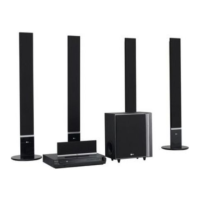
LG SH52TH-S - User Manual

LG SH52TH-S
28 pages
Print Icon
To Next Page IconTo Next Page
Loading...
WIRELESS DVD/CD
RECEIVER SYSTEM
OWNER’S MANUAL
MODEL: HT502THW
Main Unit - HT502THW-AN
Speakers - SH52TH-F
SH52TH-S
SH52TH-C
SH52TH-W
W92-T, W92-R
Before connecting, operating or adjusting this product,
please read this instruction booklet carefully and
completely.
HT502THW-AN_DMARLLP_ENG_6965
R

Other manuals for LG SH52TH-S

Questions and Answers

  • S
    Samantha KennedySep 8, 2025
    What to do if there is no sound from LG Receiver?
    • P
      Paul HallSep 8, 2025
      If you're not getting any sound or only hearing very low-level sound from your LG DVD/CD Receiver, first, check that the equipment connected with the audio cable is set to receive DVD audio signal output. Ensure the audio cables are securely connected. Also, verify that the connected equipment is powered on. If the issue continues, the audio connecting cable may be damaged, consider replacing it.
  • N
    Natasha OwensAug 25, 2025
    How to fix LG SH52TH-S Receiver remote control that is not working?
    • M
      millermelissaAug 25, 2025
      If the remote control for your LG Receiver isn't working, make sure you're pointing it directly at the receiver's remote sensor. Ensure you are within 23 ft (7 m) of the receiver and that there are no obstacles in the way. If it still doesn't work, replace the batteries with new ones.
  • B
    bethany66Aug 25, 2025
    How to fix LG SH52TH-S remote control not working?
    • J
      Jessica NelsonAug 26, 2025
      If your LG Receiver remote control isn't working correctly, here are some things to check: * Make sure you're pointing the remote control directly at the remote sensor on the DVD/CD Receiver. * Ensure you're using the remote control within a reasonable distance, about 23 ft (7 m). * Remove any obstacles that might be blocking the path between the remote and the receiver. * Try replacing the batteries in the remote control with new ones.
  • C
    christopherbeckerSep 18, 2025
    What causes loud hum or noise from LG SH52TH-S Receiver?
    • K
      Kelsey GrossSep 18, 2025
      If you're hearing a loud hum or noise from your LG DVD/CD Receiver, here's what to check: * Clean the disc, as it may be dirty. * Ensure the speakers and components are securely connected. * Move the TV away from the audio components, as the receiver may be located too close to the TV.
  • W
    wcarrSep 8, 2025
    How to fix LG Receiver when there is no power?
    • G
      Guy SmithSep 9, 2025
      If your LG Receiver isn't powering on, make sure the power cord is securely plugged into the wall outlet.
  • J
    Jacqueline EvansSep 13, 2025
    What to do if nothing is displayed on the front panel display of my LG SH52TH-S?
    • R
      Robert GonzalesSep 13, 2025
      To resolve nothing being displayed on the front panel of your LG Receiver, press the DIMMER button on the remote control.
  • A
    Amber DiazSep 3, 2025
    Why won't my LG Receiver start playback?
    • M
      millernicoleSep 3, 2025
      If your LG Receiver isn't starting playback, consider these possible reasons: * Make sure a disc is inserted. * Ensure the inserted disc is playable. * Check that the disc is placed correctly, with the playback side down. * Verify the disc is placed within the guide on the disc tray. * Clean the disc if it's dirty. * If a menu is on the TV screen, press the SETUP button to turn it off. * If the Rating level is set, cancel the Rating function or change the rating level.
  • K
    Kimberly TurnerSep 3, 2025
    How to stop loud humming from my LG SH52TH-S Receiver?
    • R
      ryanbryantSep 4, 2025
      If you're experiencing loud hum or noise from your LG Receiver, consider the following: * Clean the disc, as it might be dirty. * Ensure that the speakers and components are securely connected. * Move the TV away from the audio components, as the DVD/CD Receiver might be too close to the TV.
  • J
    Jordan JohnsonSep 23, 2025
    What to do if the audio CD indicator doesn't work on my LG SH52TH-S?
    • D
      Deborah MeyerSep 23, 2025
      If the power is on but the DVD/CD Receiver audio CD indicator of your LG Receiver isn't working, make sure a disc is inserted.
  • D
    Douglas HarrisAug 29, 2025
    Why is there no sound from my LG SH52TH-S Receiver?
    • D
      David FarmerAug 29, 2025
      If your LG Receiver has no sound or very low sound, make sure the equipment connected with the audio cable is set to receive the DVD audio signal output. Check that the audio cables are securely connected and that the connected equipment is powered on. If the issue persists, try replacing the audio connecting cable, as it may be damaged.

Summary

Safety Precautions

Electrical Safety and Fire Hazards

Covers shock, fire, moisture, ventilation, and power cord safety.

Laser Safety

Covers laser beam exposure.

Introduction

Before Use and Manual Purpose

Read the manual for proper operation and retain for future reference.

Front Panel and Rear Panel Overview

Details components on the front and rear of the unit.

Remote Control Functions

Describes the operation and buttons of the remote control.

Maintenance and Service

Information before contacting a service technician.

Introduction

Disc Playback Compatibility

Lists supported disc formats like DVD, VCD, Audio CD, MP3, WMA, JPEG, DivX.

SIMPLINK Technology Explained

Describes simplified control functions via HDMI connection.

Front Panel and Rear Panel Details

Front Panel Controls and Indicators

Describes buttons, displays, and ports on the front.

Rear Panel Connections

Details various input/output jacks on the rear of the unit.

Remote Control Operation

Remote Control Buttons and Functions

Explains the purpose of each button on the remote.

Remote Control Operation Range

Specifies distance and angle for effective remote use.

Installation and Setup

TV Connection Guide

How to connect the receiver to a TV via video or component cables.

Installation and Setup

Optional Equipment Connections

Describes connecting optical, audio, USB, and auxiliary devices.

Antenna Connection

How to connect FM/AM antennas for radio reception.

Installation and Setup

HDMI Connection Procedure

Steps to connect and configure the unit via HDMI.

HDMI Resolution Settings

Explains how to adjust video resolution for HDMI output.

Installation and Setup

Speaker System Connection Guide

How to connect front, center, rear speakers and subwoofer.

Ferrite Core Attachment (Optional)

Instructions for attaching ferrite cores to reduce noise.

Installation and Setup

Wireless System Setup

Covers wireless transmitter and receiver assembly and connection.

Assembling and Connecting Speakers

Detailed steps for speaker assembly and cable connection.

Installation and Setup

Setting Wireless Transmitter ID

Procedure for setting or resetting the wireless ID.

Installation and Setup

Displaying Disc Information On-screen

How to view playback details like track, chapter, audio, subtitle.

Initial Settings Configuration

Using the Setup menu for picture, sound, and language adjustments.

Installation and Setup

TV Aspect Ratio Settings

Adjusting 4:3 or 16:9 aspect ratio for connected TV.

Display Mode Options

Letterbox and Panscan settings for 4:3 aspect ratio.

Installation and Setup

Audio Settings and Modes

Configuring DRC, Vocal, HD AV Sync for audio output.

5.1 Speaker Setup Guide

Adjusting speaker size, volume, distance, and testing.

Installation and Setup

Parental Control (LOCK) Settings

Setting rating, password, and area code for playback restrictions.

Other Settings

Configuring PBC, DivX Registration, and Semi Karaoke.

Operation

General Playback Controls

Explains buttons like OPEN/CLOSE, PAUSE, SKIP, SCAN, REPEAT, ZOOM, TITLE, MENU, SUBTITLE, AUDIO, SLOW.

Operation

Additional Playback Features

Covers 1.5x speed playback, time search, marker search.

Screen Saver and Last Scene Memory

Explains screen saver activation and automatic recall of last viewed scene.

System Select (PAL;NTSC)

How to select the correct TV system mode.

Controlling the TV

Using the remote to control basic LG TV functions.

Operation

Playing Audio CDs and MP3;WMA Files

Instructions for playing music files and disc compatibility.

Programmed Playback

How to store and play favorite tracks in a programmed sequence.

Operation

Viewing JPEG Image Files

Instructions for playing JPEG files and slide show features.

JPEG Disc Compatibility

Notes on file size, naming, and format for JPEG playback.

Operation

Playing DivX Movie Files

How to play DivX video files and manage subtitles.

DivX Disc Compatibility

Notes on resolution, file names, codecs, and formats for DivX playback.

Operation

Presetting Radio Stations

How to store up to 50 FM/AM radio stations.

Listening to the Radio

Tuning preset and non-preset radio stations.

Operation

Sleep Timer and Dimmer Settings

Setting the auto-off timer and display brightness.

Input Source Selection

How to select analog or optical input sources.

Sound Modes and Enhancements

Explains XTS/XTS pro, VIRTUAL sound, and various Sound Modes.

Reference

Language Codes List

Codes for selecting languages for disc audio, subtitle, and menu.

Area Codes List

Codes for region restrictions on DVD playback.

Troubleshooting

Power and Basic Operation Issues

Solutions for no power, receiver not working, or poor picture.

Sound and Playback Problems

Solutions for no sound, low sound, poor picture, or playback errors.

Noise and Hum Issues

Addressing loud hum or noise problems.

Troubleshooting

Radio Tuning and Remote Control Issues

Solutions for radio tuning problems and remote control malfunctions.

Display Brightness Issues

How to fix a dim front panel display.

Specifications

General and Video Specifications

Details power, dimensions, signal system, and video outputs.

Tuner and Amplifier Specifications

FM/AM tuning ranges, frequency response, and amplifier power.

Speaker and Wireless System Specs

Details speaker impedance, power, and wireless system transmission.

LG SH52TH-S Specifications

General IconGeneral
BrandLG
ModelSH52TH-S
CategoryReceiver
LanguageEnglish

Related product manuals