EasyManua.ls Logo

LG SH52PH-F - User Manual

LG SH52PH-F
30 pages
Print Icon
To Next Page IconTo Next Page
Loading...
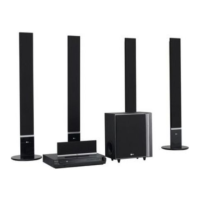
DVD KARAOKE RECEIVER
OWNER’S MANUAL
MODEL: XH-TK5020Q
Main Unit - XH-TK5020Q
Speakers - SH52PH-F
SH52PH-C
SH52PH-S
SH52PH-W
Before connecting, operating or adjusting this product, please
read this instruction booklet carefully and completely.
Internet address ; http://ua.lge.com
Customer Information Center LG ; (380-44) 490-7777,
8-800-303-0000
.
HT502PH-XK.JA8ULLD_ENG_MFL34656534
R

Other manuals for LG SH52PH-F

Questions and Answers

  • D
    Dr. Arthur Melendez DVMSep 17, 2025
    How to stop loud humming noise from LG SH52PH-F Receiver?
    • C
      christopherstevensonSep 18, 2025
      If you hear a loud hum or noise from your LG DVD/CD Receiver, check these: * Clean the disc. * Ensure the speakers and components are securely connected. * Move the TV away from the audio components.
  • A
    Ashley LivingstonAug 25, 2025
    Why is my LG SH52PH-F remote control not working?
    • A
      Ashley SmithAug 25, 2025
      If the remote control for your LG Receiver isn't working correctly, consider these potential causes: * Ensure the remote control is pointed at the remote sensor on the receiver. * Make sure you are within 23 ft (7 m) of the receiver. * Remove any obstacles blocking the path between the remote and the receiver. * Replace the batteries in the remote control with new ones.
  • B
    Bryan JonesAug 25, 2025
    Why is there no sound coming from my LG Receiver?
    • B
      bensonbillyAug 26, 2025
      If you are experiencing a lack of sound or very low sound from your LG Receiver, consider the following: * Ensure the equipment connected with the audio cable is set to receive DVD audio signal output. * Check that the audio cables are securely connected. * Verify that the equipment connected with the audio cable is powered on. * If the audio connecting cable is damaged, replace it.
  • K
    Kristina GonzalezAug 26, 2025
    What to do if the LG Receiver remote control does not work properly?
    • E
      emily89Aug 27, 2025
      If the remote control isn't working, make sure you're pointing it directly at the receiver's remote sensor from a distance of no more than 23 ft (7 m). Remove any obstacles that might be blocking the signal. If it still doesn't work, try replacing the batteries with new ones.
  • A
    Adam GraySep 18, 2025
    Why is the picture quality poor on my LG SH52PH-F?
    • C
      Chelsea JonesSep 18, 2025
      If the playback picture on your LG DVD/CD Receiver is poor, try the following: * Clean the disc. * Insert a disc, if none is inserted. * Insert a playable disc. * Place the disc with the playback side down. * Place the disc correctly on the disc tray inside the guide. * Press the SETUP button to turn off the menu screen, if a menu is on the TV screen. * Cancel the Rating function or change the rating level, if the Rating level is set.
  • B
    Benjamin JohnsonSep 23, 2025
    How to fix nothing displayed on LG Receiver front panel?
    • K
      Kenneth KingSep 23, 2025
      To address a blank front panel display on your LG Receiver, press the DIMMER button on the remote control.
  • M
    Meredith AlvaradoSep 9, 2025
    How to fix no power on my LG SH52PH-F Receiver?
    • D
      David BrockSep 9, 2025
      If your LG Receiver has no power, ensure the power cord is securely plugged into the wall outlet. A loose connection is often the cause.
  • J
    Joseph DickersonSep 10, 2025
    How to troubleshoot no picture on LG SH52PH-F Receiver?
    • M
      Mary NashSep 10, 2025
      If there is no picture from your LG DVD/CD Receiver, make sure of the following: * The TV is set to receive DVD signal output. Select the appropriate video input mode on the TV. * The video cable is securely connected into the jacks. * The connected TV is turned on.
  • J
    Justin ButlerSep 3, 2025
    Why is the playback picture quality poor on my LG Receiver?
    • A
      Anthony BernardSep 3, 2025
      If the playback picture quality on your LG Receiver is poor, consider these possibilities: * Clean the disc. * Insert a disc. Ensure that the DVD or audio CD indicator in the DVD display is lit. * Insert a playable disc, checking the disc type, color system, and regional code. * Place the disc with the playback side down. * Ensure the disc is placed correctly within the guide on the disc tray. * Press the SETUP button to turn off the menu screen, if it's on. * Cancel the Rating function or change the rating level, if it is set.
  • M
    Michael WarrenSep 1, 2025
    What to do if there is no picture on my LG SH52PH-F Receiver?
    • K
      Katherine DelacruzSep 1, 2025
      If you're not getting a picture from your LG Receiver, here are a few things to check: * Make sure the TV is set to the correct video input mode to receive the DVD signal output. * Ensure the video cable is securely connected to the jacks. * Verify that the connected TV is turned on.

Summary

Safety and Precautions

Electrical Safety Warnings

Important safety notices regarding shock, fire, and proper usage.

Power Cord and Disposal Guidelines

Guidance on power cord care and environmentally sound product disposal.

Introduction and Maintenance

Unit Handling and Exterior Care

Instructions for handling, shipping, cleaning, and maintaining the unit's exterior.

Panel Layout

Front and Rear Panel Identification

Detailed identification of all controls and ports on the front and rear panels.

Remote Control Operation

Remote Control Button Functions

Explanation of each button and its function on the remote control.

Installation and Setup

Connecting to Your Television

Guides on connecting the receiver to various TV types using different cables.

Connecting External Devices

Instructions for connecting USB, AUX, and antennas for expanded functionality.

Speaker System Setup

Surround Sound Speaker Configuration

Guides on connecting front, center, surround, and subwoofer speakers.

System Settings

Initial Setup and Language Selection

Guides for initial settings, language selection, and general operation menu.

Display Settings

TV Aspect and Progressive Scan

Adjusting TV aspect ratio and enabling progressive scan for better picture quality.

Audio Settings

Speaker Configuration and Sound Modes

Setting up 5.1 speakers, adjusting volume, distance, and dynamic range control.

Advanced Settings

Parental Controls and DivX Features

Managing parental locks, DivX registration, and semi-karaoke functions.

General Operation

Playback Control Features

Using buttons like Pause, Skip, Scan, Repeat, and Zoom during playback.

Additional Features

Playback Enhancements and System Options

Utilizing features like 1.5x playback, time/marker search, screen saver, and system selection.

Audio and Music Playback

Playing Audio CDs and MP3;WMA Files

Instructions for playing audio discs and digital music files with ID3 TAG.

Image File Playback

Viewing JPEG Files and Slide Shows

How to view JPEG files, use slide shows, and rotate images.

Movie File Playback

Playing DivX Movies with Subtitles

Instructions for playing DivX movies and managing subtitle display.

Radio Operations

Tuning and Presetting Radio Stations

Guides on presetting and manually tuning radio stations for listening.

Special Functions

Timer, Dimmer, and Sound Enhancements

Setting sleep timers, adjusting display brightness, and selecting sound modes.

Karaoke Mode Operations

Basic Karaoke Playback and Controls

Steps for basic playback, adjusting mic/echo volume, and key control.

Karaoke Song Management

Reserving Songs and Menu Options

Reserving songs, using karaoke menus, and setting playback options.

Karaoke Music Lists

Navigating Music and Singer Lists

How to browse and select songs by local, foreign, singer, or song title.

Classical Music Playback

Selecting Classical Music by Composer

How to browse and select classical music by composer and song title.

Karaoke Game Modes

Random and Challenge Game Modes

Using random playback and challenge modes for interactive karaoke games.

Reference Information

Language and Area Codes

Lists of language and area codes for setting disc options.

Troubleshooting

Resolving Power, Picture, and Sound Issues

Solutions for problems with power, picture, sound, and disc playback.

Remote and Display Troubleshooting

Fixing Remote Control and Dim Display Problems

Troubleshooting steps for remote control malfunctions and dim front panel display.

Technical Specifications

Product Details and Performance Data

Comprehensive technical details of the unit's components and performance.

LG SH52PH-F Specifications

General IconGeneral
BrandLG
ModelSH52PH-F
CategoryReceiver
LanguageEnglish

Related product manuals