EasyManua.ls Logo

LG SH72TZ-C - User Manual

LG SH72TZ-C
32 pages
Print Icon
To Next Page IconTo Next Page
Loading...
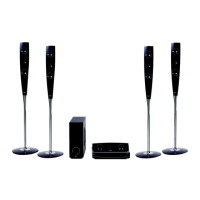
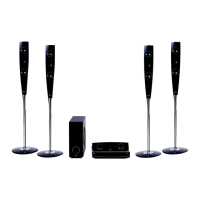
DVD KARAOKE RECEIVER
OWNER’S MANUAL
MODEL: XH-TK762TZ
XH-TK762TZ
SH72TZ-S
SH72TZ-C
SH72TZ-W
Before connecting, operating or adjusting this product, please read
this instruction booklet carefully and completely.
The working life of this product is 7 years since the date of
purchase.
HT762TZ_XK_WRUSLLK_ENG_1154
R
Downloaded From TheatreSystem-Manual.com Manuals

Other manuals for LG SH72TZ-C

Questions and Answers

  • L
    Lisa MckinneySep 8, 2025
    How to eliminate loud hum or noise from LG SH72TZ-C?
    • F
      fmillsSep 8, 2025
      To address loud humming or noise from your LG Receiver: * Clean the disc, as it may be dirty. * Ensure the speakers and components are securely connected. * Move the TV away from the audio components, as the DVD/CD Receiver might be located too close to the TV.
  • S
    sreedAug 25, 2025
    What to do if DVD/CD will not play on LG Home Theater System?
    • K
      Katrina FrenchAug 25, 2025
      If your LG Home Theater System isn't playing DVDs or CDs, first, make sure a disc is actually inserted and that it's a playable disc (check the disc type, colour system, and regional code). Ensure the disc is placed correctly with the label side up. If a menu is open, press SETUP to close it. Also, check if a parental lock is enabled, and if so, enter your password or adjust the rating level.
  • M
    Michael PerryAug 25, 2025
    What to do if there is no sound from my LG SH72TZ-C?
    • A
      Amanda MarshAug 26, 2025
      If there is no sound or very low sound from your LG Receiver, consider the following: * Ensure that the equipment connected with the audio cable is set to the correct input mode to receive the audio signal from the DVD/CD Receiver. * Check that the audio cables are securely connected. * Make sure that the connected equipment is turned on. * If the audio connecting cable is damaged, replace it.
  • R
    royacostaSep 18, 2025
    What to do if there is no picture on my LG Karaoke System?
    • I
      iclarkeSep 18, 2025
      If you're not getting a picture on your LG Karaoke System, here are a few things to check: * Make sure your TV is set to the correct video input mode to receive the DVD signal. * Verify that the video cable is securely connected to the jacks. * Ensure your TV is turned on.
  • A
    Amanda OrtizSep 9, 2025
    Why is the playback picture quality poor on my LG Receiver?
    • M
      Michael AustinSep 9, 2025
      If the playback picture quality is poor on your LG Receiver, consider the following: * Clean the disc if it is dirty. * Insert a disc, ensuring that the DVD or audio CD indicator in the DVD display is lit. * Ensure you are using a playable disc, checking the disc type, color system, and regional code. * Place the disc with the playback side down. * Make sure the disc is placed correctly within the guide on the disc tray. * Press the SETUP button to turn off the menu screen. * Cancel the Rating function or change the rating level if it is set.
  • W
    Whitney RodriguezSep 13, 2025
    How to brighten the front panel display on my LG SH72TZ-C?
    • M
      Michael ButlerSep 13, 2025
      Press DIMMER on the remote control of your LG Receiver.
  • C
    Christy JohnsonSep 3, 2025
    Why can't I tune into radio stations on my LG SH72TZ-C Receiver?
    • A
      Ashley GibsonSep 3, 2025
      If you are unable to tune into radio stations on your LG Receiver: * Ensure the antenna is securely connected. * Try tuning in the station manually if the signal strength is weak. * Preset the stations.
  • K
    Kristen MckinneySep 4, 2025
    How to brighten the display on my LG Receiver?
    • D
      dgarciaSep 4, 2025
      If the front panel display on your LG Receiver is too dim, press DIMMER on the remote control.
  • J
    Jason SchwartzSep 23, 2025
    What to do if the audio CD indicator doesn't work on my LG Karaoke System?
    • W
      William HudsonSep 23, 2025
      If the power is on but the audio CD indicator on your LG Karaoke System's DVD/CD Receiver isn't working, it might be because no disc is inserted. Try inserting a disc.
  • S
    Sarah SaundersAug 29, 2025
    What to do if a DVD/CD will not play on LG Home Theater System?
    • S
      Steven WrightAug 29, 2025
      If your LG Home Theater System DVD or CD won't play, first insert a disc if none is currently inserted. Ensure that the disc is playable by checking the disc type, color system, and regional code. Make sure the disc is inserted correctly with the label side facing upwards. If a menu is open on the screen, press SETUP to close it. Lastly, check if a parental lock is enabled, and if so, enter the password or adjust the rating level.

Summary

Safety and Introduction

General Safety Precautions

Covers electrical shock, fire, water, laser, ventilation warnings.

Power Cord and Disposal

Details power cord safety and old unit disposal procedures.

Product Introduction and Features

Provides an overview, explains symbols, disc types, and SIMPLINK.

Hardware and Connections

Front and Rear Panel Layout

Details all physical ports, controls, and connectors on the unit.

Remote Control Functions and Battery

Explains button functions, operation range, and battery installation.

Installation and Setup

TV Connection Options

Explains Video, Component, and SCART connection methods.

Optional Equipment Connections

Details USB, AUX, Optical, and Antenna connections.

Speaker System Connection

Covers speaker assembly and wiring to the receiver.

HDMI Connection and Resolution Settings

Explains HDMI setup and how to adjust output resolution.

System Operation

Disc Information and Setup Menu

Accessing on-screen disc details and using the system setup menu.

Display Settings

Adjusting TV aspect ratio and display modes for optimal viewing.

Audio Settings and Speaker Setup

Configuring audio options, DRC, and 5.1 surround sound speaker setup.

Parental Control and Other Settings

Managing ratings, DivX registration, and semi-karaoke features.

General Playback Controls

Basic playback functions for various disc types like pause, skip, scan.

Advanced Playback Features

Covers speed playback, search, screen saver, and last scene memory.

Audio CD, MP3;WMA Playback and Programming

Playing audio CDs, MP3/WMA files, and setting up programmed playback.

JPEG File Viewing

Instructions for viewing JPEG image files on the unit.

DivX Movie Playback

Playing DivX video files, including subtitle and codec compatibility.

Radio Tuning and Presets

Operating the FM/AM tuner, presetting stations, and listening to radio.

DVD Audio Disc Features

Specific playback features and navigation for DVD Audio discs.

Timers, Sound Modes, and Input Selection

Setting sleep timer, sound modes, and selecting input sources.

Karaoke Functions

Karaoke Basic and Advanced Playback

Initial setup, adjusting mic volume, echo, and key control.

Song Reservation and Tempo Control

Managing song reservations and adjusting playback tempo.

Karaoke Menu Options

Configuring score display, fanfare, lyrics, and chorus sound.

Music List Navigation

Browsing music lists, singers, and song titles for karaoke.

Classic Music and Composer Lists

Navigating classical music lists by composer and song title.

Karaoke Game Modes

Using Random and Challenge game modes for karaoke.

Reference and Troubleshooting

Language and Area Codes

Codes required for initial language and area settings.

Troubleshooting: Power, Picture, and Sound Issues

Resolving common problems related to power, picture, and sound.

Troubleshooting: Remote and Display Issues

Resolving issues with the remote control and front panel display.

System Specifications

Provides technical details for the unit's components and performance.

LG SH72TZ-C Specifications

General IconGeneral
BrandLG
ModelSH72TZ-C
CategoryReceiver
LanguageEnglish

Related product manuals